DESCRIPTION:
The objective is to edit the filename of the file when it is saved with file delivery method with Strategy Narrowcast Server 9.x - 10.x. This document demonstrates how to rename the filename dynamically with system information object. This example is focused on how to name the file with current date, but the same instructions can be used to define other types of dynamic filenames. As a default the dynamic date as a filename would be saved as 01.21.2008. This document demonstrates how to change the type of the date to a desired format such as 20080121 and use it as the filename.
What is a file delivery method?
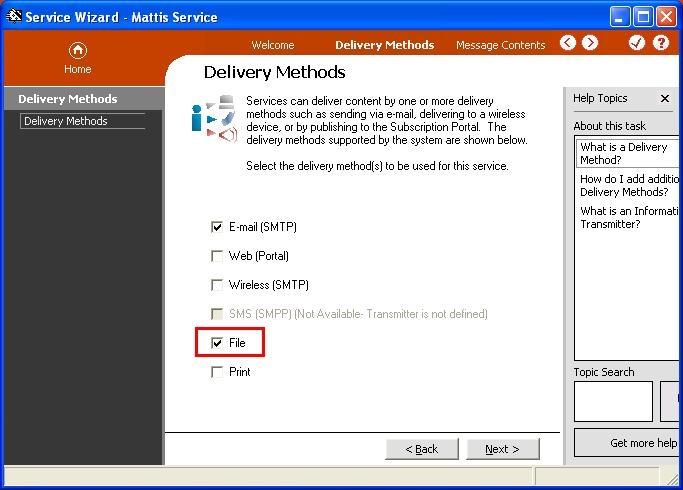
File delivery method is a method that users choose when creating a service with Service Wizard or Service Editor in Strategy Narrowcast Server 9.x - 10.x. That means that the scheduled reports will be saved to a desired location as a file.
How to modify the date type as desired e. g. 20080121
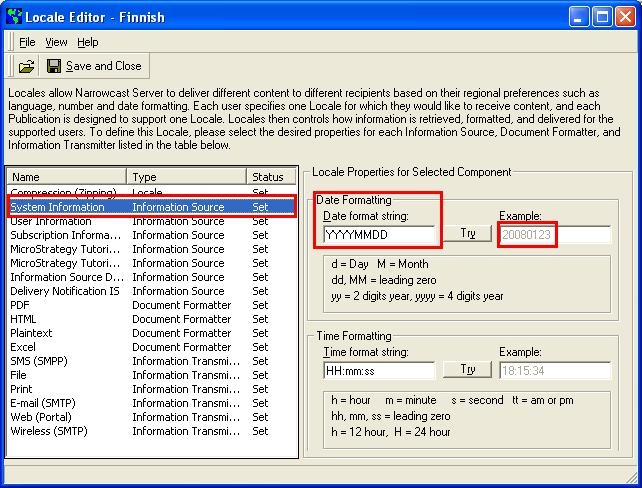
The date type can be changed in locale level. The following screenshot shows how to modify the date type in locale level in Locale Editor. This date type can be used dynamically in the filename when the file is saved. Use the corresponding locale to change the date type.
How to set the filename to change dynamically
Step 1: Insert string in 'Show advanced content section'
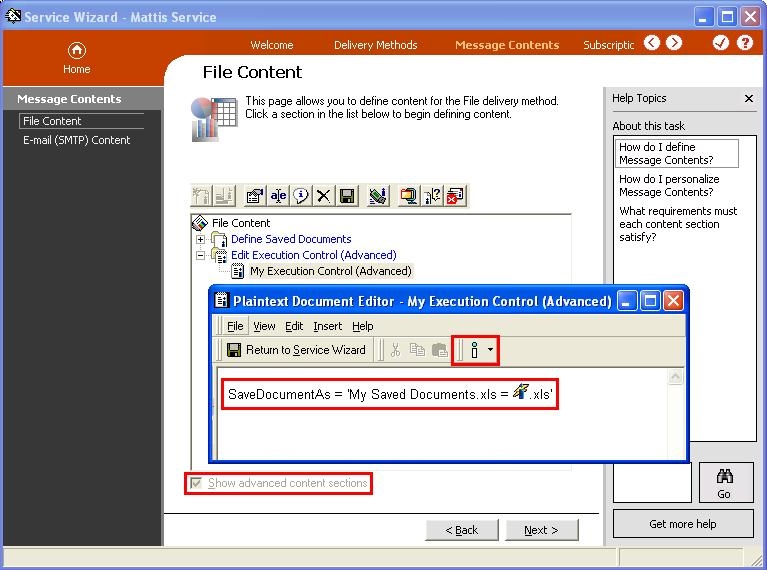
Open the service to be modified with Service Wizard and go to the Message contents section. Choose 'Show advanced content sections'. When choosing this, a new option 'Define execution control (Advanced)' appears. Open the new section and add a new string, this is demonstrated in the screenshot below:
SaveDocumentAs = 'My Attachments.xls = .xls'.
Step 2: Insert a new System Information Object
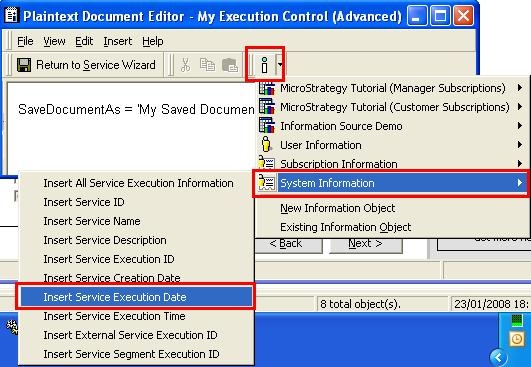
Add a 'System Information Object' from the insert menu called 'Service Execution Date'. This object will show the date when the service is executed dynamically. This object should be placed to the SaveDocumentAs string as demonstrated in the previous screenshot. The following screenshot describes how to insert the Information Object to the string.
Step 3: Run the service and see the result
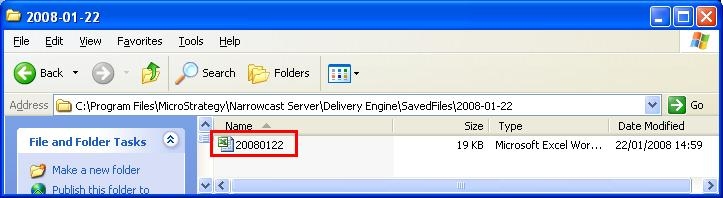
Now the filename is modified as desired and the service can be run. As a result, the file saved will appear with the desired date type as the filename. The following screenshot is demonstrating the name of the saved file.