EducationSoftwareStrategy.com
StrategyCommunity

Knowledge Base

Product

Community

Knowledge Base

TopicsBrowse ArticlesDeveloper Zone

Product

Download SoftwareProduct DocumentationSecurity Hub

Education

Tutorial VideosSolution GalleryEducation courses

Community

GuidelinesGrandmastersEvents
x_social-icon_white.svglinkedin_social-icon_white.svg
Strategy logoCommunity

© Strategy Inc. All Rights Reserved.

LegalTerms of UsePrivacy Policy
  1. Home
  2. Topics

KB484687: 500:Internal Server Error occurs when a specific user performs search in MicroStrategy Web


Min Zheng

Senior Manager, Cloud Support • MicroStrategy


This article addresses the internal server error encountered when searching in MicroStrategy Web. This article also provides a solution to avoid this error.

Description


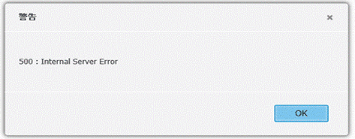
When a specific user performs search in Strategy Web, the following error is returned. 
500 : Internal Server Error
 

ka04W000000XO1EQAW_0EM4W000001JWxN.jpeg

This error occurs for specific users an a search index recreation does not solve the issue. 
The following record can be confirmed in both

DSSError.log
and
MSTRWeb.log
. 
An exception occured in the underlying search engine: Command SESearcherSearchJson; threw BaseException: A Java Exception: org.apache.lucene.search.BooleanQuery$TooManyClauses: maxClauseCount is set to 1024
 

Why is this happening?


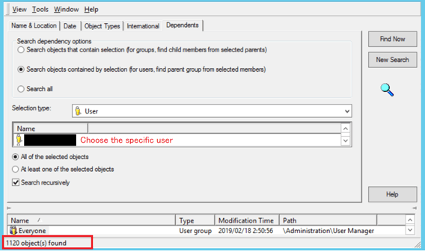
This is a known issue where for a certain user, the count of related user group exceeds 1024. When a search is performed, Strategy loads all user groups related to the user to check the Access Control List (ACL). It will then hit the limitation and throw the error when the related user group count is over 1024.
ka04W000000XO1EQAW_0EM4W000001JX8f.jpeg


Solution  


You should not exceed the count limit defined by Strategy. Please adjust the user group relationship to reduce the related user group count. 


Comment

0 comments

Details

Knowledge Article

Published:

November 5, 2020

Last Updated:

November 5, 2020