Starting with the release of Strategy ONE (March 2024), dossiers are also known as dashboards.
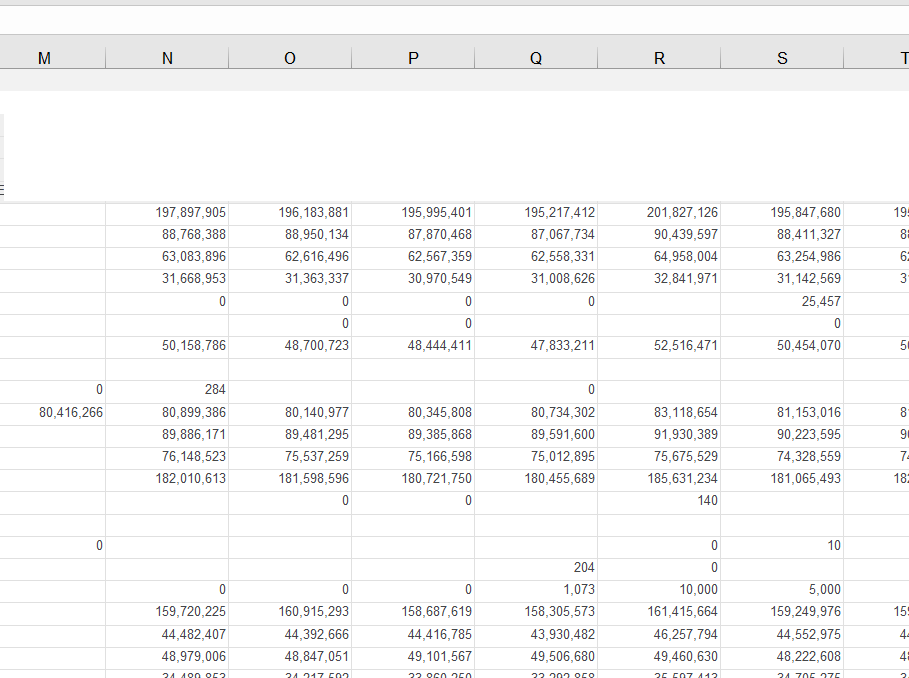
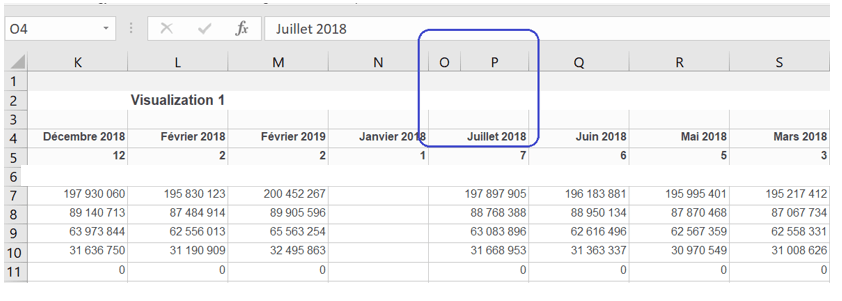
In Strategy Office for Excel, opening a dossier can result that the output Excel file has an unexpected column, whereas this column does not exist in the input file.
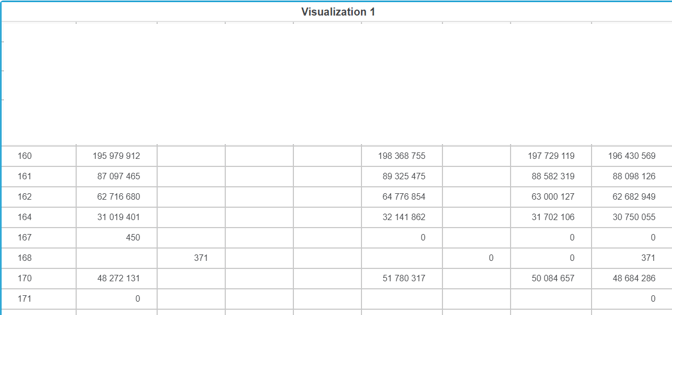
1. in Web, build a dossier with the following design:
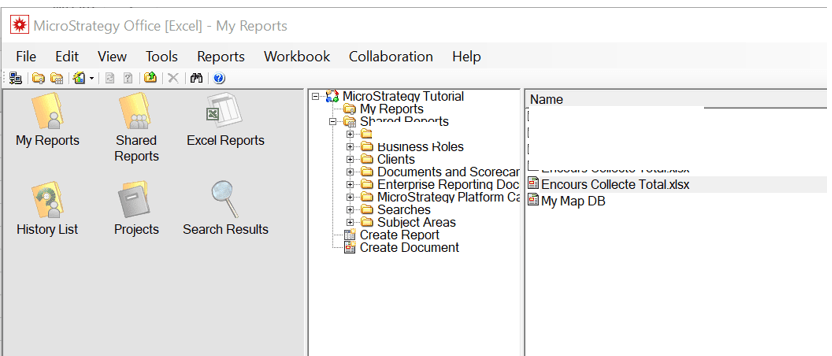
2. In Excel, open the Strategy Office import menu and connect to your project.
3. Select your newly created dossier.
Notice that the Excel file contains additional columns.
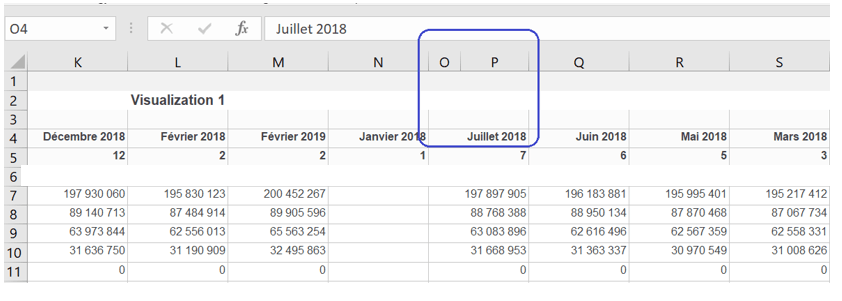
This is an identified defect that occurs in certain versions of Microsoft Office 365 (16.0.10730.20264 32 bits for example).
This issue is fixed in Strategy 2019 Update 3. Upgrade to 2019 Update 3 or later to take advantage of the fix.
For an immediate solution, you can modify the column size of the dossier and then import it into Excel. The information should import correctly.
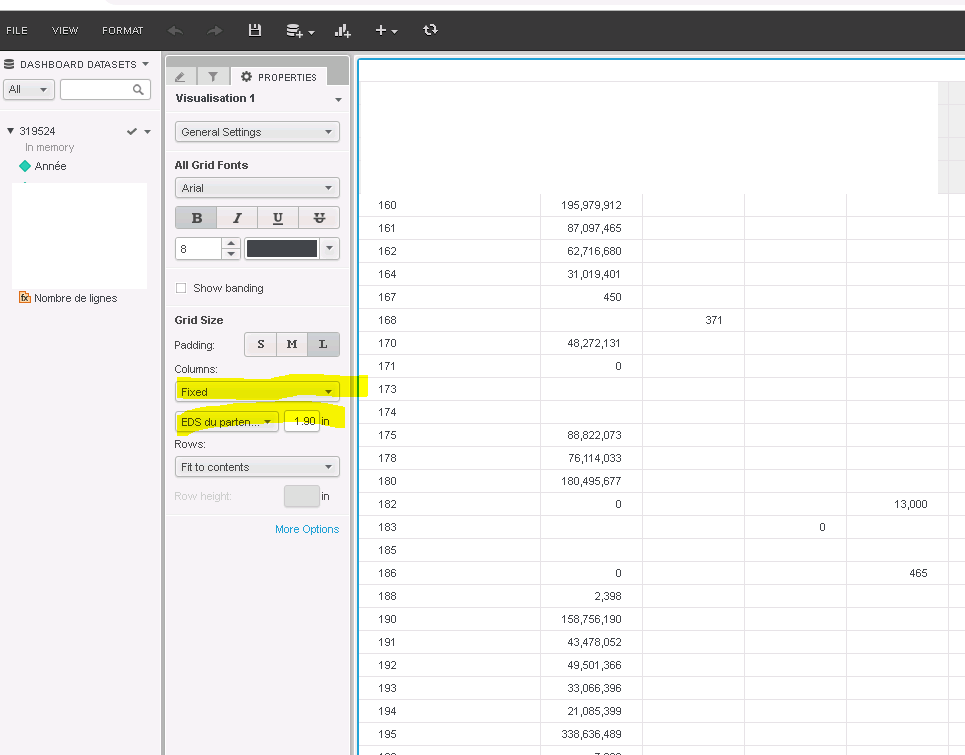
6. Open Excel and import the dossier from the Strategy Office plugin in Excel. The import appears as expected.