EducationSoftwareStrategy.com
StrategyCommunity

Knowledge Base

Product

Community

Knowledge Base

TopicsBrowse ArticlesDeveloper Zone

Product

Download SoftwareProduct DocumentationSecurity Hub

Education

Tutorial VideosSolution GalleryEducation courses

Community

GuidelinesGrandmastersEvents
x_social-icon_white.svglinkedin_social-icon_white.svg
Strategy logoCommunity

© Strategy Inc. All Rights Reserved.

LegalTerms of UsePrivacy Policy
  1. Home
  2. Topics

KB485263: Access Google BigQuery's public datasets using MicroStrategy's Google BigQuery gateway


Sergio Sainz Palacios

Software Architect • MicroStrategy


This article provides steps for accessing Google BigQuery's public dataset via the MicroStrategy Google BigQuery JDBC connector.

Starting with the release of Strategy ONE (March 2024), dossiers are also known as dashboards.

Description


Strategy’s Google BigQuery gateway supports access to Google BigQuery to perform scalable analysis over petabytes of information. Google offers public datasets for general consumption. Google pays for its storage meanwhile each user pays for the computation over such public data.
Strategy supports access to Google BigQuery's public datasets via JDBC connector. BigQuery public datasets include scientific, medical, real-state, and technology datasets that are of broad interest. They commonly provide context and enriches dossiers.
You can access the Google BigQuery gateway by following the steps below:
  • In Strategy Web or Workstation, choose your project.
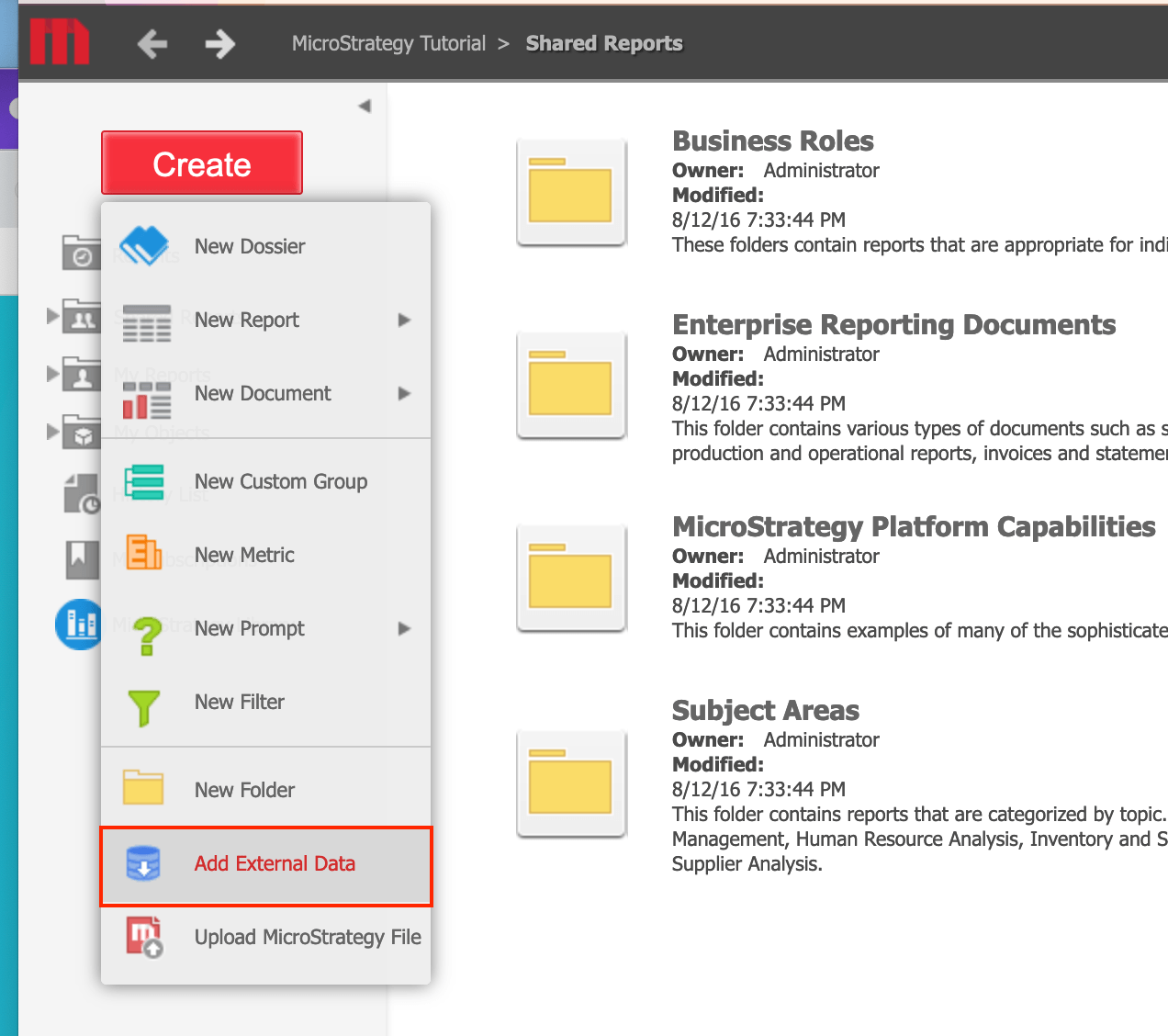
  • Click Create > Add External Data.
ka0PW0000001JglYAE_0EM4W000003A0jl.jpeg
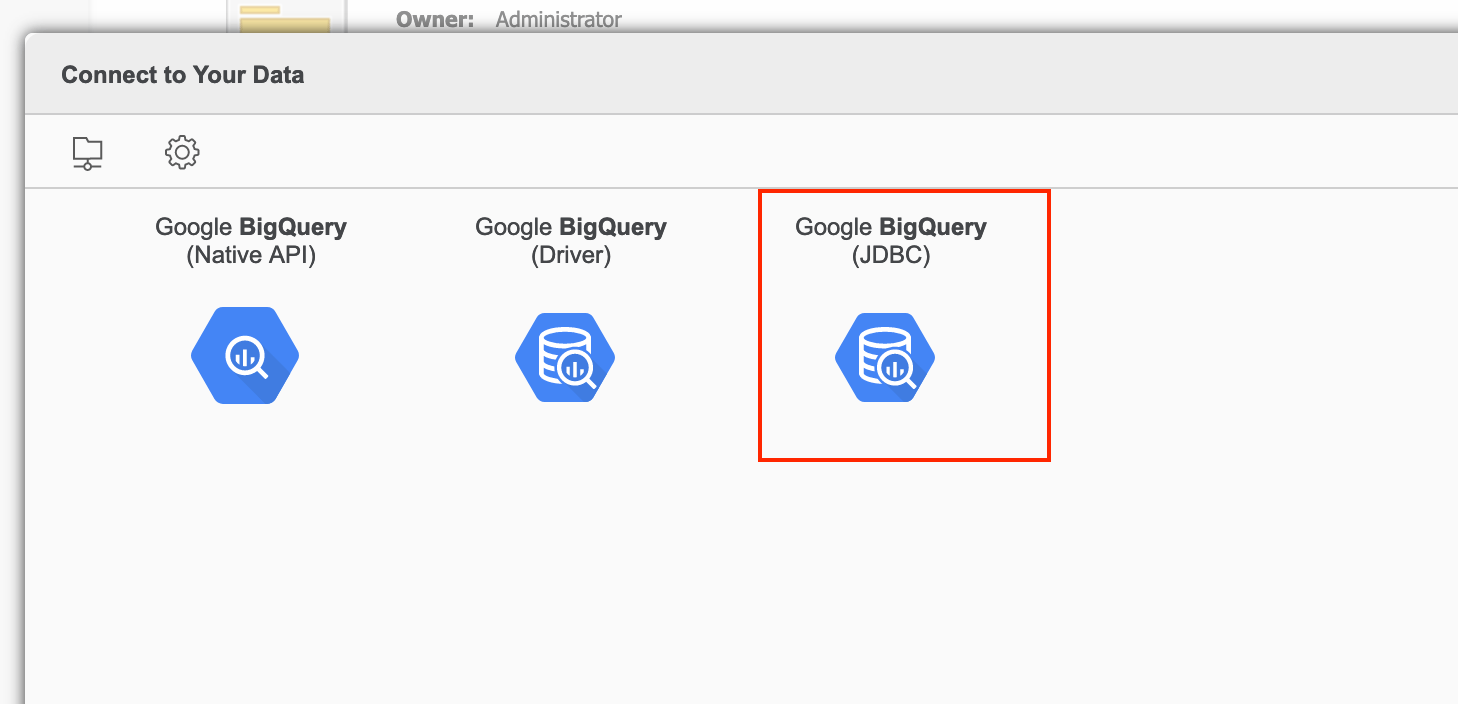
  • Select the Google BigQuery (JDBC) connector.
ka0PW0000001JglYAE_0EM4W000003A0jv.jpeg
  • Create a new datasource connector by providing the default project. Expand Advanced Settings and select the Edit connection string checkbox.
  • In the Connection String field, append the following before the closing curly brackets.
    
    ;AdditionalProjects=bigquery-public-data;
    

  • Click Save.
ka0PW0000001JglYAE_0EM4W000003A0k5.jpeg
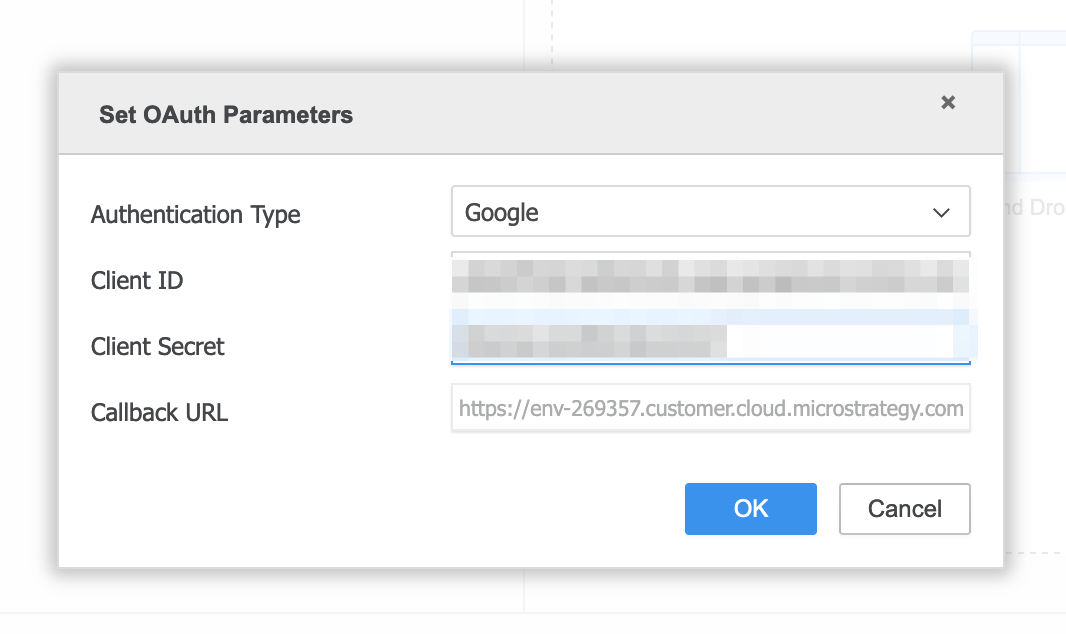
  • In the Set OAuth Parameters dialog, provide the Google BigQuery’s client ID and client secret (please refer to this video tutorial for steps to obtain the client ID and client secret).
ka0PW0000001JglYAE_0EM4W000003A0kj.jpeg
  • Click on the datasource and log into Google.
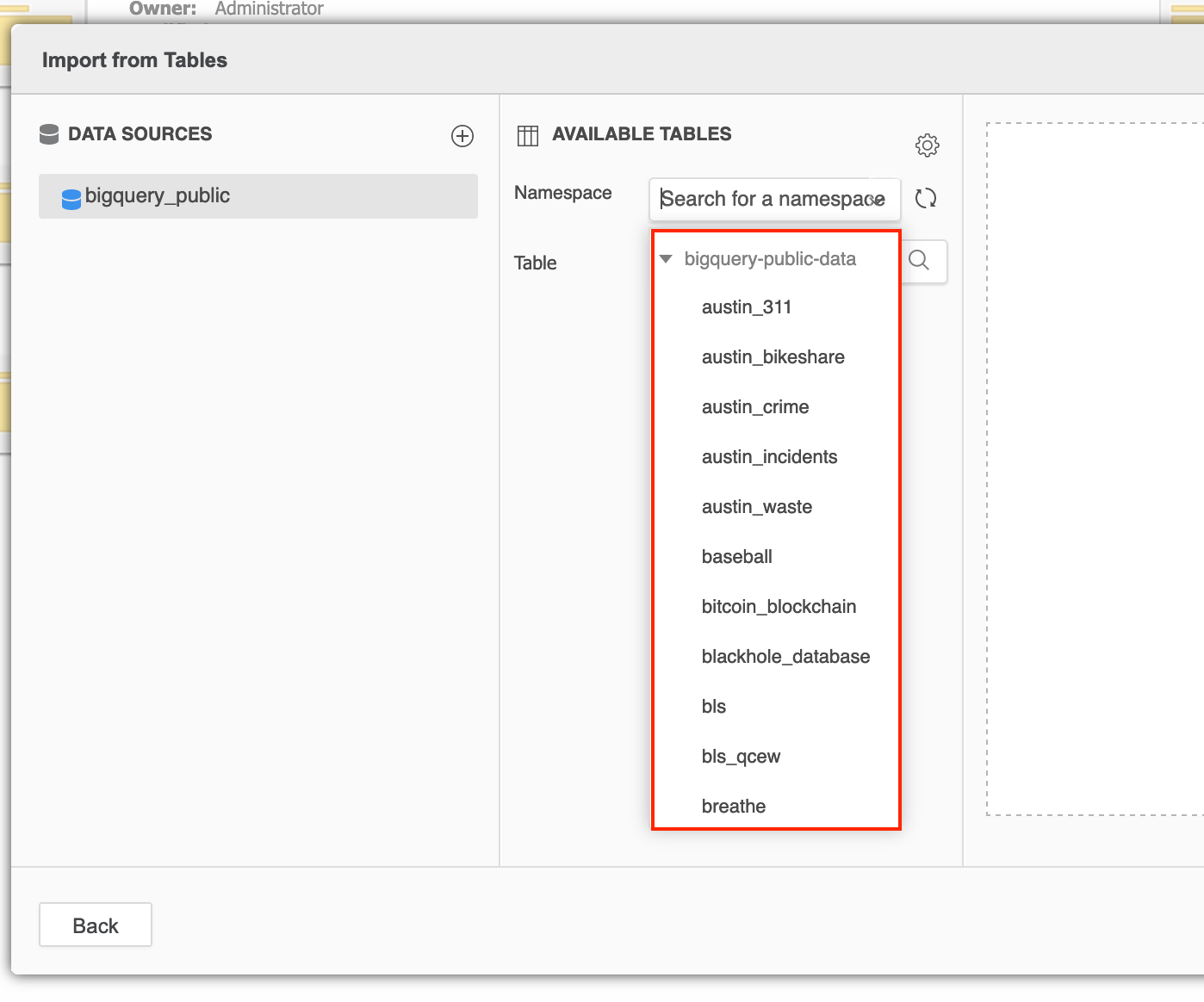
  • See the public datasets.
ka0PW0000001JglYAE_0EM4W000003A0ko.jpeg

Comment

0 comments

Details

Knowledge Article

Published:

November 17, 2021

Last Updated:

March 21, 2024