EducationSoftwareStrategy.com
StrategyCommunity

Knowledge Base

Product

Community

Knowledge Base

TopicsBrowse ArticlesDeveloper Zone

Product

Download SoftwareProduct DocumentationSecurity Hub

Education

Tutorial VideosSolution GalleryEducation courses

Community

GuidelinesGrandmastersEvents
x_social-icon_white.svglinkedin_social-icon_white.svg
Strategy logoCommunity

© Strategy Inc. All Rights Reserved.

LegalTerms of UsePrivacy Policy
  1. Home
  2. Topics

Administration tasks with Python and mstrio: listing dossiers with user groups access rights


Robert Prochowicz

Manager, Sales Engineering • MicroStrategy


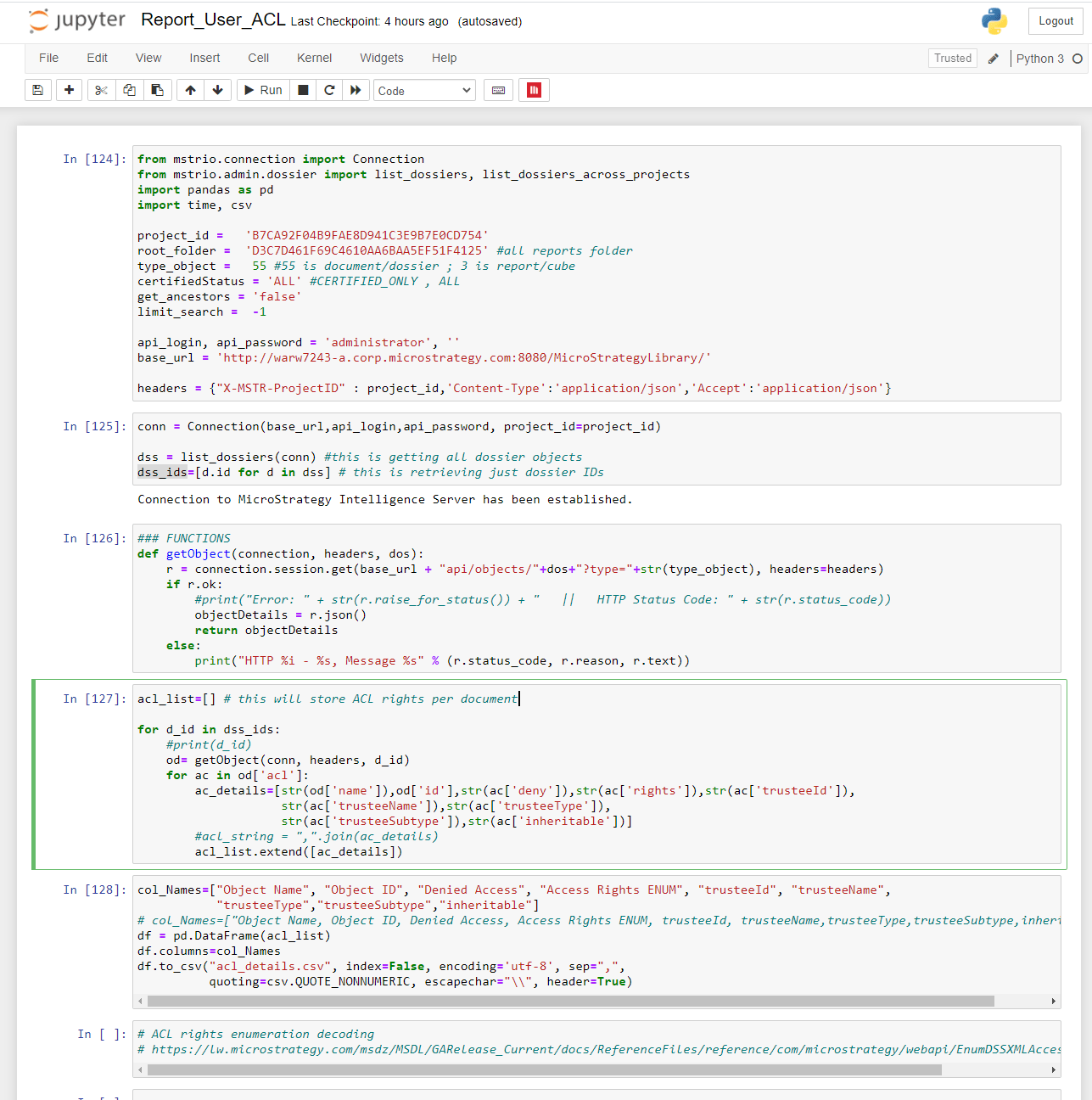
You can use Python and mstrio library for many administrative tasks in MicroStrategy. One use case is to list all dossiers/documents within a Project together with all user groups that have access to it + access rights. The script in this example does just that.

Starting with the release of Strategy ONE (March 2024), dossiers are also known as dashboards.
In order to run the script you need to install Python 3 and mstrio library for Python. Mstrio library comes with Jupyter Notebook and Pandas.
The script produces a CSV files with details about dossiers and user groups access rights. It can be furter enhanced by adding:
-    Handle reports as well (now only dossiers and documents)
-    Translate “Access Rights ENUM” into readable form like “Full control”
-    Expand User Groups into individual users (?)
-    Add path to dossier (?)
Attached is the Jupyter Notebook file and example Excel file.
ka0PW0000001JjlYAE_0EM4W0000027C7L.jpeg
ka0PW0000001JjlYAE_0EM4W0000027C7G.jpeg

Comment

0 comments

Details

Example

Published:

March 31, 2021

Last Updated:

March 21, 2024
