Starting with the release of Strategy ONE (March 2024), dossiers are also known as dashboards.
In Strategy 2020, Platform Analytics offers a new out-of-the-box dossier called the Performance Troubleshooting Dossier. This dossier can be used to analyze the breakdown of job step performance and SQL/CSI pass performance for each job. Additionally, Strategy 2020 also uses PostgreSQL as the Platform Analytics Repository.
You may notice that after you perform a fresh install on Windows with Strategy 2020 using a PostgreSQL warehouse that the Performance Troubleshooting Dossier encounters an error. More specifically, after changing the filter selection for Object Category on a Windows machine, executing the Performance Troubleshooting Dossier causes the following error to appear:
"Document execution fails. Error initializing data model from document instance, job 35, Error Code=.2147209146, Error Message=Internal System Error : Exception detected in %1 :: %2. %3)"
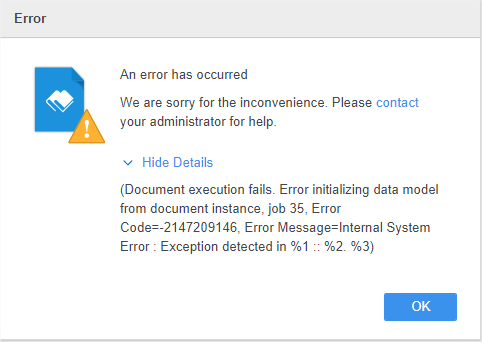
This error appears because the data has UTF-8 errors saved in the Platform Analytics cube.
When you publish an MTDI cube, the In Memory Engine will transform the source data from VarChar to UTF-8 to process it. Later, the data will be transformed back to VarChart to be viewed on the Client side. The error is appearing here because there is still data with UTF-8 errors in the Platform Analytics cube, so they cannot be processed by the Client.
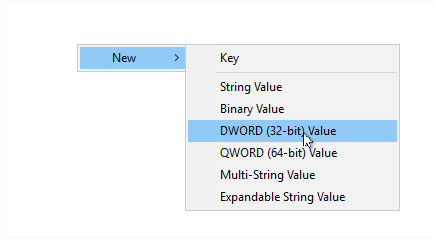
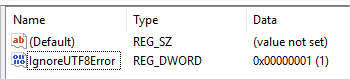
To bypass this error, you need to add a registry to set the "Ignoring the UTF8 Errors" to ON
Computer\HKEY_LOCAL_MACHINE\SOFTWARE\WOW6432Node\Strategy\Diagnostics, add a new DWORD (32-bit) Value.
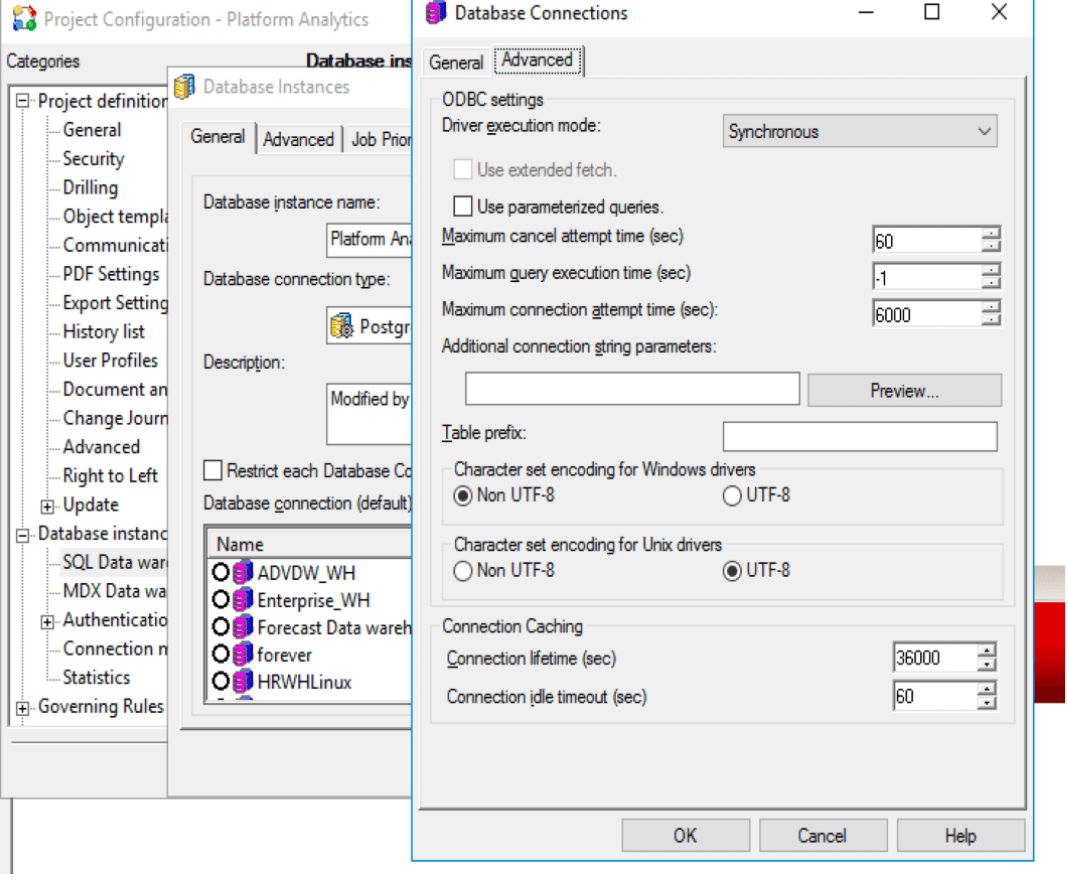
Alternatively, you can change the character set encoding to have Strategy use the right protocol to communicate with Driver in Strategy Developer.
Change the database instance settings for the Platform Analytics project (or the project you are seeing this behavior in). Set Character set encoding for Windows drivers to be Non UTF-8 for the database.