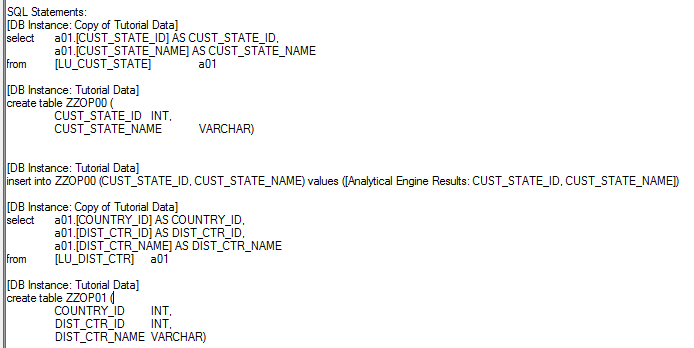
Strategy 2019 supports the creation of temporary tables in Google BigQuery. However, even after following the steps provided in the Google BigQuery whitepaper. users may encounter the following error:
"Error type: Odbc error. Odbc operation attempted: SQLExecDirect. [42000:70: on SQLHANDLE] [Strategy][BigQuery] (70) Invalid query: Syntax error: INSERT target cannot have an alias at [1:39]"
Viewing the report's SQL, the insert statement is generated as below:
"Insert into MSTR_TMP.ZZOP00 MSTR_TMP.ZZOP00 values (XXX, XXX, XXX)"
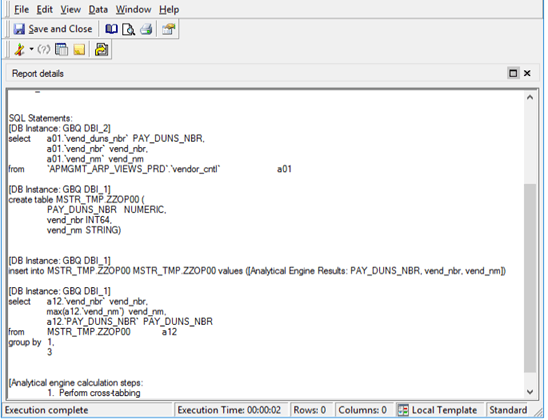
This error is a known defect in Strategy 2019 General Availability, Update 1, and Update 2, due to changes made in supported versions of Google BigQuery that require column names in insert statements.
For versions of Google BigQuery that do not require the column names inside of an insert statement, you should upgrade to Strategy 2019 Update 3 or higher, and then upgrade the Google BigQuery DBMS object. For instructions on updating the Google BigQuery DBMS objects, please see KB43537: How to install DBMS objects provided by MicroStrategy Technical Support.
Viewing the report's SQL, the insert statement is generated as below:
"Insert into 'MSTR_TMP'.ZZOP00 values (XXX,XXX,XXX)"
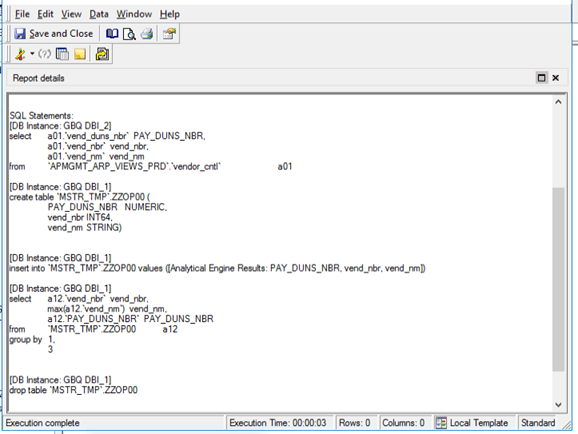
For versions of Google BigQuery that do not require the column names inside of an insert statement, upgrade to Strategy 2020.
Viewing the report's SQL, the insert statement is generated as below:
"Insert into MSTR_TMP.ZZO (Column 1, Column 2, Column 3) values (XXX, XXX, XXX)"