EducationSoftwareStrategy.com
StrategyCommunity

Knowledge Base

Product

Community

Knowledge Base

TopicsBrowse ArticlesDeveloper Zone

Product

Download SoftwareProduct DocumentationSecurity Hub

Education

Tutorial VideosSolution GalleryEducation courses

Community

GuidelinesGrandmastersEvents
x_social-icon_white.svglinkedin_social-icon_white.svg
Strategy logoCommunity

© Strategy Inc. All Rights Reserved.

LegalTerms of UsePrivacy Policy
  1. Home
  2. Topics
  3. Alteryx Connector

Alteryx Connector


Henri-Francois Chadeisson

Director, Sales Engineering • MicroStrategy


This connector enables you to send data from Alteryx to MicroStrategy.

Starting with the release of Strategy ONE (March 2024), dossiers are also known as dashboards.
Alteryx flows (existing or new) can easily be sent to Strategy Dossiers and Dashboards through Strategy In-Memory Cubes.
Prerequisites:

  • work with Strategy 10.11 and above (11.0 or 2019)

Setup:
The video above uses the a very simple Python script, that only requires to be attached at the end of an Alteryx Flow inside a "Python" object:
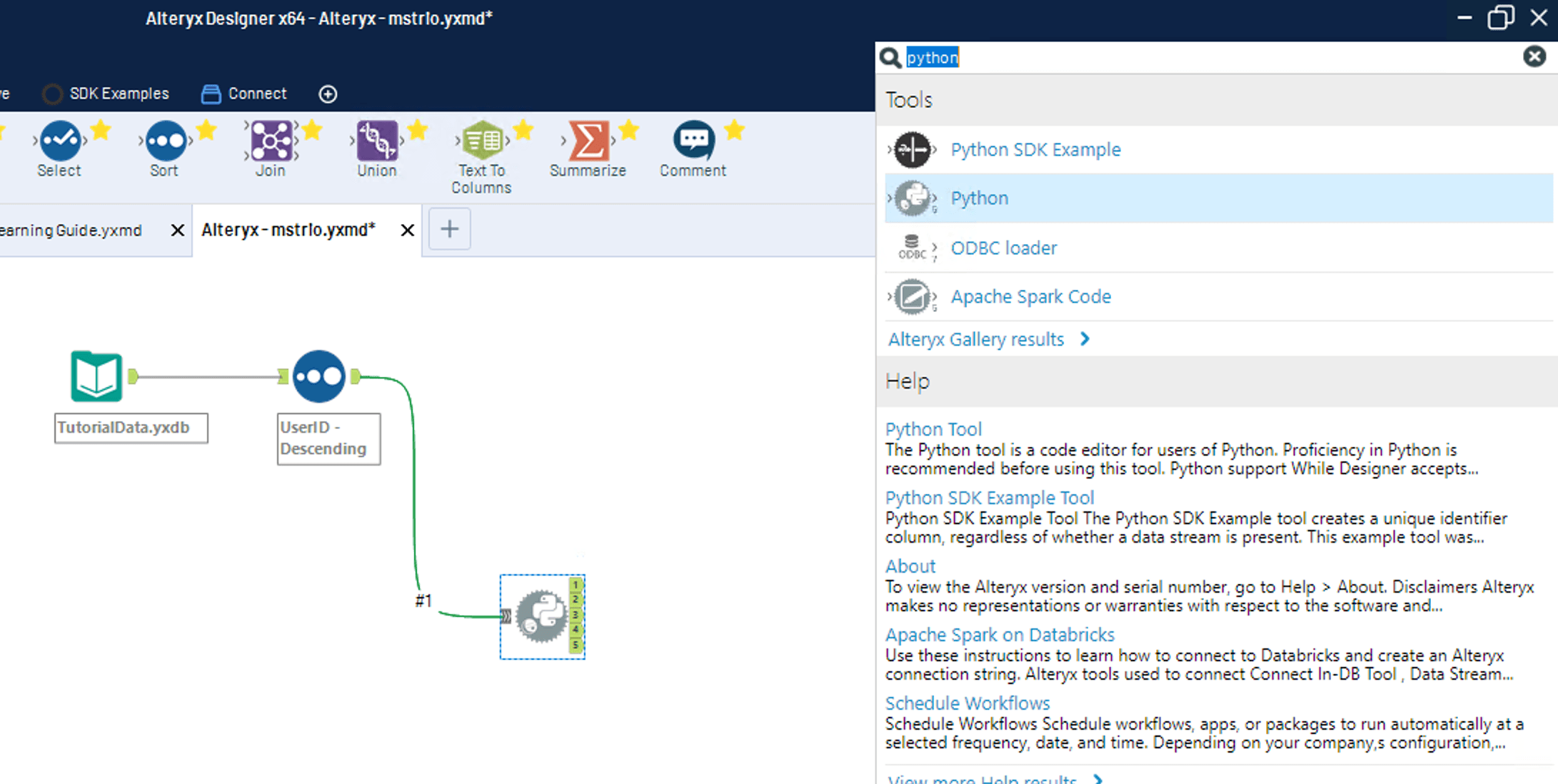
ka0PW0000001JWBYA2_0EM44000000RKqf.png

Once the empty Python object is added, click on it to show the underlying Notebook
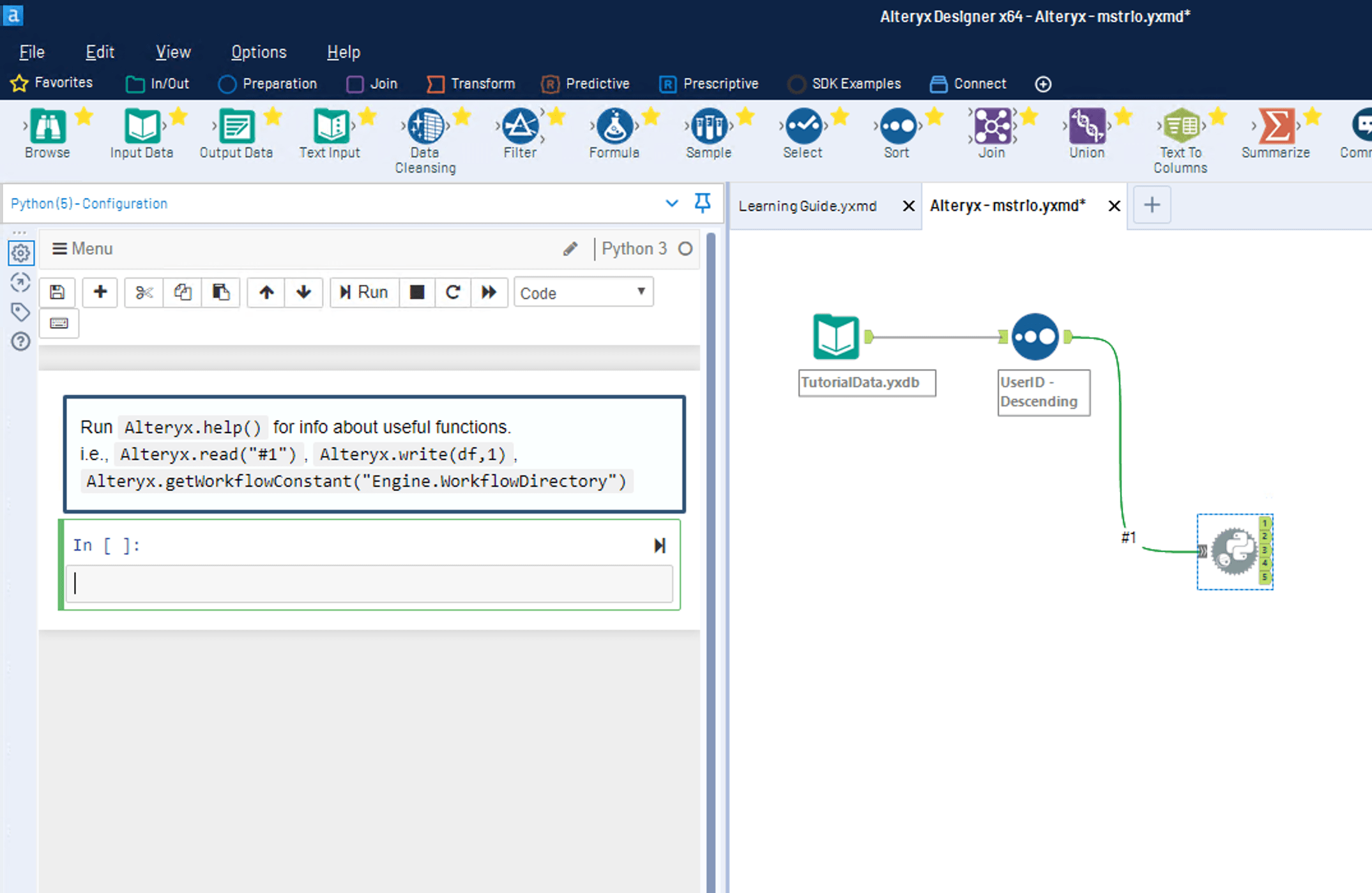
ka0PW0000001JWBYA2_0EM44000000RKqz.png

If more "In [ ]:" sections are available, get rid of these using the Cut Scissors icon
Then paste the following (also attached below) python script: https://github.com/hchadeisson/mstr-alteryx-python
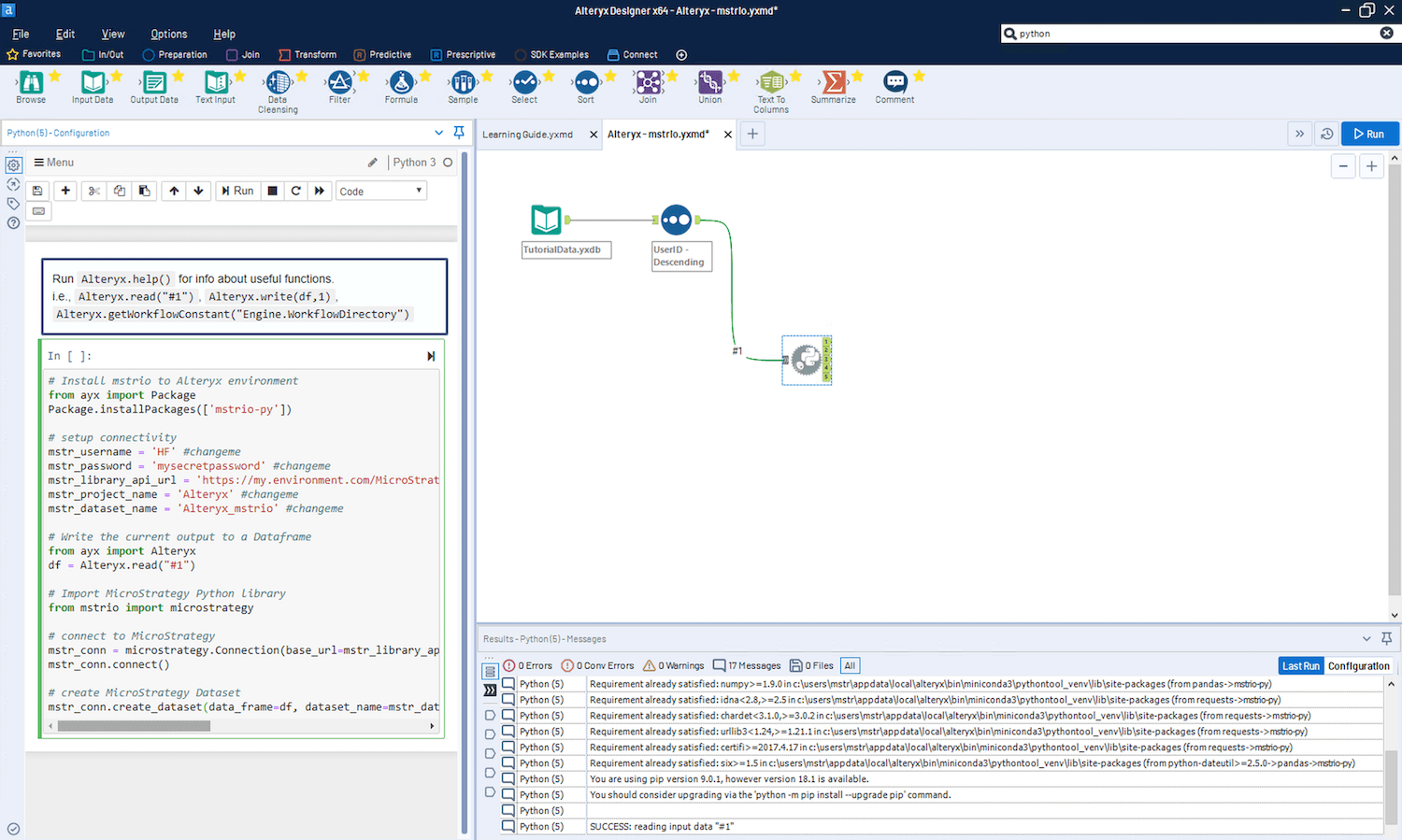
ka0PW0000001JWBYA2_0EM44000000RKrE.png

Update all the "mstr_*" variables in the script according to your own Strategy environment
Finally, click the 

ka0PW0000001JWBYA2_0EM44000000RKrT.png

 button
Once the flow is done running, you should see the newly created dataset named after mstr_dataset_name variable, under My Reports, in the project defined in mstr_project_name variable


Comment

0 comments

Details

Example

Published:

November 26, 2018

Last Updated:

March 21, 2024