Starting with the release of Strategy ONE (March 2024), dossiers are also known as dashboards.
When exporting a Dossier or Visual Insight in the new PDF Export Engine for 10.6 and above an empty PDF is returned. This blank PDF is sometimes accompanied by the error code java.io.FileNotFoundException: Cannot find phantomjs.js. The empty PDF result returns even though the PDF Export Service is online and received the task to create the PDF successfully.
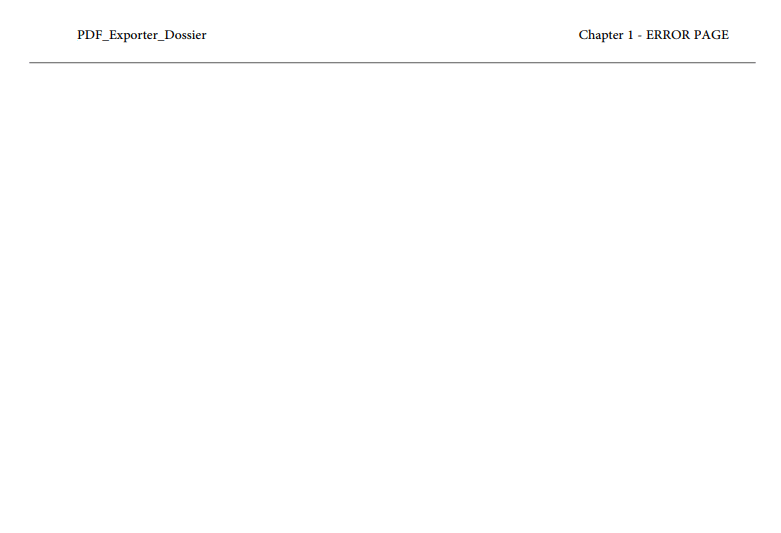
This can also be seen with some distinct error messages per the Strategy Secure Enterprise version with 10.6-10.7 having the FileNotFound Exception.
In version 10.8 through 10.10 the following error may be seen inside of the NewExportEngine log:
[NewExportEngine][ERROR] Exception in method: ArrayList com.Strategy.nee.exporter.PhantomJS ProcessController.exportURLToPDF(String, PDFExportProperties) with arguments: [http://localhost:20100/PDFExporterService/template/vi?objectId=<object_id>&exportId=<export_id>&nodeKey=K53, com.Strategy.nee.model.PDFExportProperties@3234d7c2] java.lang.NullPointerException: null at com.Strategy.nee.exporter.LogFilterIOCommunicator.readLine(LogFilterIOCommunicator.java:36)
In 10.11 and above the diagnostic logging is improved to include the cause of the Process Controller error as an error in the object pipeline when referencing the phantomjs.js file:
com.Strategy.nee.exception.PipeCorruptedException: Pipe closed unexpectedly. PhantomJS possibly crashed.
This error message can be seen as a possible body to a blank PDF with the reason as "PDF renderer stopped unexpectedly".
CAUSE:
Either during the start procedure of the PDF Export Service or at the time of executing the PDF Export job the phantomjs.js file required is not present within the environment.
The PDF Export Service works through the use of JSON for capturing and formatting data for the PDF Export request and this package is unpacked each time the service is started. If the javascript file is not available the job is received, but the job fails due to being unable to process the JSON data to create the PDF.
TROUBLESHOOTING STEPS:
1. Restart the PDF Export Service manually. The phantomjs.js file is unpacked from the installation of the PDF Export Service each time the service is restarted. This is then stored within a temporary directory which may have been cleaned removing the required file. If restarting does not resolve the issue proceed to steps 2 through 6.
2. Enable the diagnostics for the PDF Export Service. These are controlled within the application.properties file and there are two primary areas for logging.
- The first log is the NewExportEngine.log that is by default created within the default log path for the environment. To include the diagnostics for this issue the line for the logging level can be altered within a text editor to: logging.level.kafka=all
- The second log is the PhantomJS log which will be written into the current temporary directory. For Linux it is located in /tmp and for Windows <User>/temp. These logs can be enabled by changing the phantomjs setting to match: logging.phantomjs.debug=true
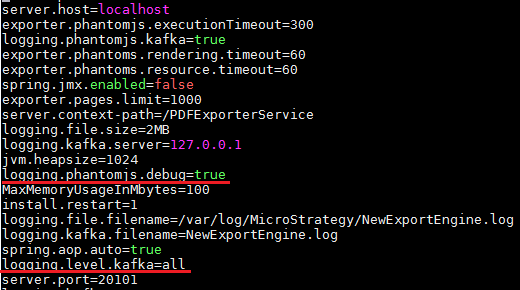
3. Restart the PDF Export Service to capture the NewExportEngine.log and then reproduce the issue to capture the phantomjs debug log located in the temporary directory.
4. During the start sequence of the PDF Export Engine if the PDF Export Service successfully unpackaged the phantomjs.js a note will be made in the NewExportEngine log: [THR:main][NewExportEngine][INFO] Resource phantomjs/phantomjs.js is extracted to /tmp/phantomjs.js If there are issues unpacking the phantomjs.js resource bundle an exception may also be thrown here.
From the startup sequence the log location for the phantomjs.debug will also be output: [THR:pool-2-thread-1][NewExportEngine][INFO] the tmp folder is /tmp
5. If the extraction of the phantomjs.js resource bundle is successful during the time of the Export Job another entry may be seen with an exception for attempting to access the phantomjs.js file:
Exception in method: PhantomJSProcessController com.Strategy.nee.exporter.PhantomJSCreator.create() with arguments: []
java.io.FileNotFoundException:
After the FileNotFoundException the line will contain further diagnostics about what the reason for the exception was, such as failing to find the file or execute the file due to privileges.
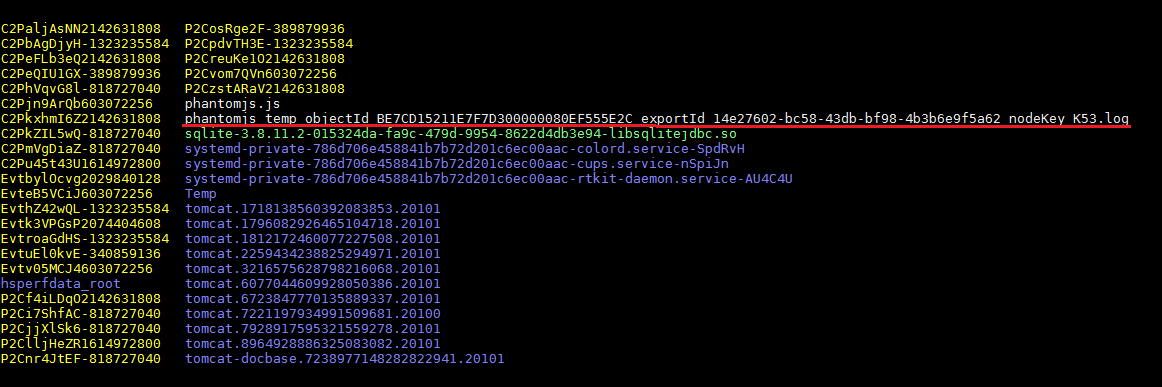
6. Please contact Strategy Technical Support with the DSSErrors.log from the Intelligence Server, NewExportEngine.log, and phantomjs_temp_objectId_*objectid*_exportId_*exportid*_nodeKey.log file if the issue persists for assistance.
RESOLUTION:
If the temporary directory is not a location where the phantomjs.js file can be stored consistently due to clean-up policies then the storage location can be altered. The instructions for changing the directory where the phantomjs.js package is located are available on the following Knowledge Base article: https://community.strategy.com/article/How-to-change-the-temporary-directory-used-by-the-PDF-Export-Service
KB440218
