EducationSoftwareStrategy.com
StrategyCommunity

Knowledge Base

Product

Community

Knowledge Base

TopicsBrowse ArticlesDeveloper Zone

Product

Download SoftwareProduct DocumentationSecurity Hub

Education

Tutorial VideosSolution GalleryEducation courses

Community

GuidelinesGrandmastersEvents
x_social-icon_white.svglinkedin_social-icon_white.svg
Strategy logoCommunity

© Strategy Inc. All Rights Reserved.

LegalTerms of UsePrivacy Policy
  1. Home
  2. Topics

KB483820: An error appears when interacting with a dossier in MicroStrategy Web on the Google Cloud Platform


Community Admin

• Strategy


This article explains why you may see a "Server Error" message when interacting with a dossier in MicroStrategy Web on the Google Cloud Platform. This article also provides a solution.

Starting with the release of Strategy ONE (March 2024), dossiers are also known as dashboards.

Description


In Strategy Web hosted on the Google Cloud Platform, changing filters or adding/removing objects from a visualization causes the following error to appear.
Error:

<html><head><meta http-equiv="content-type"content="text/html;charset=utf-8"><title>502 Server Error</title></head><body text=#000000 bgcolor=#ffffff><h1>Error: Server Error</h1><h2>The server encountered a temporary error and could not complete your request.<p> Please try again in 30 seconds</h2></h2></h2></body></html>
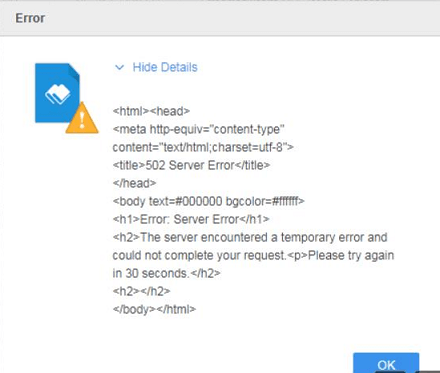
ka0PW0000001JaTYAU_0EM2R000000mvYz.jpeg


Why is this happening?


The Google Cloud Platform's Load Balancer has a default timeout of 30 seconds. When there is a large amount of data being fetched, the Load Balancer does not get a response from the Web Sever quickly enough, so the timeout is triggered.

Solution


To avoid this error, increase the configurable response timeout of the Google Cloud Platform's Load Balancer. For more information, see the Google Cloud Platform's documentation.


Comment

0 comments

Details

Knowledge Article

Published:

November 26, 2019

Last Updated:

March 21, 2024