Azure SQL Data Warehouse (Database) enforces encryption (SSL/TLS) at all times for all connections. This ensures all data is encrypted "in transit" between the client and server irrespective of the setting of Encrypt or TrustServerCertificate in the connection string. For more information, see Security Overview.
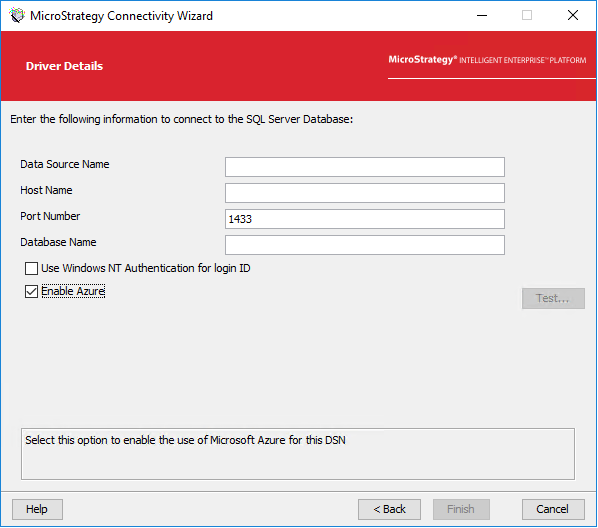
In the past, Strategy required you to enable the Enable Azure checkbox in the Connectivity Wizard to establish connection to an Azure SQL Data Warehouse (Database) in order to add the encryption parameter. However, in Strategy 2019 Update 3 and later, the Strategy ODBC Driver for SQL Server Wire Protocol has been updated from version 7.1.6 to 8.00. As a result, the encryption method parameter is applied by default when connecting with an Azure SQL Data Warehouse. So when you are establishing a connection to Microsoft Azure SQL Data Warehouse or Microsoft Analytics Platform System, the driver will enable SSL data encryption by default (EncryptionMethod=1). For more information, see Encryption Method.
As a result of these enhancements, you are no longer required to enable the Enable Azure checkbox to establish connection to an Azure SQL Data Warehouse in Strategy 2019 Update 3 or later.
Note: This enhancement only applies to Microsoft Azure. Connecting to Microsoft SQL Server, which enforces encryption, requires the additional parameter to the connection string.
