Starting with the release of Strategy ONE (March 2024), dossiers are also known as dashboards.
As per the latest iOS update, the default fallback font, for when the system cannot find the correct one, has been changed from Arial to Times New Roman. As a Demo team, we create a lot of dossiers, where we use Open-Sans font for texts, to keep consistency with the widgets. The latest change means that something that should look like this:

Looks like this instead:
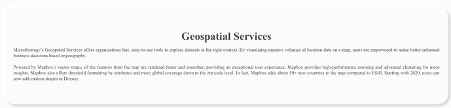
To resolve that problem, you should keep the potential font issues in mind when specifying font-families you want to use in his container. So instead of writing:
font-family: "Open Sans";
You could add an alternative font that will be displayed when the original one is not found, like Arial for example:
font-family: "Open Sans", "Arial";
Then our aforementioned text will look like this on an iPad:
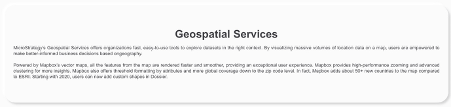
The best solution will always be to choose a font that will display correctly on different systems and platforms. It is best to stick to a small list of fonts that you know display well across platforms you work with. Some examples of cross-platform fonts include:
For Sans-Serif fonts:
For Serif fonts:
For Monospace fonts:
Here’s a list of all widely-supported cross-platform fonts:
Check this article for more information.
