SYMPTOM
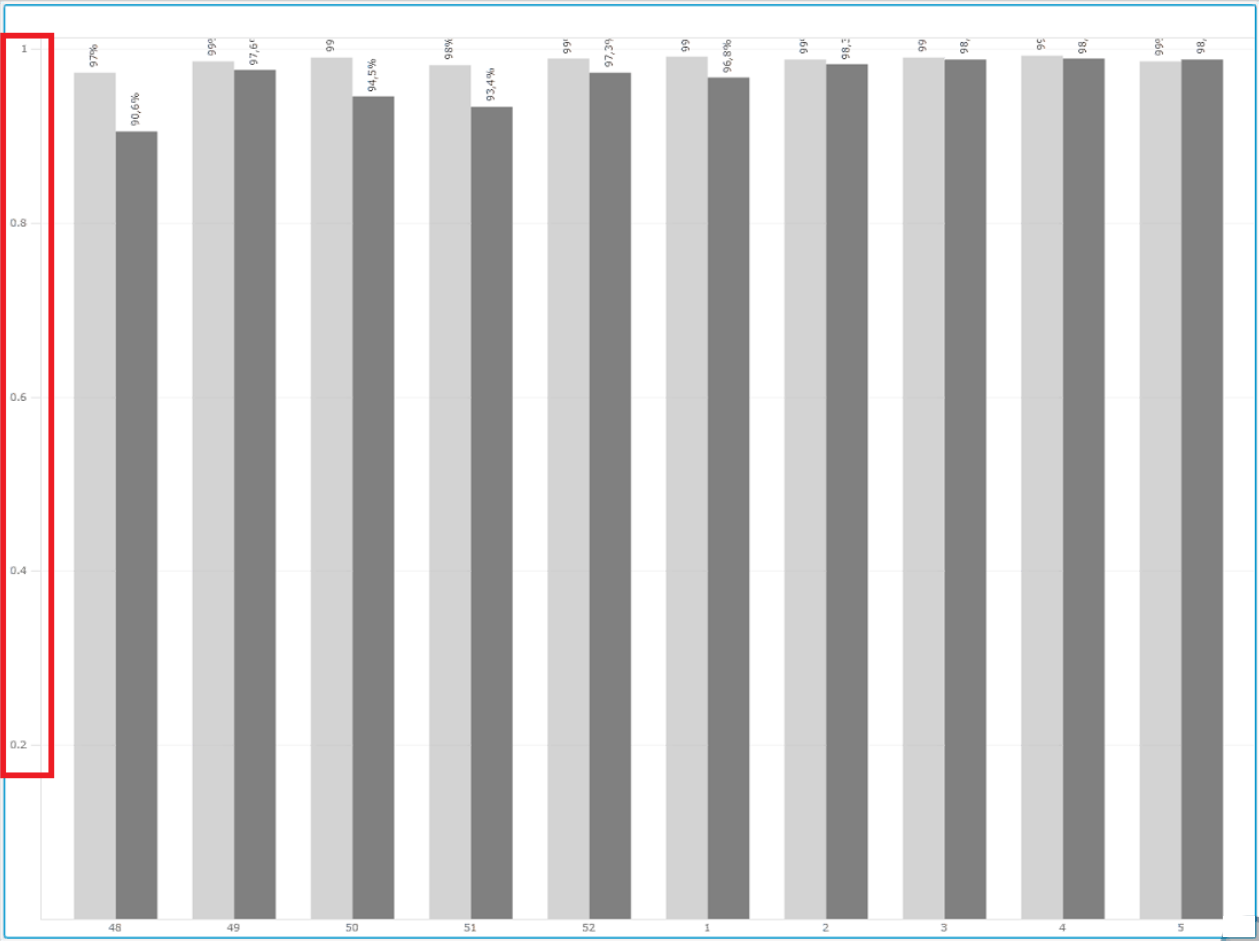
Users are unable to display the required symbol, e.g. percentage or currency, alongside the axis labels within a visualization, such as bar graph, in Strategy 10.5.
For Mobile-related widgets issues, the following article applies:
https://community.Strategy.com/s/article/KB46296-Y-Axis-labels-are-not-displayed-in-percent-format-in
STEPS TO REPRODUCE
1. Create a bar graph.
2. Right click over the axis within the visualization, keep the option “Condense Label” unclicked.
3. Right click over the axis within the visualization, number format -> select the one you want to display, e.g, currency. Currency symbol not displayed in the axis.
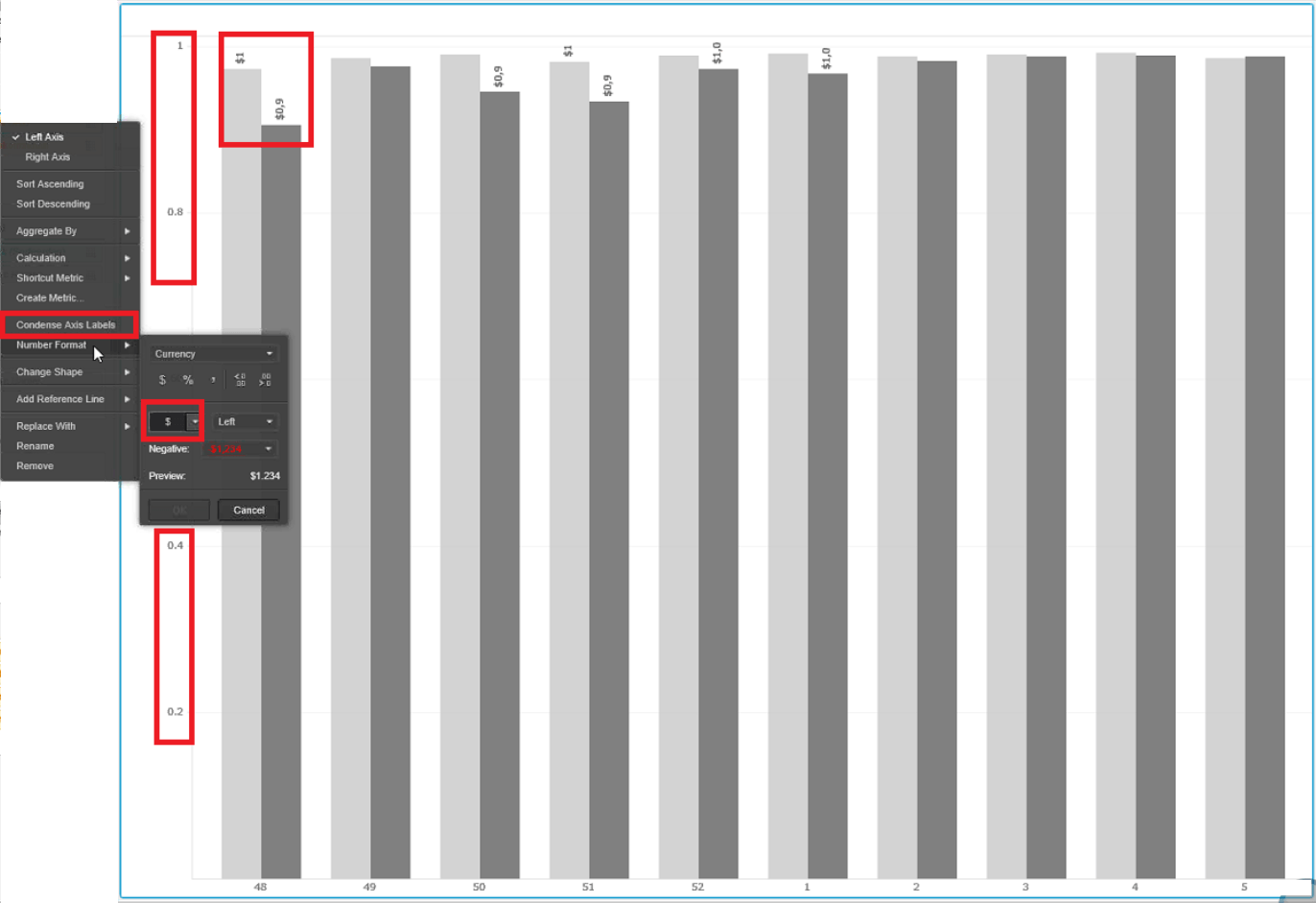
4. Within the editor tab, select either “Stacked” or “Absolute” in the Break By section. Percentage symbol is not displayed in the Y-axis.
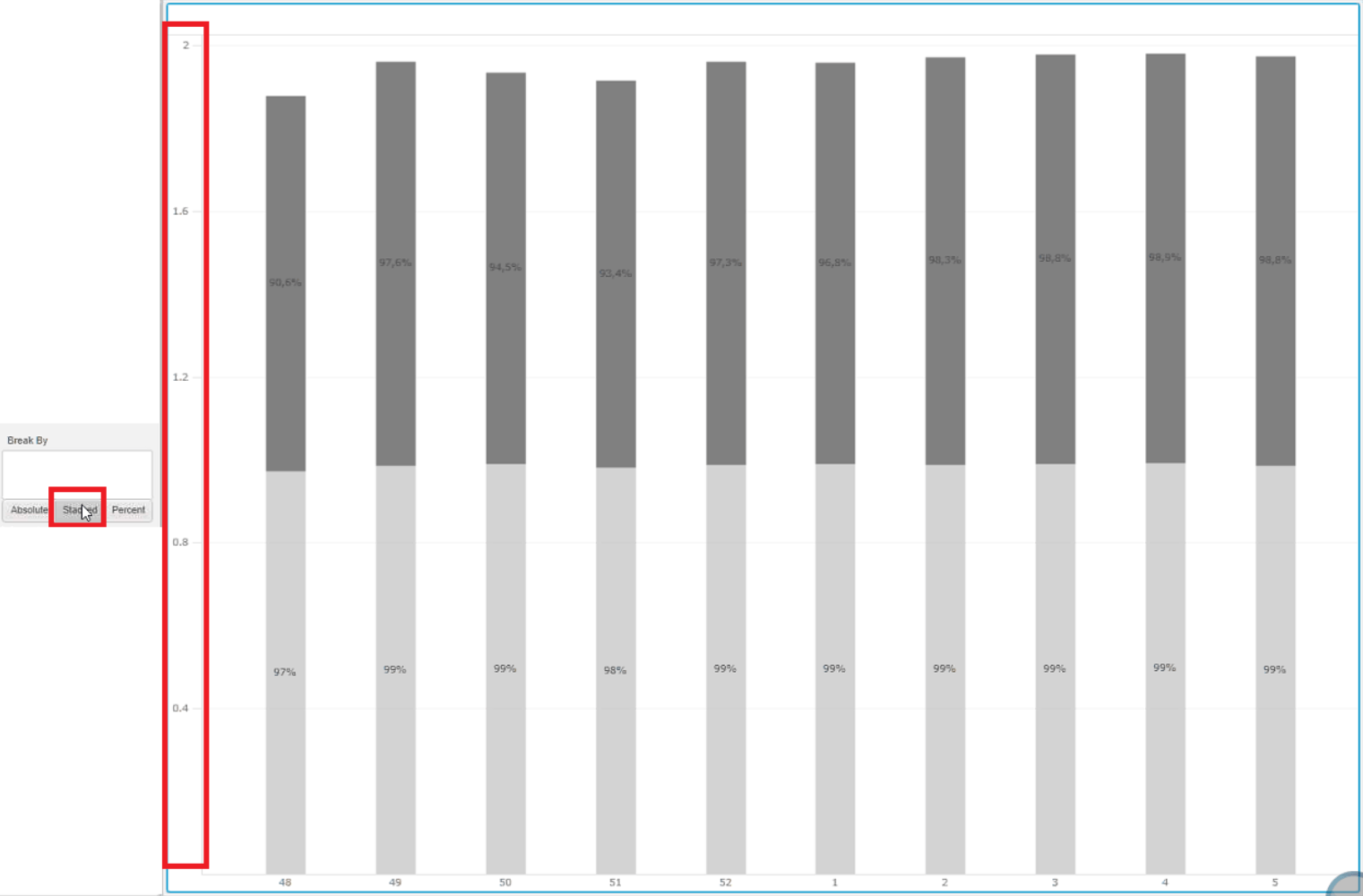
5. Change to “Percent” within the Break By section. This time, the symbol is displayed in the axis.
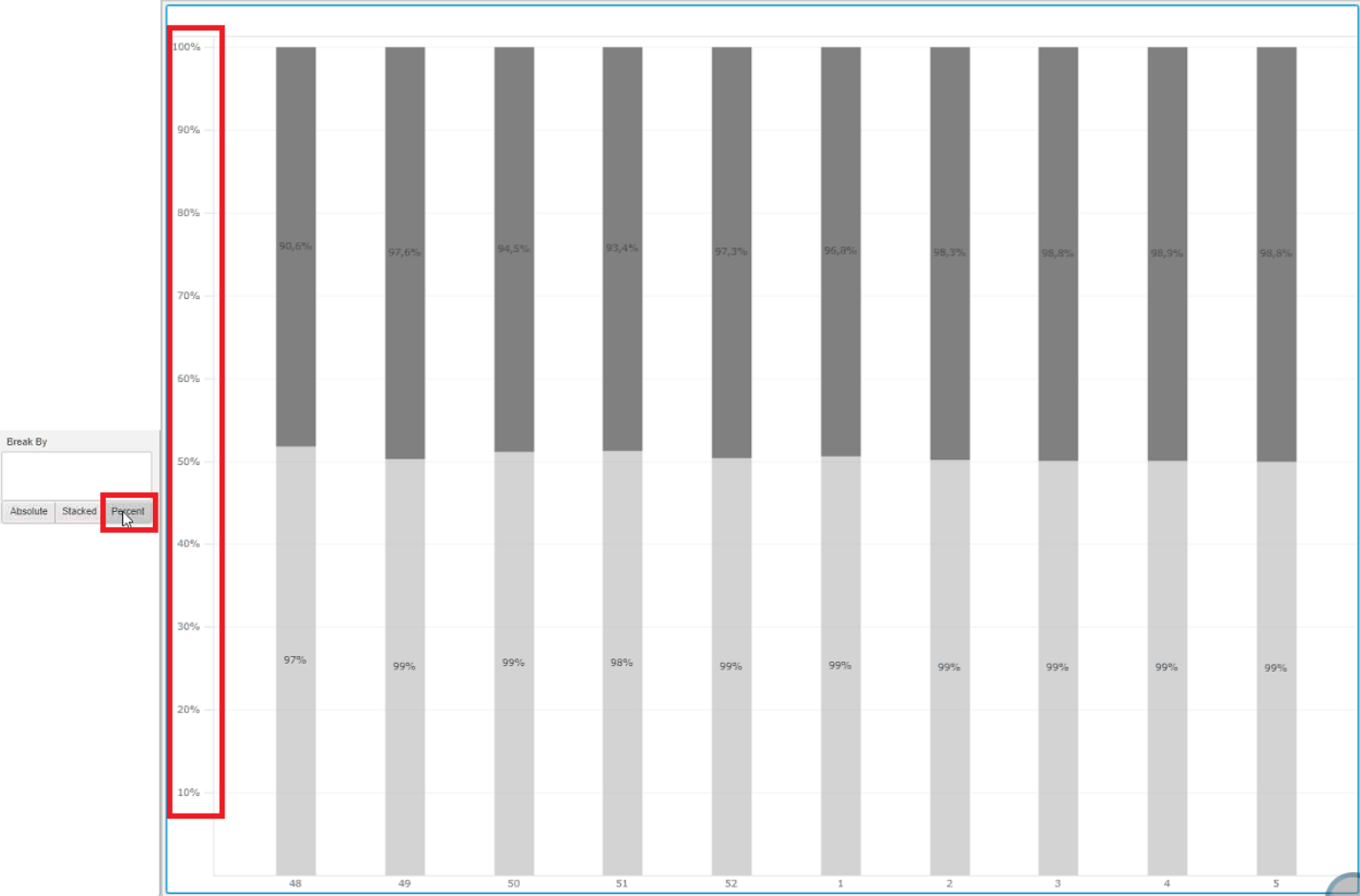
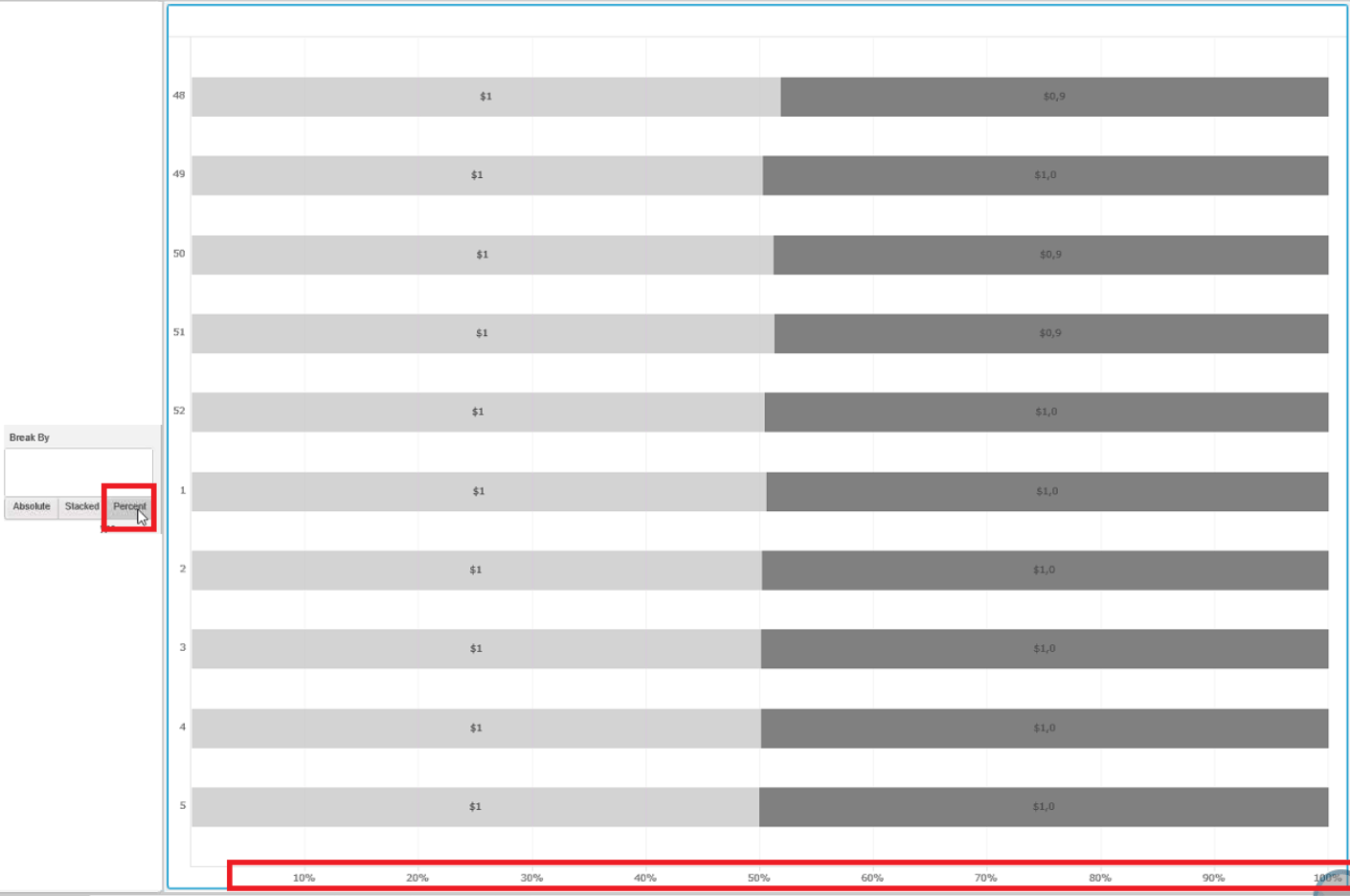
6. Swap the graph to horizontal bar, click either “Stacked” or “Absolute” within the Break-by section. Percentage symbol not displayed in the X-axis.
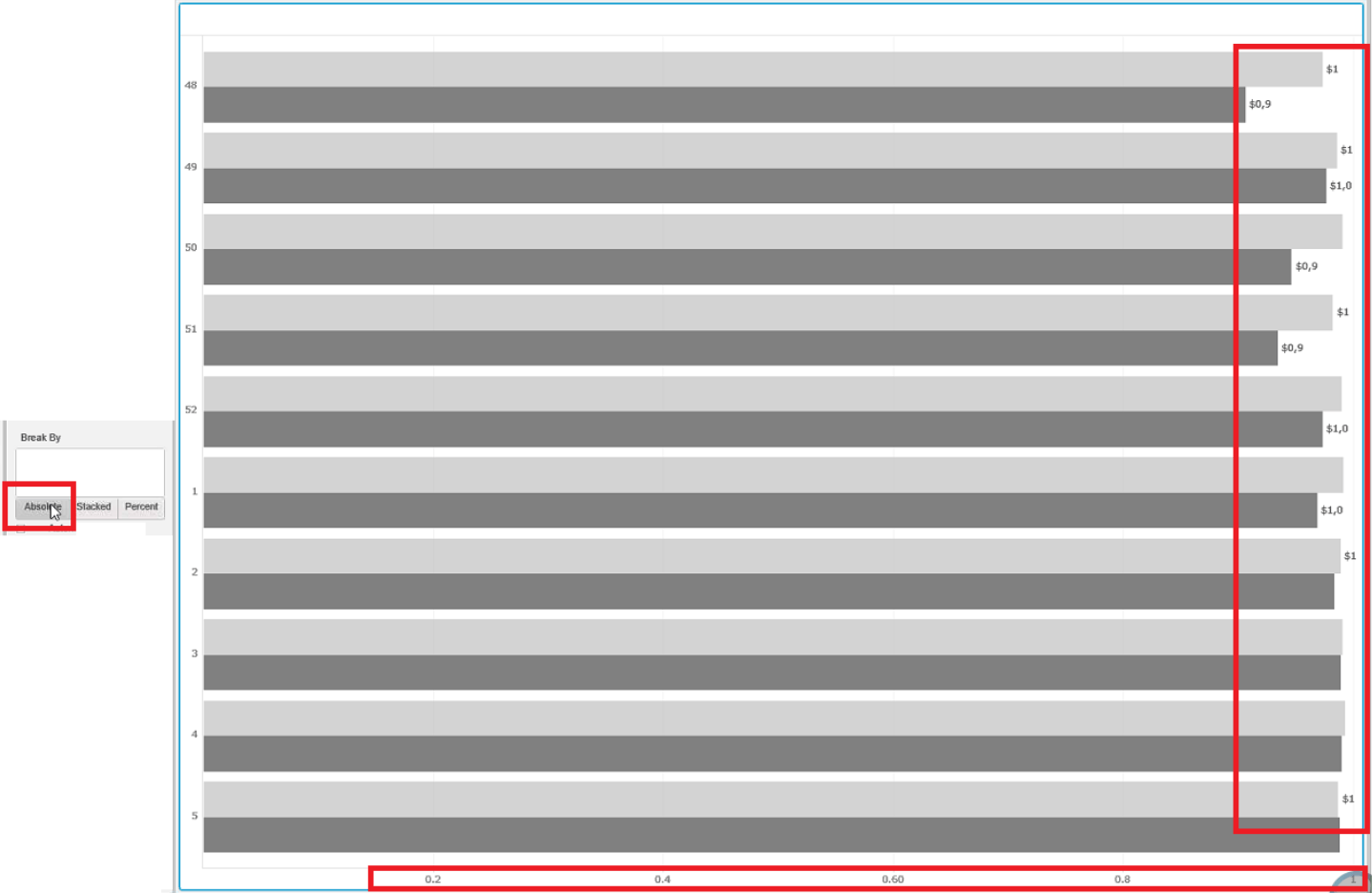
7. Change, once again, to “Percent” within the Break-by section. Percentage symbol is displayed in the X-axis.
CAUSE
This is working as designed in Strategy 10.5
Root cause of this issue is the formatting of the metrics. When two metrics are sharing the same axis and each of them has different formatting, for example, 0 and 1 decimal point, the Strategy logic is as follows.
When there are multiple metrics sharing the same axis, unless those metrics are having EXACT the same formatting, the axis will no be formatting as those metrics.
ACTION
By modifying the metrics formatting to make sure all of them are having the same formatting the issue will be fixed.
WORKAROUND
There are three possible workarounds:
1. Keep the Break By section as “Percent”.
2. Modify the metrics formatting to make sure all of the are having the same formatting
3. Upgrade to the latest version of Strategy where this feature is no longer applicable, such as Strategy 10.10 and later. KB439730
