EducationSoftwareStrategy.com
StrategyCommunity

Knowledge Base

Product

Community

Knowledge Base

TopicsBrowse ArticlesDeveloper Zone

Product

Download SoftwareProduct DocumentationSecurity Hub

Education

Tutorial VideosSolution GalleryEducation courses

Community

GuidelinesGrandmastersEvents
x_social-icon_white.svglinkedin_social-icon_white.svg
Strategy logoCommunity

© Strategy Inc. All Rights Reserved.

LegalTerms of UsePrivacy Policy
  1. Home
  2. Topics
  3. Learn more about Bar Charts

Learn more about Bar Charts


Nida Imtiaz

Product Manager, Senior • Strategy


Starting with the release of Strategy ONE (March 2024), dossiers are also known as dashboards.

Learn more about Bar Charts 

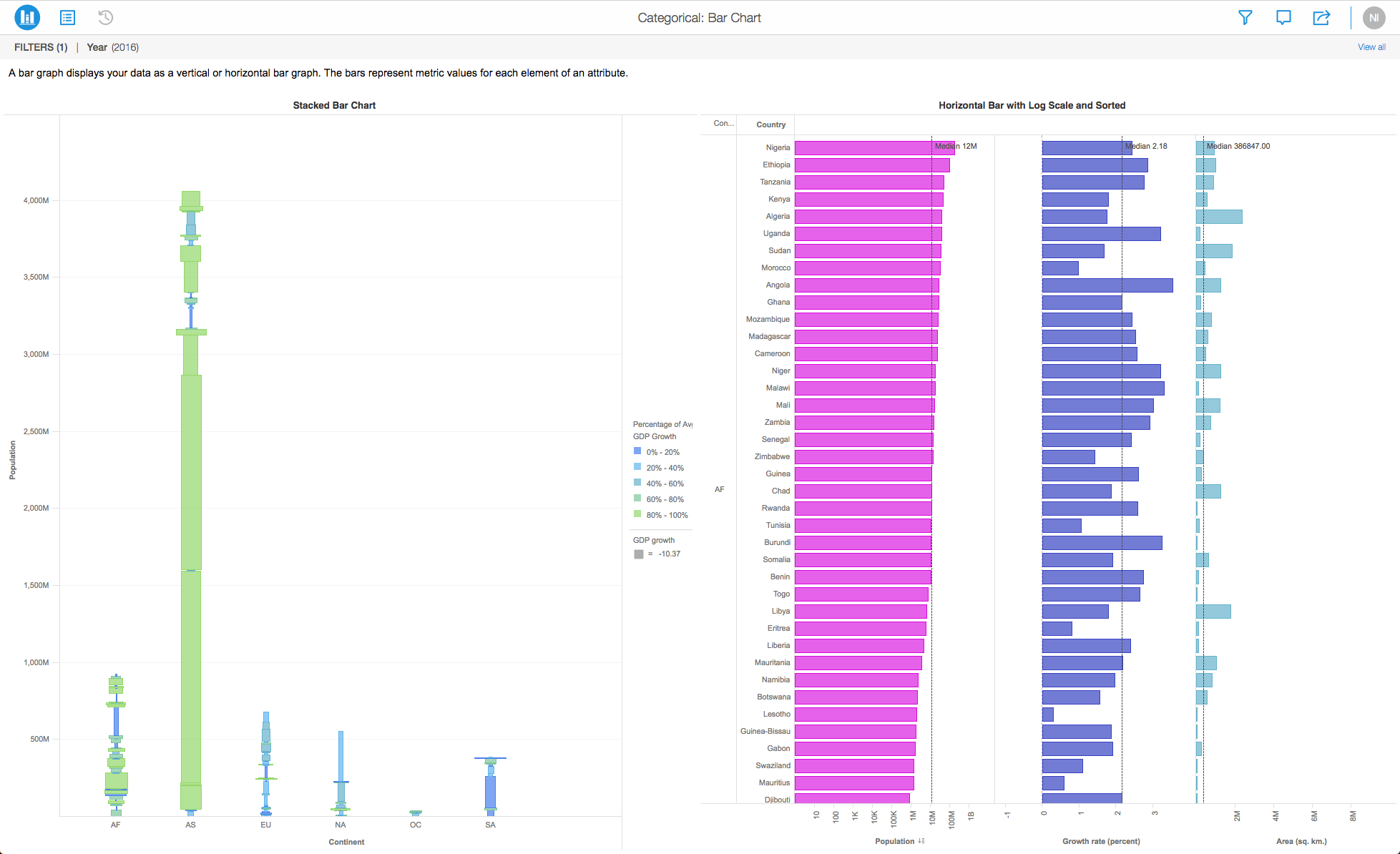
In Strategy, you can create beautiful and informative bar charts to analyze data. Also called Bar Graphs, Bar Charts can be vertically or horizontally aligned. The "swap" feature lets you switch axes with just one click of a button. Bar charts consist of rectangular bars with lengths proportional to the values that they represent. They work well when we want to determine the largest and smallest groups in a dataset, as well as examine differences between intermediate values.
Some potential uses of bar charts:
  • quick analysis of product revenue and top products by Sales (revenue)
  • comparison of players on a sports team according to height or top stats
  • financial analysis comparing profits, revenues, and costs
  • Evaluating traffic for different pages in a website


ka0PW0000001JOgYAM_0EM44000000Q9My.png

 
Bar charts are easy to use, flexible, and allow you to easily compare a wide range of data values. When a user hovers over the data on a bar chart, tooltips are displayed to convey important information and data values.
 
Here are some different Bar Chart types that you might want to get familiar with:
 

  • Clustered Bar Chart
  • Stacked Bar Chart
  • Percent Bar Chart (100%)

Requirements

  • Attributes: 1 or more
  • Metrics: 1 or more


Minimum Strategy version: 10.9
Publisher: Strategy 

Installation Instructions

To view this dossier with the visualization, download the .mstr file below and deploy it in Strategy Desktop or Strategy Web. You can open a working demo by uploading the .mstr file below and doing the following:

  • To open the demo visualization in Strategy Desktop, double-click the .mstr file.
    • Make sure you have Strategy Desktop officially downloaded on your computer.
  • To open the demo visualization in Strategy Web, choose Create > Upload Strategy File > View Dossier.

Start your analysis using bar charts by downloading MicroStrategy Desktop now!

Learning Resources

Interested in learning more about Dossier authoring? Visit the Learning Center on Community!
Or go to our Documentation pages for more product information.
 

References

A project in beta by ferdio, (2017, December 4th). Retrieved from https://datavizproject.com/


Comment

0 comments

Details

Example

Published:

December 4, 2017

Last Updated:

March 21, 2024