Introduction
The Strategy Metadata (MD) is usually stored in an RDBMS and contains 3 sets of tables, namely:
The Strategy Metadata size can increase even in a case when new projects are not added to the metadata because of Change Journaling. In projects which have self-service BI, where users create their own objects from Strategy Web via Data Import or in an active project where a lot of changes are continually made, it will not only cause the metadata object tables’ size to grow, it also contributes to a significant increase in the size of the Change Journaling tables.
Change Journaling is enabled by default since Strategy version 10.8 to help improve the performance of Quick Search on Strategy Web. Since the Quick Search indices make use of the Change Journaling data, they can easily update their existing indexes based on this data instead of having to do a full table scan. At the time of this writing, it is not possible to disable Change Journaling on a Strategy Project. Because of this, in a project where many changes are continuously made to a given project, the size of the Change Journaling tables (DSSMDJRNXXXX tables) can quickly increase.
To prevent a situation where Metadata performance gets affected because of the size of the tables, it is required that the Change Journaling tables are cleaned up on a periodic basis along with performing a cleanup of unused managed objects. However, before an attempt to cleanup these tables is made, Administrators should verify the current state of the metadata and analyze which tables are the largest.
How to Analyze the Size of Metadata Tables
The Strategy Administrator should work with the DBA to find the tables which consume the largest amount of memory. The example below shows the analysis for a MySQL Metadata:
SQL to find the tables in a given schema
SELECT table_name
FROM information_schema.TABLES
WHERE table_schema = "TEST_md"
ANALYZE TABLE DSSCSCONTACT, DSSCSADDRESS, DSSCSBADGETB, …, DSSCSSYSPROP, DSSMDJRNINFO,
DSSMDJRNLNKS, …, DSSMDACCPROP, DSSMDLNKITEM, DSSMDLNKPROP, …
SELECT table_name AS "Table",
round(((data_length + index_length) / 1024 / 1024), 2) as Size,
TABLE_ROWS as Number_of_Records
FROM	information_schema.TABLES
WHERE table_schema = "TEST_md"
ORDER BY Size DESC
Strategy cannot provide a recommendation on the amount of data to retain in the Change Journaling tables and the amount of data retained in these tables should be dependent on the actual requirements of data usage from these tables. It is recommended for the BI Administrator to establish a standard way (policy) to back-up the entries in the Change Journaling tables since these could be needed for SOX compliance and other investigations.
How to Purge Change Journal Entries
***************************************************************************************************************************************************************************************************************************
IMPORTANT NOTE: Administrators should analyze the data distribution per day and project in the Change Journaling tables before attempting to purge any old data. This is because the process of purging Change Journal entries could slow down the entire BI system in a case where is a large amount of data in the Change Journaling tables.
***************************************************************************************************************************************************************************************************************************
When the number of Change Journal Entries (i.e., the number of records in DSSMDJRNINFO) is relatively large (e.g., > 100K records), the purging of tables should be done in multiple batches. To do this, the Administrator can get an idea how the records are distributed in the DSSMDJRNINFO across various project in different date with the following SQL:
SELECT transaction_project_id, date_format(transaction_timestamp, ‘%m/%Y’), count(*) from DSSMDJRNINFO group by 1, 2

(or)

SELECT transaction_project_id, date(transaction_timestamp), count(*) from DSSMDJRNINFO group by 1, 2
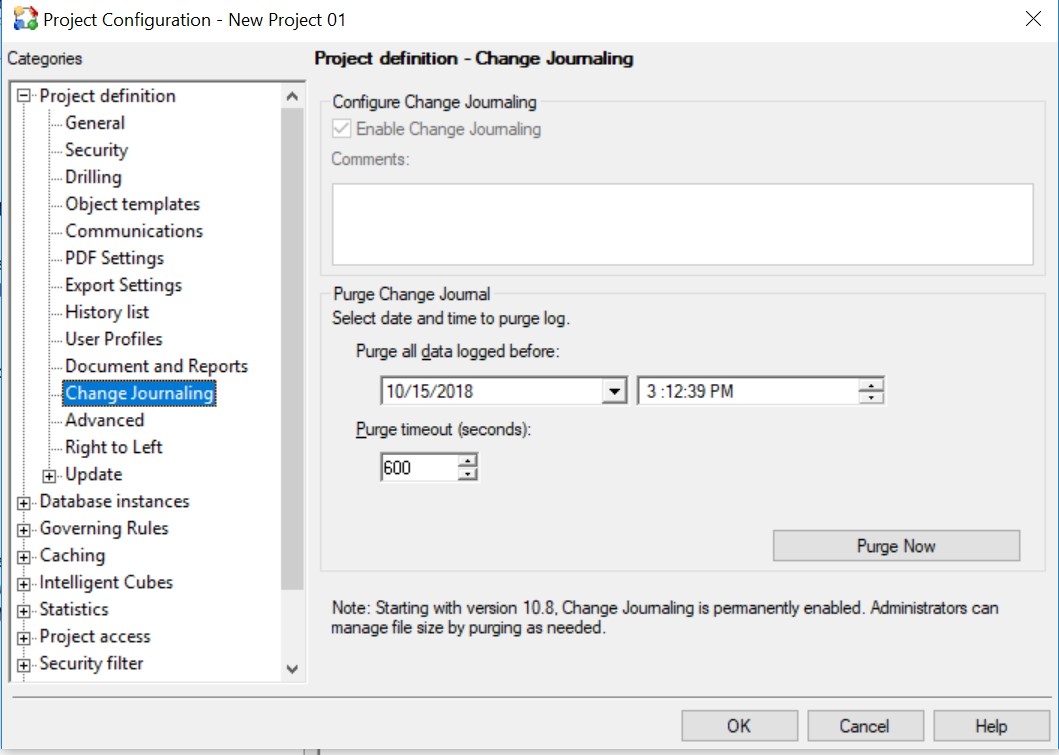
Scheduled Purge of Change Journaling Tables
Once the tables are initially cleaned up to a state as required by the business, to make sure that the tables don’t continue to grow, Command Manager can be used to schedule the cleanup task.
Note: It is not currently possible to schedule an administrative task from Developer to purge Change Journaling tables.
PURGE CHANGE JOURNALING BEFORE "11/30/2012 11:22:23 AM" COMMENTS "Purging project" FOR PROJECT "Strategy Tutorial";
C:\Program Files (x86)\MicroStrategy\Command Manager>cmdmgr -connlessmstr -f CJ_PURGE.scp -o log.txt
How to cleanup Unused Managed Objects
If the count in the DSSMDXXX objects is also high as per the Metadata Tables analysis, and in a case where many net new objects (such as reports and dashboards) are not present in the project, it would also suggest that there is a high count of unused managed metadata objects. This is particularly applicable to the self-service projects where users can use data import to create new dashboards and cubes.
For information about what managed objects in the metadata are, refer to the documentation here .
For a MySQL MD, the following SQL can be used to get a count of the unused managed objects:
SELECT count(*) from DSSMDOBJINFO a
WHERE	a.PROJECT_ID in ('xxx') and
a.PARENT_ID = 'EE9BD70043F0F571B38E43BF19B9301A' and
	a.OBJECT_ID NOT IN (
SELECT b.DEPN_OBJID
FROM DSSMDOBJDEPN b)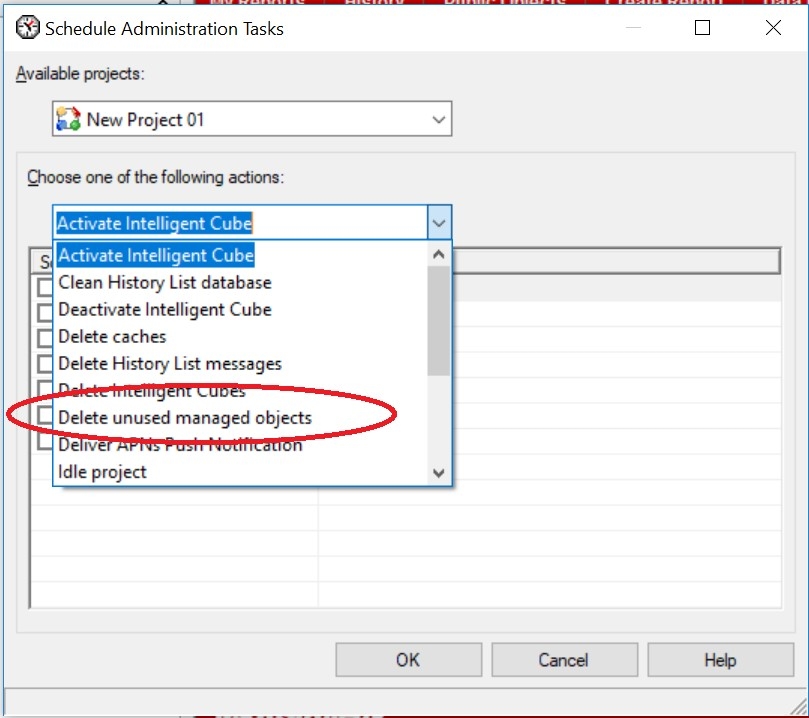
Note that the task needs to be run multiple times because the operation only deletes 1000 objects at a time. For additional details about this behavior, refer to the following Strategy Community Article:
KB46453: Certain unused managed objects are not deleted after performing ‘delete unused managed objects’ in MicroStrategy Developer 9.x and 10.x. KB442219
