Some use cases require a large amount of data to be inserted into a database table. A typical example in Strategy is Data Mart Report. A data mart report aims to store the results of a report as a relational table in a data warehouse.
Below is an example of sequential queries sent to database when executing a data mart report:
INSERT INTO EMPLOYEE (ID, NAME, DESIGNATION) VALUES ('1','EmployeeName1','Designation1');
INSERT INTO EMPLOYEE (ID, NAME, DESIGNATION) VALUES ('2','EmployeeName2','Designation2');
INSERT INTO EMPLOYEE (ID, NAME, DESIGNATION) VALUES ('3','EmployeeName3','Designation3');
… 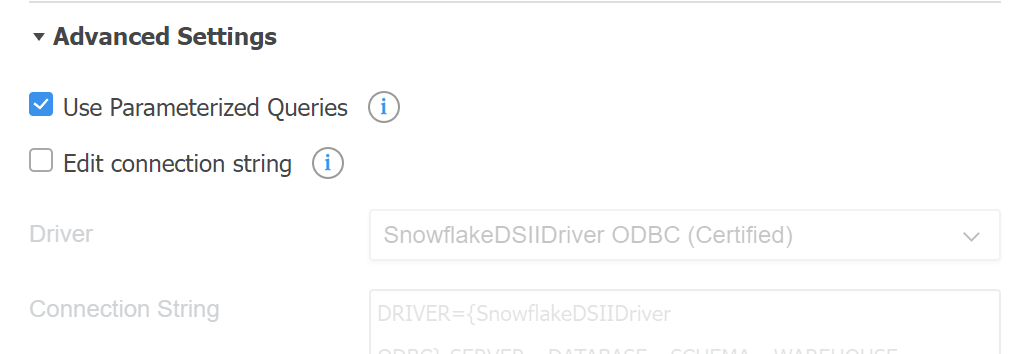
After bulk insert functionality is enabled, it enables reuse of SQL statements and only set new parameters for each insert.
If user observe the SQL query after using bulk insert, they will find the query is simplified as below:
INSERT INTO EMPLOYEE (ID, NAME, DESIGNATION) VALUES (?, ?, ?);
Except for the “Use Parameterized Queries” setting to decide to enable bulk insert or not, Strategy has another setting which can significantly influence the performance of bulk insert query called “PARAM_QUERY_ROWSET_SIZE”.
PARAM_QUERY_ROWSET_SIZE setting specifies the maximum size of insert data at a time for a parameterized query.
PARAM_QUERY_ROWSET_SIZE is defined in ODBCConfig.ini file which is located at Strategy installation path. The default value will be 32768 bytes.
For Snowflake, the value of PARAM_QUERY_ROWSET_SIZE is not specified in ODBCConfig.ini, thus the default value 32768 is applied.
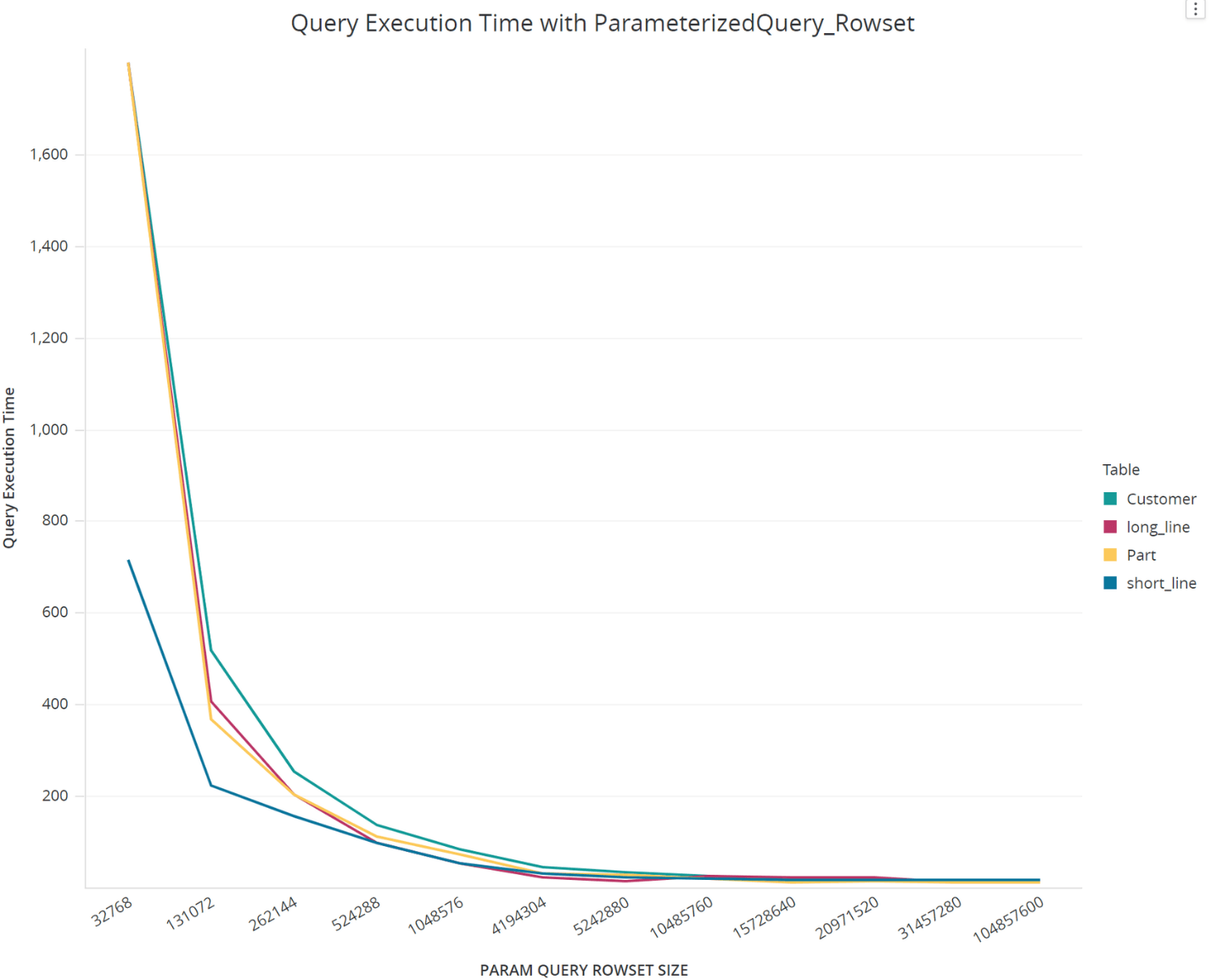
In-house testing is performed about the performance impact of PARAM_QUERY_ROWSET_SIZE for Snowflake. The test result shows the increase of PARAM_QUERY_ROWSET_SIZE can significantly improve the bulk insert performance.
We test with Data Mart report to store the result data from four different source tables to database with insert queries. The table structure of four tables is shown below:
Source Table | Table Size | Table Structure | Row Count |
Part | 5 GB | | 200000 |
Customer | 10 GB | | 150000 |
Short_Line | 8 GB | | 3000000 |
Long_Line | 30 GB | | 1000 |
The table structure varies from each other, but all of them show an impressive performance improvement with the value of PARAM_QUERY_ROWSET_SIZE increases.
When monitoring the memory usage with the PARAM_QUERY_ROWSET_SIZE increased, we found the memory usage is increased smoothly as below:
PARAM_QUERY_ROWSET_SIZE | Memory Usage - M8MulPrc 1 | Memory Usage - M8MulPrc 2 |
1048576 (1 MB) | 52.4 MB | 52.4 MB |
10485760 (10 MB) | 76.5 MB | 52.4 MB |
104857600 (100 MB) | 112.8 MB | 52.4 MB |
According to the test result, we suggest users change PARAM_QUERY_ROWSET_SIZE to a larger value for better performance, like 1048576 (1 MB).
Windows: <Installation Path>\Common Files\MicroStrategy\
Linux: <Installation Path>/MicroStrategy/install
There is no section for Snowflake in ODBCConfig.ini, thus the default value is used. We need to add the definition for Snowflake by adding the lines below at the end of ODBCConfig.ini file.
  <DB_SECTION ID="7600">
     <DATABASE>SNOWFLAKE</DATABASE>
     <ODBC35>
       <PARAM_QUERY_ROWSET_SIZE>1048576</PARAM_QUERY_ROWSET_SIZE>
     </ODBC35>
  </DB_SECTION>
