EducationSoftwareStrategy.com
StrategyCommunity

Knowledge Base

Product

Community

Knowledge Base

TopicsBrowse ArticlesDeveloper Zone

Product

Download SoftwareProduct DocumentationSecurity Hub

Education

Tutorial VideosSolution GalleryEducation courses

Community

GuidelinesGrandmastersEvents
x_social-icon_white.svglinkedin_social-icon_white.svg
Strategy logoCommunity

© Strategy Inc. All Rights Reserved.

LegalTerms of UsePrivacy Policy
  1. Home
  2. Topics

Bulk Insert Not Taking Effect When Refreshing Cube Against Snowflake


Beiqi (April) Xiang

Senior Cloud Support Engineer II • MicroStrategy


SYMPTOM

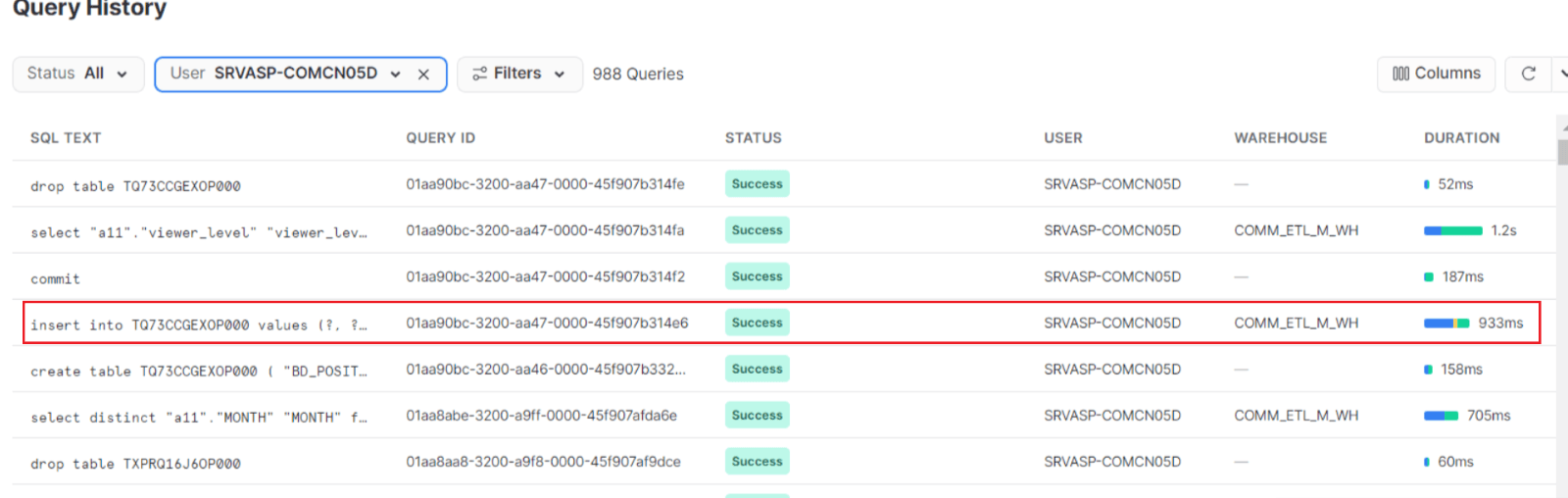
When refreshing cubes which used multi-source (one is snowflake), the process takes a significant amount of time to complete. In the production environment, the Snowflake part of the cube inserts values one by one, whereas the development environment only requires a single SQL statement using bulk insert. 
 
Despite having the same configuration as the development environment in the ODBCConfig.ini file, the issue persists. Snowflake version 3.X has been confirmed to be used in the production database instance. 
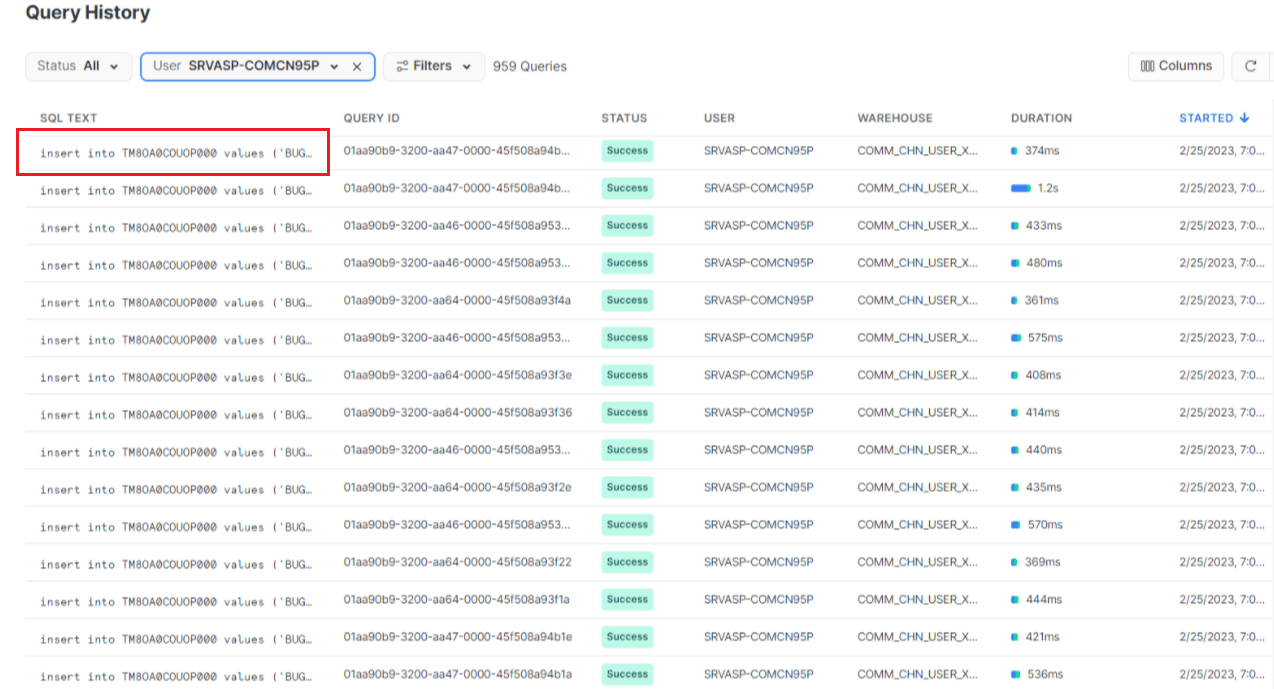
 

  • Prod 
     
ka04W000001485eQAA_0EM4W000005aYCC.png


  • Dev 
     
ka04W000001485eQAA_0EM4W000005aYCD.png


ROOT CAUSE

The bulk insert feature is not mature in version 11.3.0 and is therefore disabled by default, as explained in DE186514. Starting from version 11.3.1, this feature is officially supported and enabled by default. 
 
However, the One Click Upgrade feature in the MCE provision console does not perform MD upgrades, which results in the feature remaining disabled when the customer's MD is 11.3.0 (they upgraded from 11.3.0 to 11.3.4.1 using One Click Upgrade). 
 

ACTION

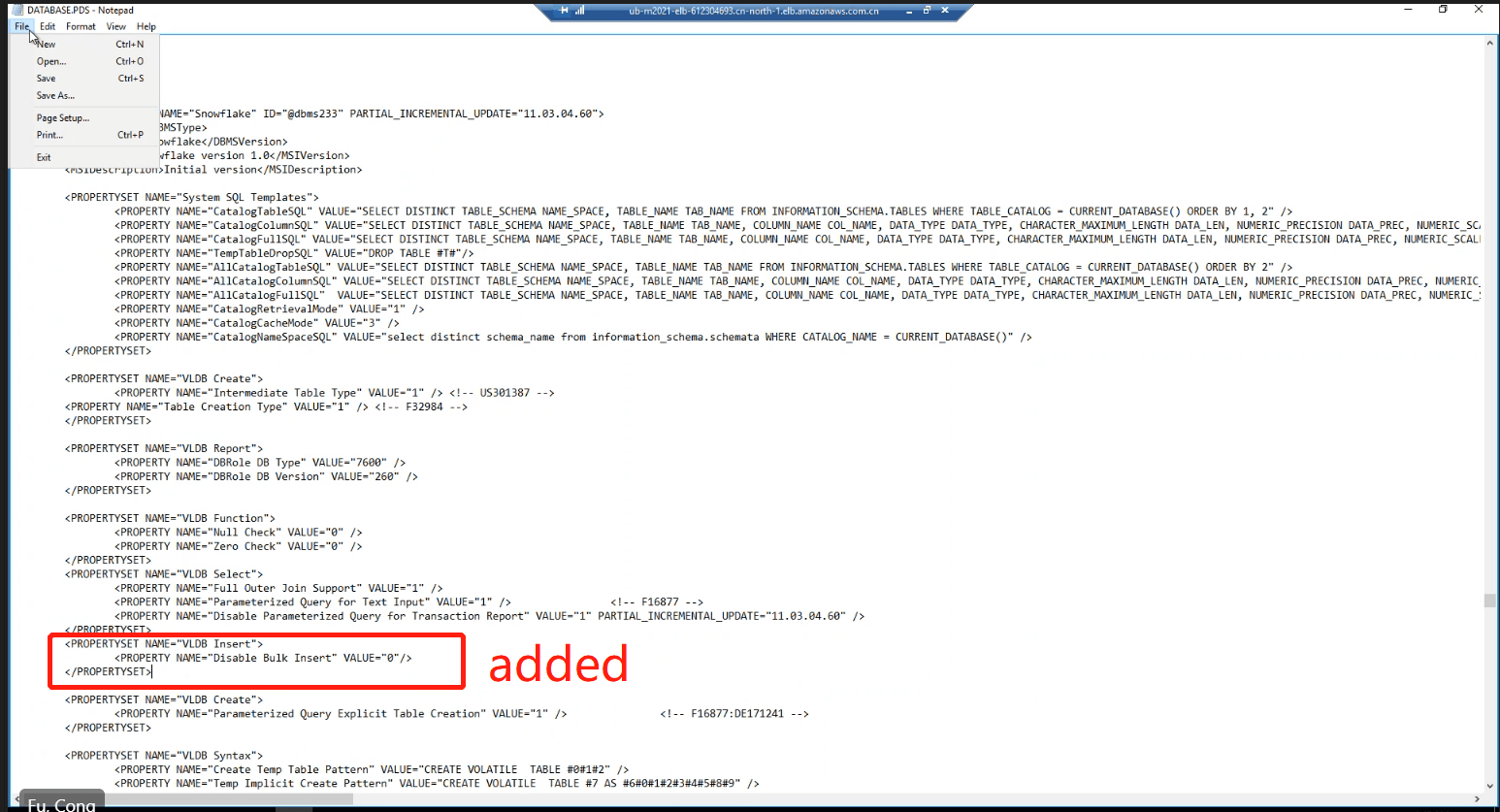
  1. Modify the DATABASE.PDS file in the affected environment by adding the following string under the Snowflake section. 
  • Upgrade the Snowflake DBI to load the updated DATABASE.pds file according to the instructions provided in KB43537. 
    <PROPERTYSET NAME="VLDB Insert"><PROPERTY NAME="Disable Bulk Insert" VALUE="0"/> </PROPERTYSET>  

ka04W000001485eQAA_0EM4W000005aYCE.png
  1. After completing the above steps, re-run the cube. The bulk insert functionality should take effect, resulting in improved performance. 
     

Comment

0 comments

Details

Knowledge Article

Published:

July 10, 2023

Last Updated:

July 10, 2023