Starting with the release of Strategy ONE (March 2024), dossiers are also known as dashboards.
When using WebSphere 9.x, opening a connector causes two error messages to appear:
"xxx could not be saved, because the source file could not be read. Try again later, or contact the server administrator."
"You have chosen to open a BIN file. Would you like to save this file?"

Prerequisite: You must be using WebSphere 9.x and have at least one connector deployed.
By default, the connector URL is set to
https://localhost:8443/CommunityConnectors/connector_name/. If you click the Neo4j connector, the URL would be
https://localhost:8443/CommunityConnectors/neo4j/.
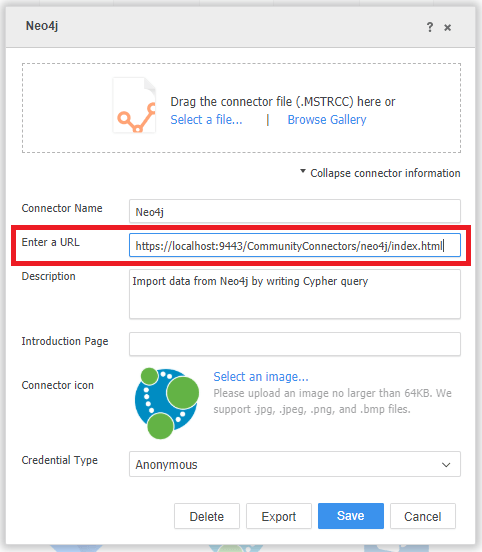
https://localhost:8443/CommunityConnectors/neo4j/index.html, which is the actual URL of the Neo4j page. This redirect is a standard Java behavior and can be controlled by declaring welcome files. Every application server is meant to conform to Java EE specifications; however, IBM WebSphere is not. So when a user clicks the connector, the redirect does not occur and the errors appear instead.
This issue is currently under investigation. For an immediate solution, a workaround has been provided.
To avoid the two error messages, you can edit the connector URL to use the actual URL name instead of the redirect.