SYMPTOM
Out of the box Certificate Server 10.9 doesn't recognize certificates in .der format and shows the error "Invalid EC private key" when it's loaded and when any servlet is accessed. That makes the Certificate Server unusable if any other than EC key is used.
STEPS TO REPRODUCE
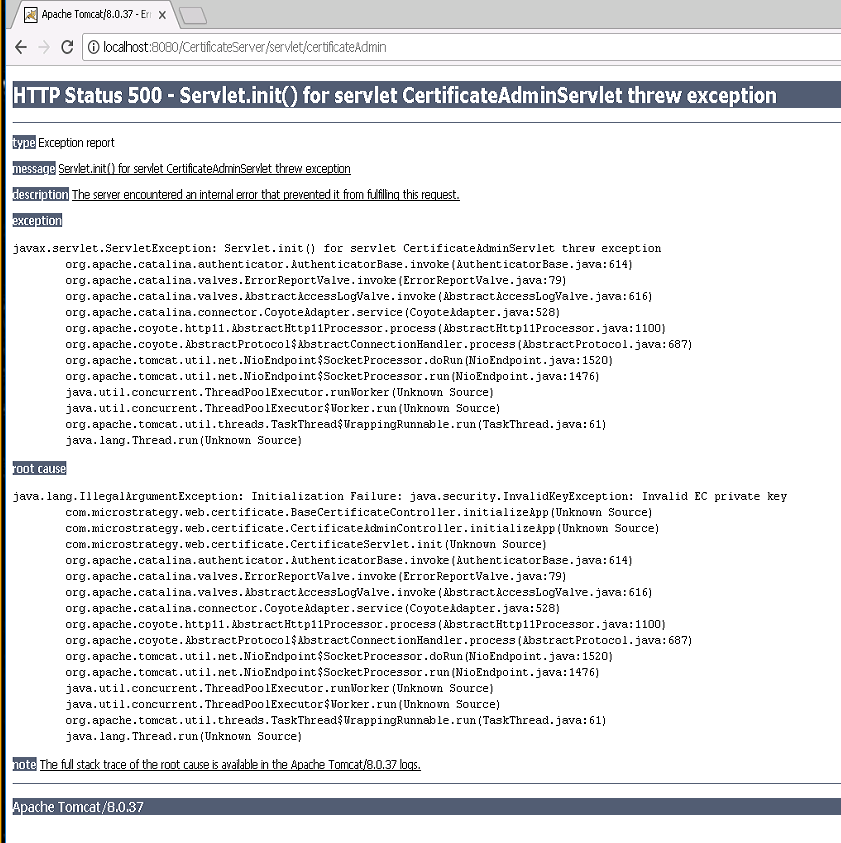
Deploy an out of the box 10.9 CertificateServer.war file and try to use it with a key in saved in ".der" format. Your browser will show an error: "HTTP Status 500 - Servlet.init() for servlet CertificateAdminServlet threw exception" similar to the one below:
CAUSE
This is a known limitation of 10.9 Certificate Server that is indicated by the exception "Invalid EC private key". Certificate Server, even if configured explicitly to use RSA keys will expect an EC key.
ACTION
This issue has been addressed in Strategy 10.11, upgrade to this version to take advantage of the fix.
WORKAROUND
A known workaround is to use an EC key instead .der. Please follow the guidelines below:
1. Generate EC key in PEM format:
[openssl ecparam -name secp256k1 -genkey -noout -out secp256k1-key.pem]
2. Convert the PEM key to PKCS#8 format and save as DER encoded file.
[openssl pkcs8 -topk8 -in secp256k1-key.pem -outform DER -out p8derkey.der -nocrypt]
3. Generate a self signed certificate based on the key from step one and save it as DER encoded file.
[openssl req -key secp256k1-key.pem -x509 -days 365 -out ECsigncert.der -outform der]
4. Configure Certificate server to use the key and certificate files (appropriate changes in .xml file).
KB439261
