Starting with the release of Strategy ONE (March 2024), dossiers are also known as dashboards.
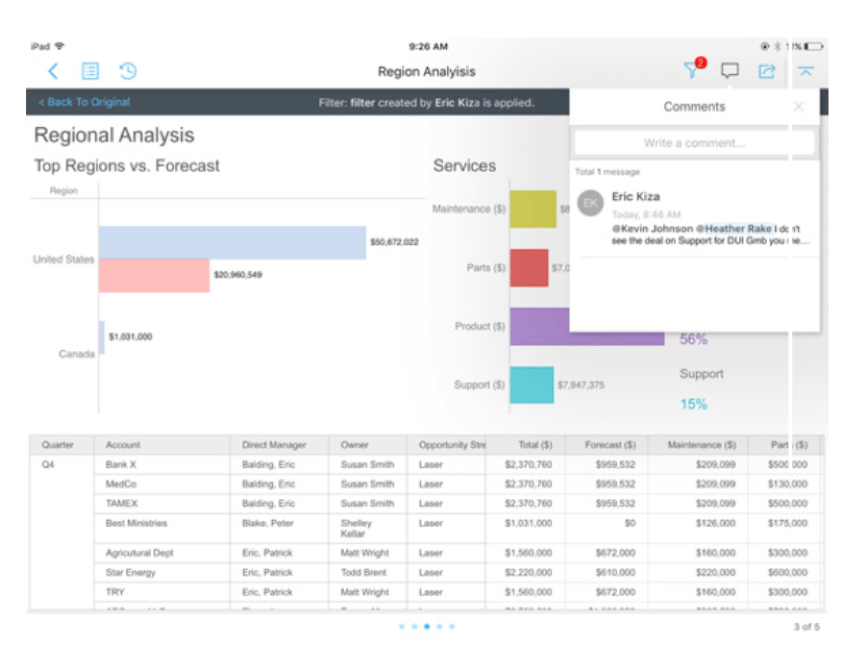
With 10.9 release, consumers now have the ability to collaborate with each other via discussion threads or comments that can be made within the dossier/document interface. Anyone who can access a dossier (or documents) via the Strategy Library, can add comments that are specific to that dossier. Users can ask questions and call attention to specific data points on the dossier itself. All comments are saved on the discussion thread and consumer who have access to the dossier can see the entire string of comments with time stamps.
Share personal views of dossiers in real-time
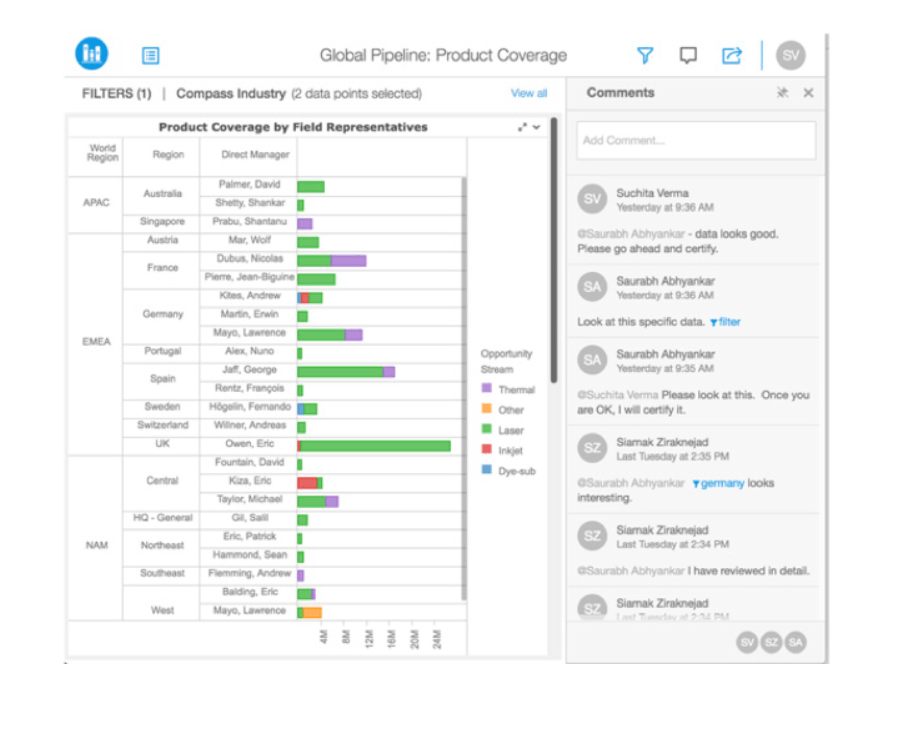
Consumers who want to collaborate with other users, can send other users a link to the exact same “view” of the dossier that they are looking at for context. Especially helpful to end users who apply several filters to slice and dice the data on a page, changing the state of the page from its original state, and would like to share a link with others to the current state of the dossier without actually saving it.
Users will be able to embed his or her current filter criteria using either the @filter syntax by simply clicking on the filter icon within the comments panel. End users who receive this link, will be able to launch the exact same view of the dashboard, with all the same filters applied as the person who shared the link, and can contextually share information.
Tagging users with comments
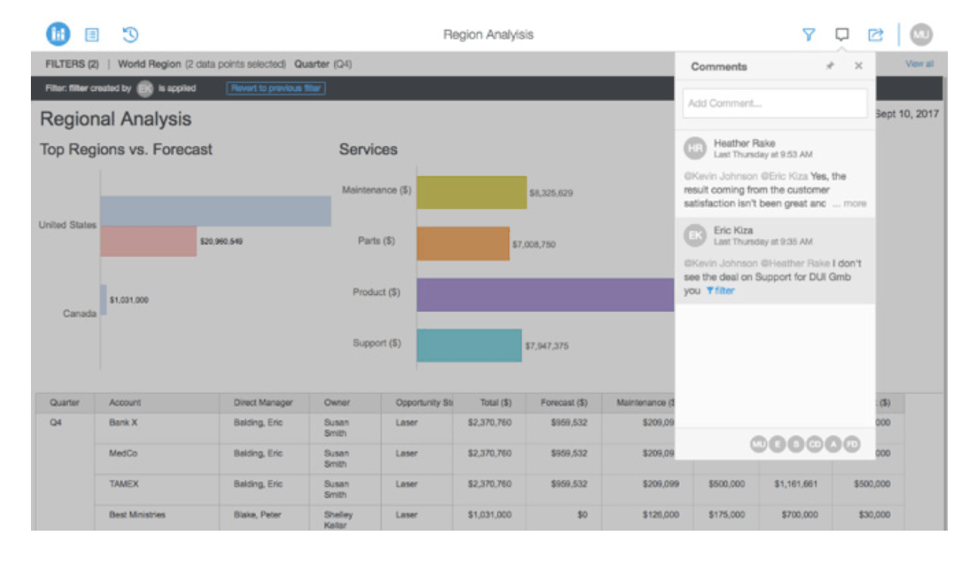
End users can mention other user’s names within comments to get their attention. Tagging a user will send notifications on both web browsers and mobile devices directly to that user whose name has been mentioned in the comment.
Users can see other users who are online and can use the @<name> syntax to send notifications directly to other individuals or groups. The notifications are delivered via pop-ups to users who are online on a web browser or on the mobile app. Notifications are also seen as alerts on the dossier or document itself on both web or mobile, for anyone who isn’t online when the comments are made.