EducationSoftwareStrategy.com
StrategyCommunity

Knowledge Base

Product

Community

Knowledge Base

TopicsBrowse ArticlesDeveloper Zone

Product

Download SoftwareProduct DocumentationSecurity Hub

Education

Tutorial VideosSolution GalleryEducation courses

Community

GuidelinesGrandmastersEvents
x_social-icon_white.svglinkedin_social-icon_white.svg
Strategy logoCommunity

© Strategy Inc. All Rights Reserved.

LegalTerms of UsePrivacy Policy
  1. Home
  2. Topics

KB485052: Connect to Cloudera CDP7.1 from MicroStrategy


Community Admin

• Strategy


This article provides steps for connecting to Cloudera CDP7.1 from MicroStrategy.

Starting with the release of Strategy ONE (March 2024), dossiers are also known as dashboards.
This KB article introduces how to connect to Cloudera CDP 7.1 from Strategy.
Note: If you are using Cloudera CDP Private Base, please ask your DBA or follow Cloudera’s official doc to get your connection String. Then jump to Step 3 in this article.
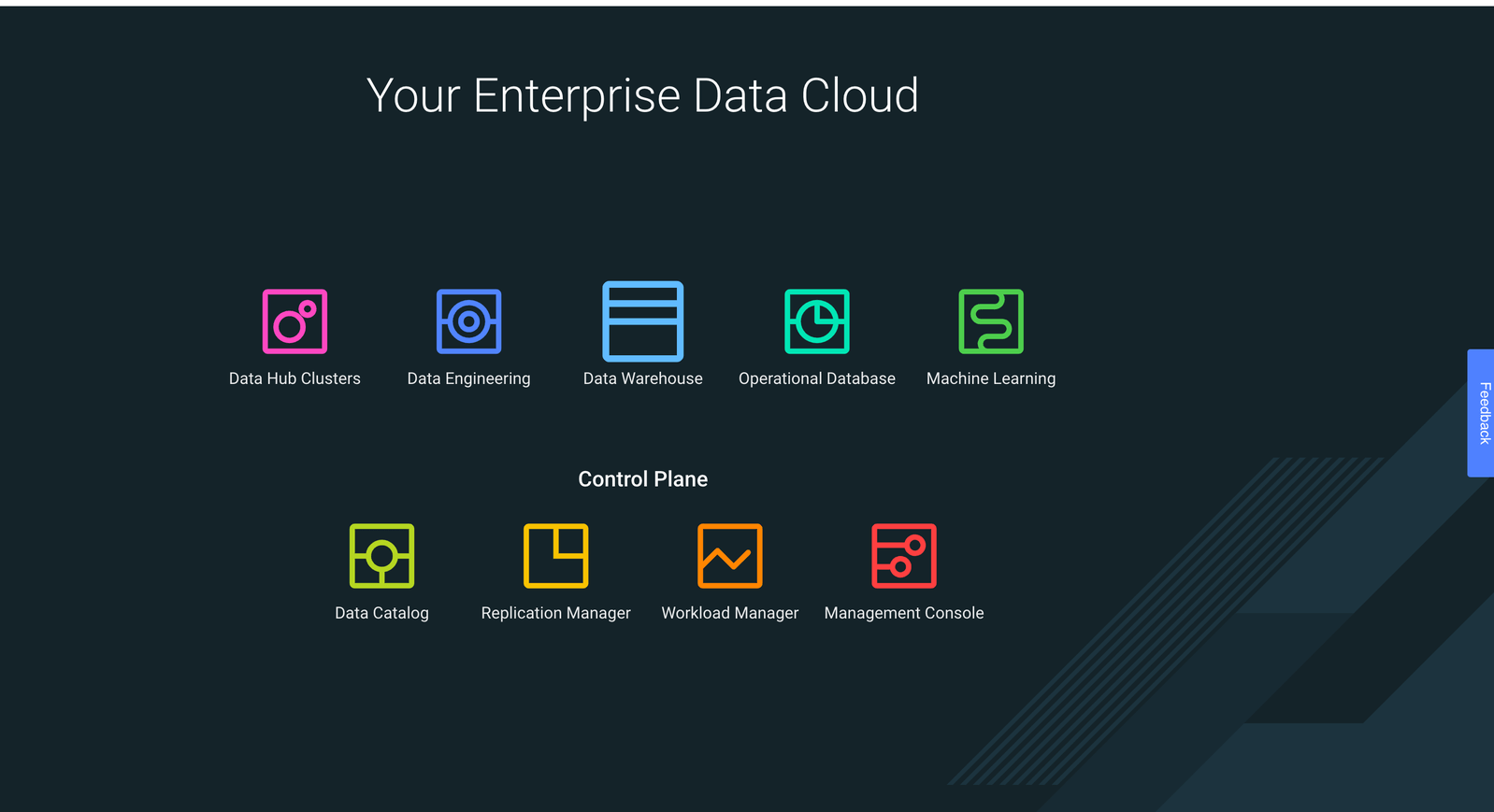
 

  • Go to the Cloudera Enterprise Data Cloud platform and select Data Warehouse.
ka0PW0000001JgrYAE_0EM4W0000028Ngz.jpeg
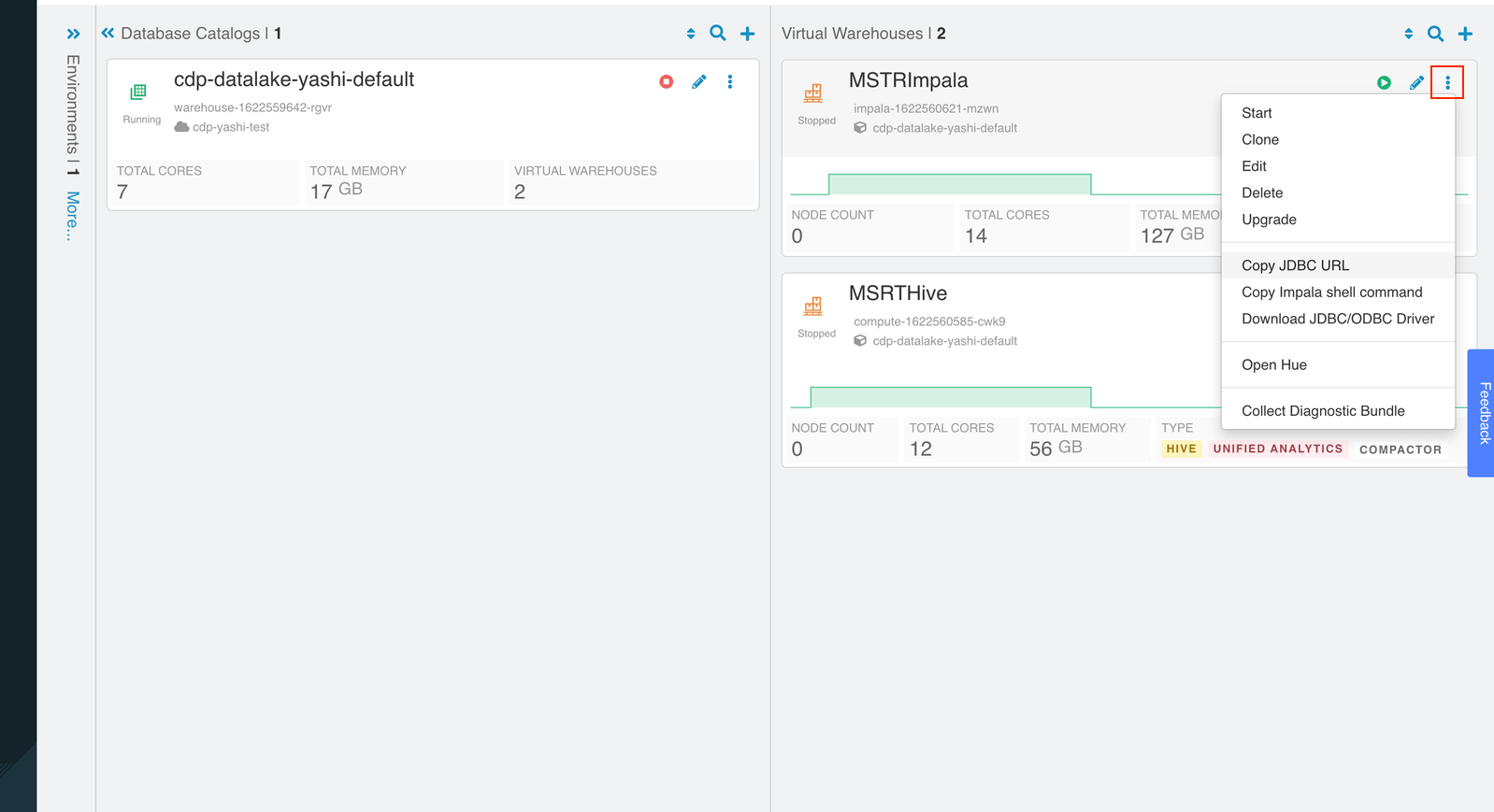
  • In the upper right corner of the Impala virtual warehouse, click on the ellipse icon > Copy JDBC URL.
ka0PW0000001JgrYAE_0EM4W0000028Nh9.jpeg
  • In Strategy, create a new data source and search for Impala.
ka0PW0000001JgrYAE_0EM4W0000028NhE.jpeg
  • Under Advanced Settings, enable Edit connection string and paste the copied URL from step 2 to the
    {"URL-from-Step2"}
    parameter.
ka0PW0000001JgrYAE_0EM4W0000028NhJ.jpeg
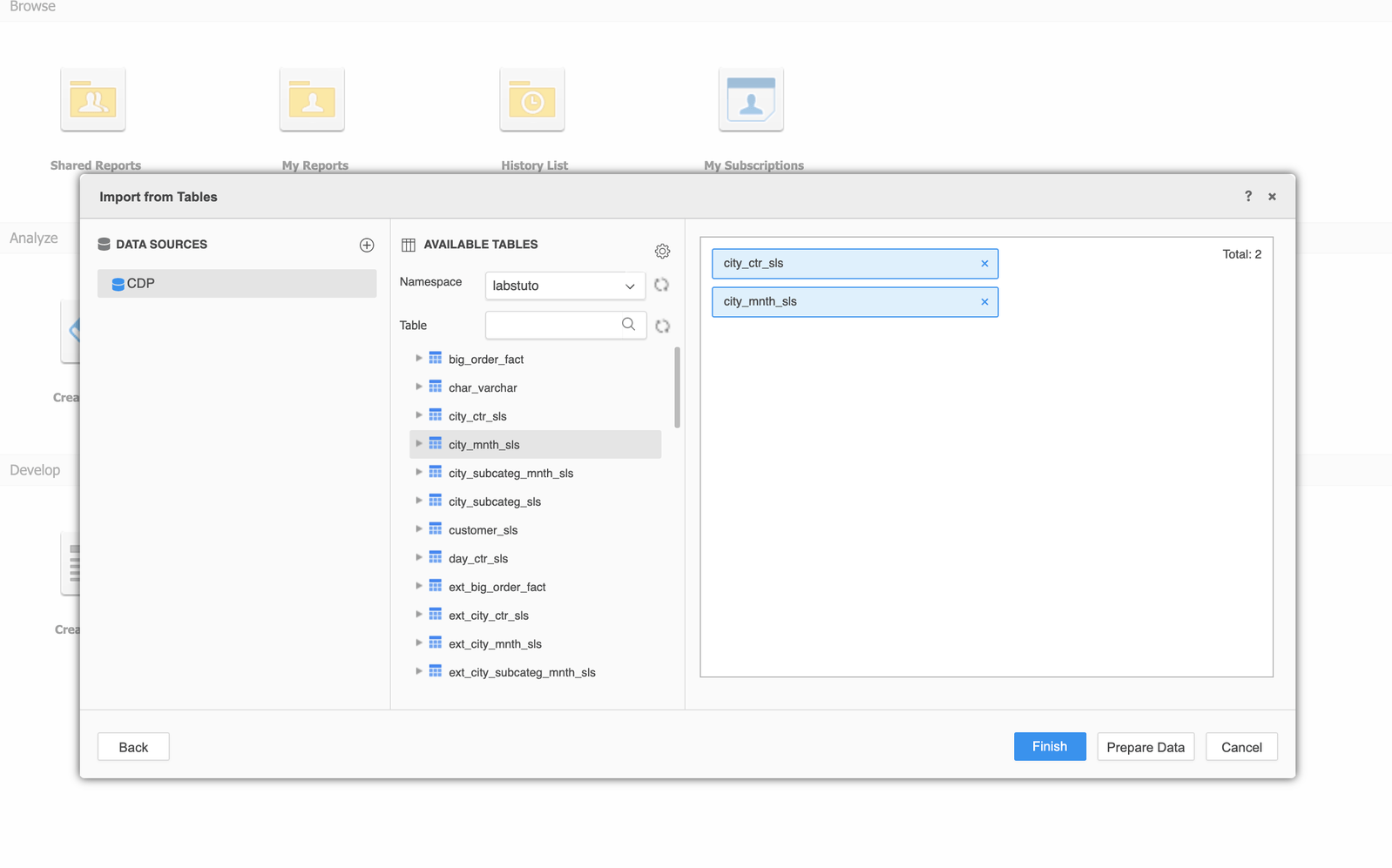
  • Connect to the saved CDP data sources and select the tables you want to use. Save the imported tabes as a cube.
ka0PW0000001JgrYAE_0EM4W0000028Nhi.jpeg
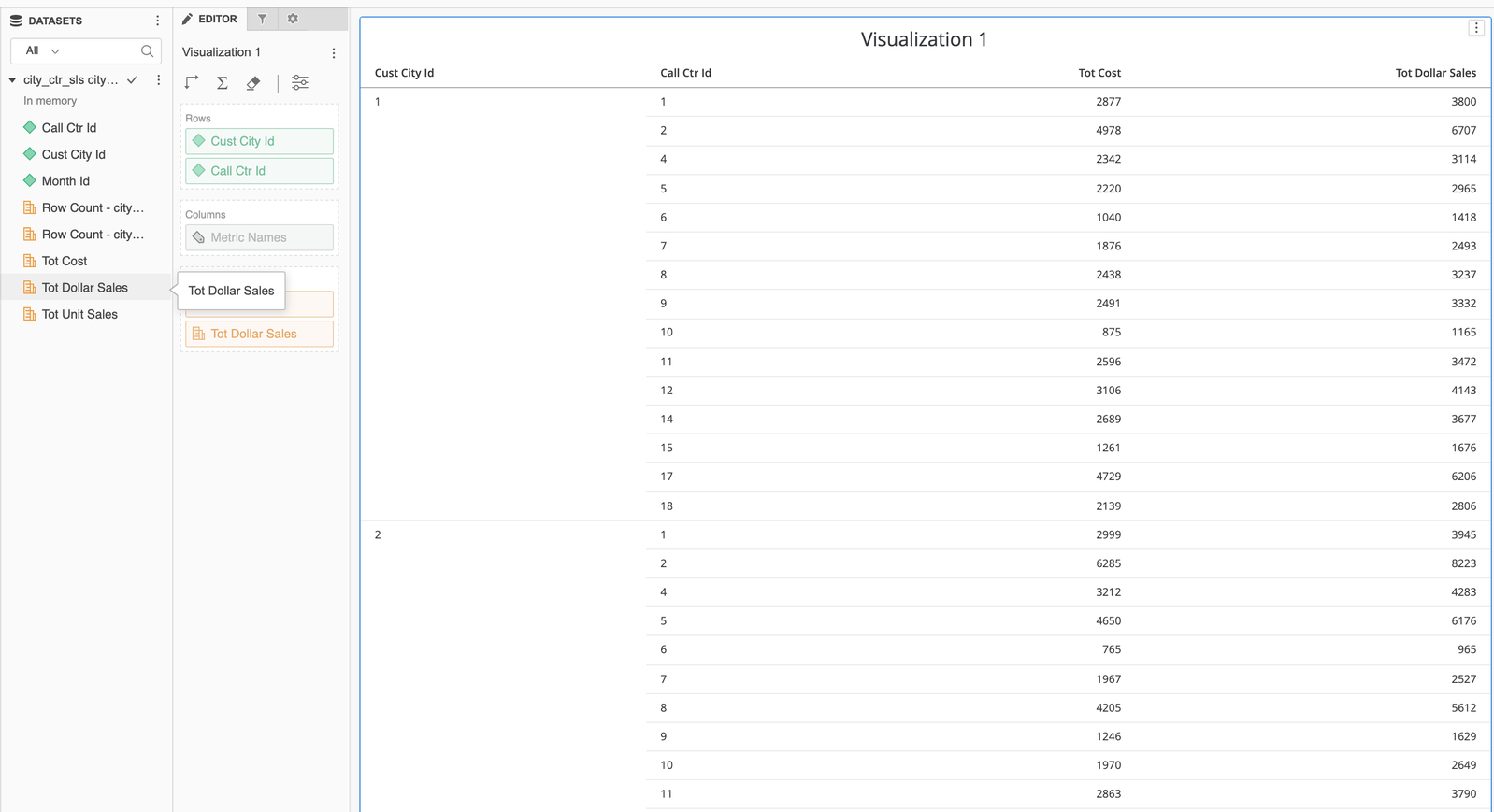
  • Build a dossier on the saved cube.
ka0PW0000001JgrYAE_0EM4W0000028Nhn.jpeg

Comment

0 comments

Details

Knowledge Article

Published:

June 3, 2021

Last Updated:

March 21, 2024