EducationSoftwareStrategy.com
StrategyCommunity

Knowledge Base

Product

Community

Knowledge Base

TopicsBrowse ArticlesDeveloper Zone

Product

Download SoftwareProduct DocumentationSecurity Hub

Education

Tutorial VideosSolution GalleryEducation courses

Community

GuidelinesGrandmastersEvents
x_social-icon_white.svglinkedin_social-icon_white.svg
Strategy logoCommunity

© Strategy Inc. All Rights Reserved.

LegalTerms of UsePrivacy Policy
  1. Home
  2. Topics

KB485147: "Connection times out" error is returned when clicking Wrangle during the data import process


Yanqing Liu

Cloud Support Expert I • MicroStrategy


This article explains why the a connection timeout error is returned when attempting to wrangle your data. This article also provides a solution to avoid this error.

Description


In Strategy Web 2021, you may get the following error after clicking Wrangle during the data import process, even though port 3333 is open on the Intelligence Server machine. 
Encountered error when wrangling your data. 
Connection times out: connect
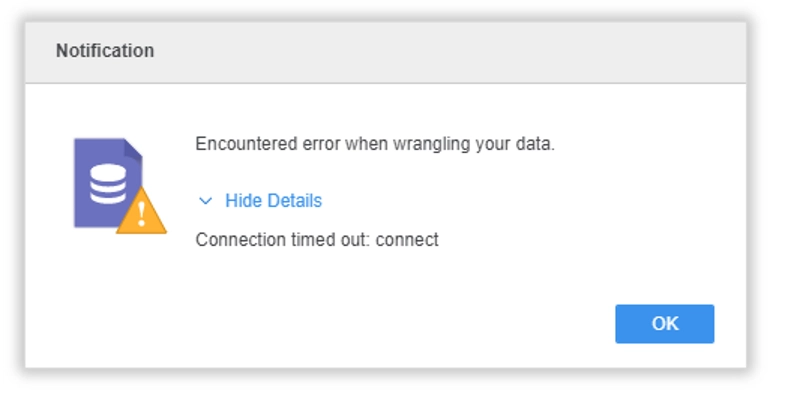
ka04W000001IrG7QAK_0EM4W00000388wQ.jpeg

Why is this happening? 


A possible cause of this error is that HTTPS is enabled for the Refine Server but not properly configured. 
 

Solution 


Disable HTTPS for the Refine Server: 

  1. Open the Registry Editor on the Intelligence Server machine and navigate to
    [Computer\HKEY_LOCAL_MACHINE\SOFTWARE\Wow6432Node\MicroStrategy\Refine Server].
  2. Delete the
    enableHttps
    registry item. 
  3. Restart the Intelligence Server. 


If HTTPS is needed for the Refine Server, you can follow this documentation to enable HTTPS connection between the Refine Server and Web Server. 


Comment

0 comments

Details

Knowledge Article

Published:

September 1, 2021

Last Updated:

September 1, 2021