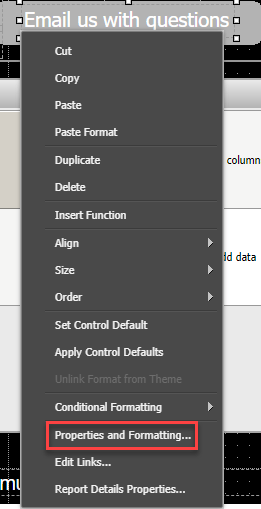
1. Right-click the object users will click to send an email.
2. Select Properties and Formatting.
3. Under General in the Navigation section, check Is Hyperlink.
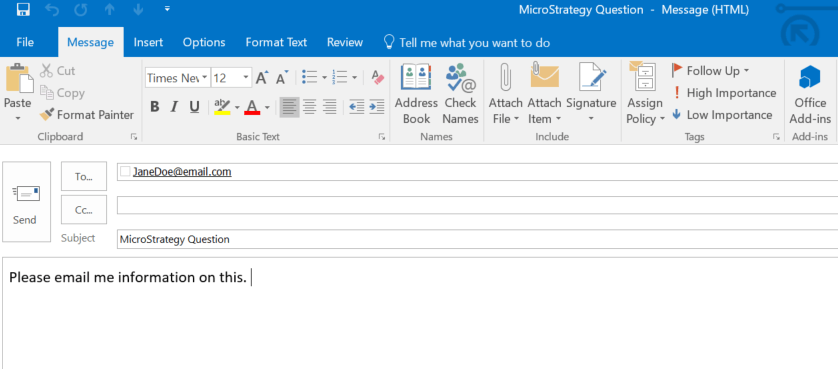
4. Type the HTML syntax in the Hyperlink box. Below is sample syntax including a prepopulated email subject and body. mailto:JaneDoe@email.com&subject=MicroStrategy%20Question%20&body=Please%20email%20me%20information%20on%20this.The %20 encodes spaces between the words.
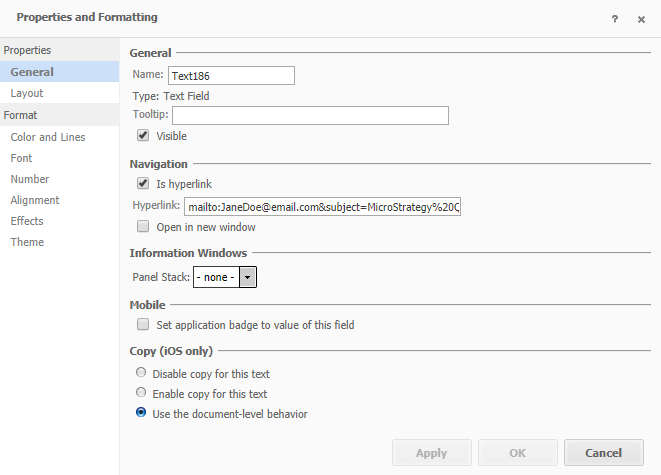
5. Select OK on the bottom of the Properties and Formatting box.
6. Save your document.
Using the sample syntax, when a user clicks the link the following email will be created through the email software.
Take the 10.421: Advanced Mobile Applications class to learn more about mobile apps or 10.413: Advanced Documents: Interactivity & Joining Datasets for an in-depth course on documents.
