EducationSoftwareStrategy.com
StrategyCommunity

Knowledge Base

Product

Community

Knowledge Base

TopicsBrowse ArticlesDeveloper Zone

Product

Download SoftwareProduct DocumentationSecurity Hub

Education

Tutorial VideosSolution GalleryEducation courses

Community

GuidelinesGrandmastersEvents
x_social-icon_white.svglinkedin_social-icon_white.svg
Strategy logoCommunity

© Strategy Inc. All Rights Reserved.

LegalTerms of UsePrivacy Policy
  1. Home
  2. Topics

KB483968: Current behavior of deleting a derived metric


Xiaoning Cui

Product Owner, Principal • MicroStrategy


This article describes the current behavior of deleting a derived metric.

Starting with the release of Strategy ONE (March 2024), dossiers are also known as dashboards.
When deleting a derived metric that is dependent on another derived metric, you will notice that both derived metrics disappear from your visualization and Dataset panel. 
 

Steps to Reproduce


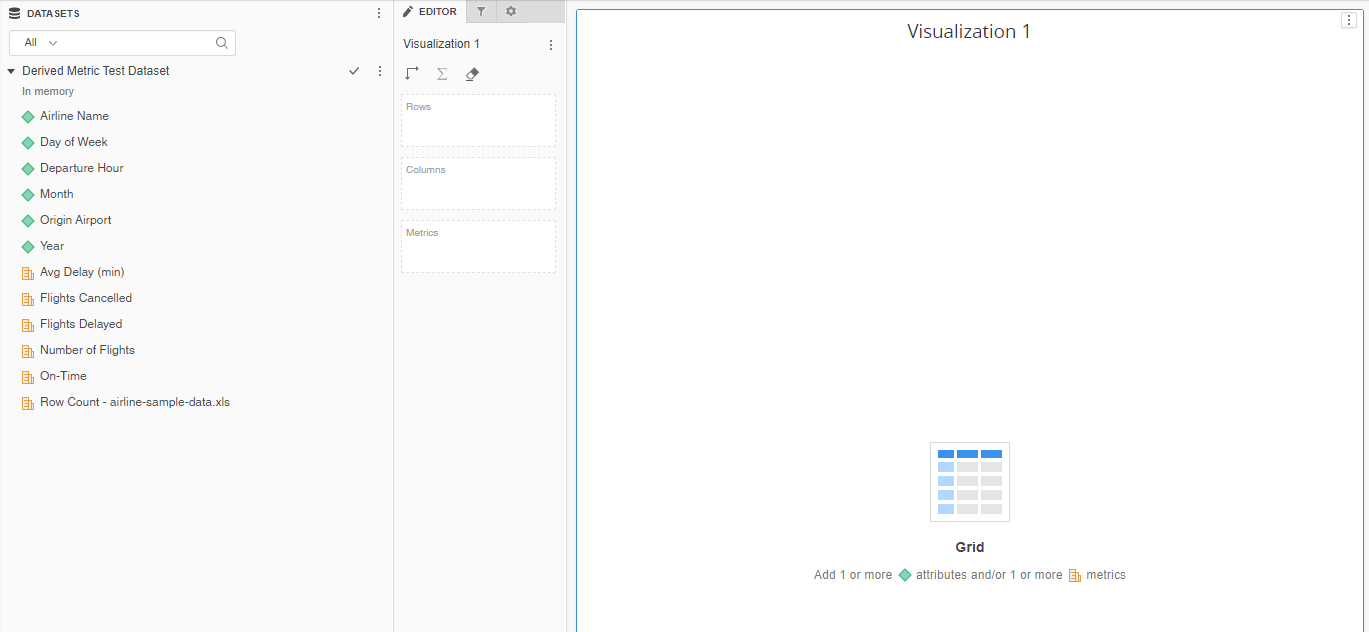
Suppose you have the following dataset, where Number of Flights is a metric:
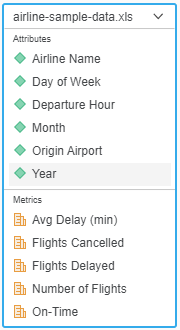
ka0PW0000001JbCYAU_0EM2R000000nQxS.jpeg


  • Create a dossier with the dataset.
ka0PW0000001JbCYAU_0EM2R000000nQy6.jpeg
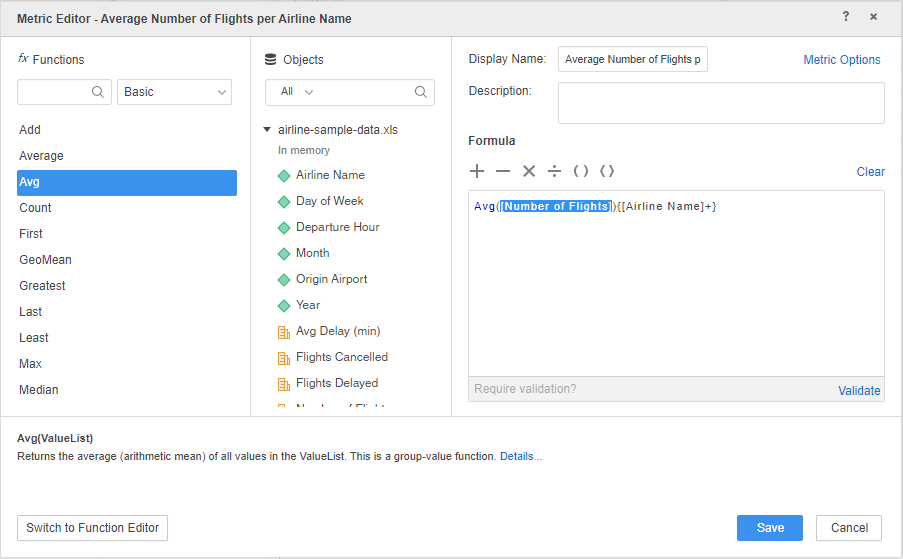
  • Create a derived metric using the Number of Flights metric. Name this new derived metric: Average Number of Flights per Airline Name.
ka0PW0000001JbCYAU_0EM2R000000nQyL.jpeg
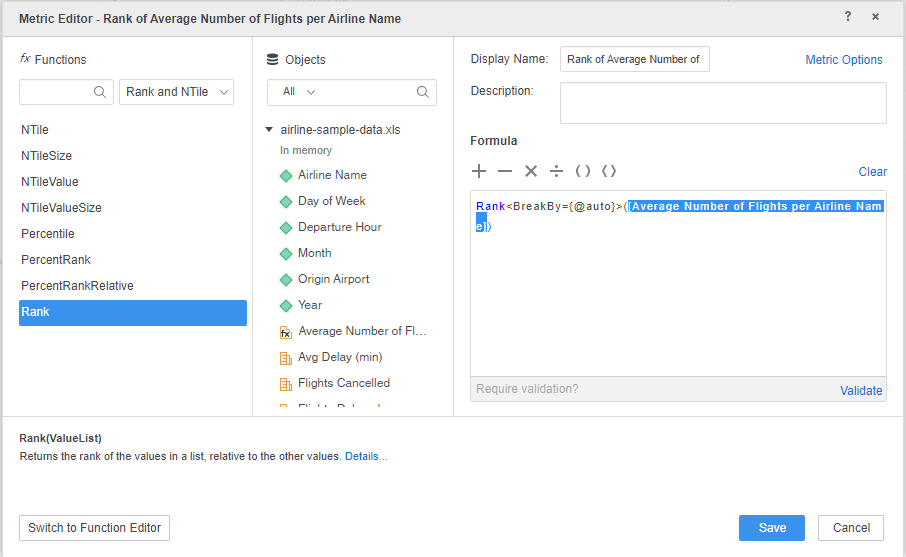
  • Create another derived metric using the derived metric created in the previous step (Average Number of Flights per Airline Name). Name this new derived metric: Rank of Average Number of Flights per Airline Name.
ka0PW0000001JbCYAU_0EM2R000000nQyV.jpeg
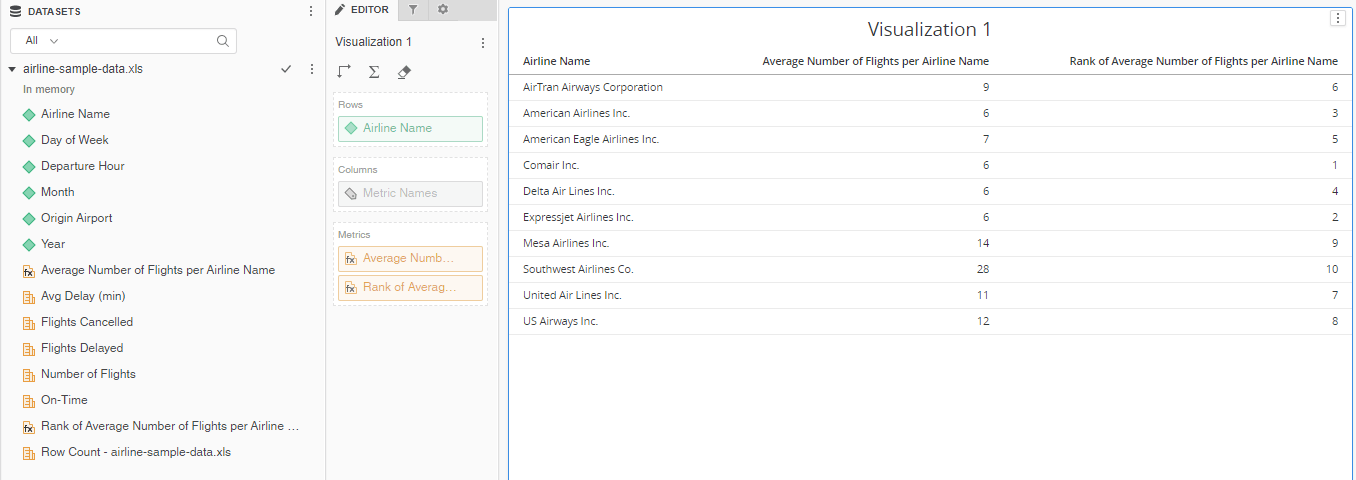
  • Create a visualization with the Airline Name attribute and the two derived metrics you created in the previous steps.
ka0PW0000001JbCYAU_0EM2R000000nQya.jpeg
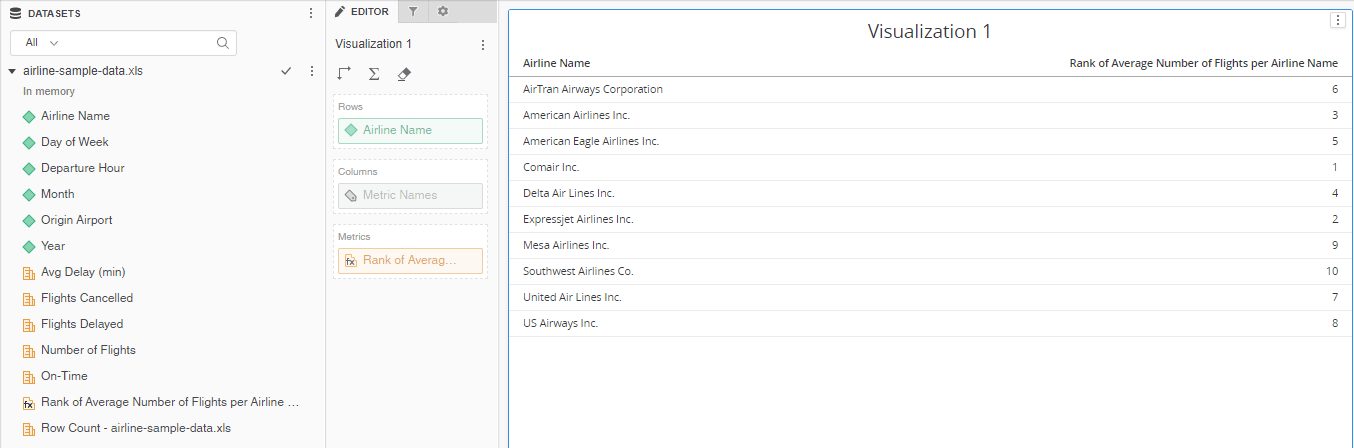
  • Delete the derived metric, Average Number of Flights per Airline Name. You shoud proceed to delete the derived metric even though the other derived metric, Rank of Average Number of Flights per Airline Name, uses it in its formula.
  • Upon deleting the derived metric, Average Number of Flights per Airline Name disappears from the visualization and the Dataset panel.
ka0PW0000001JbCYAU_0EM2R000000nQyf.jpeg

 Why is this happening?


The Average Number of Flights per Airline Name metric can be deleted, regardless of another derived metric depending on it, because the dependency is not checked at this stage. 
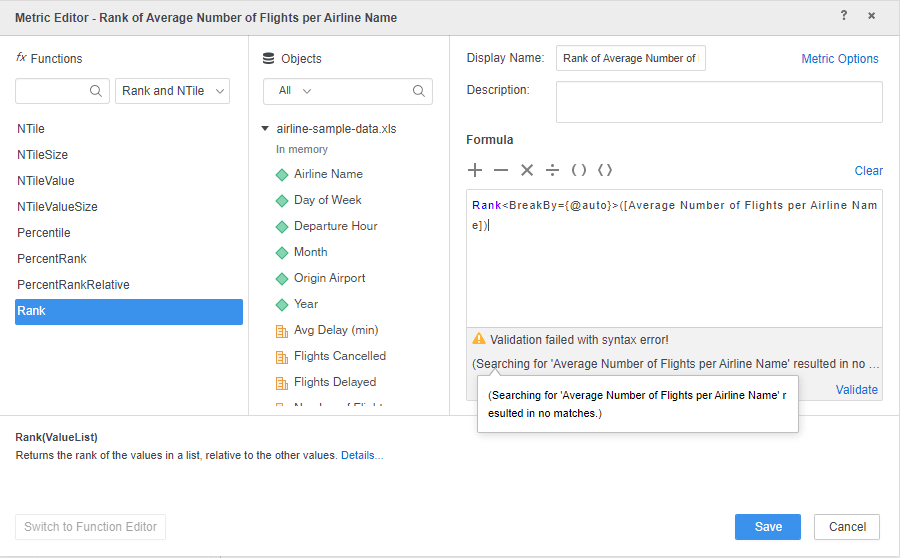
There is a known limitation where the derived metric dependent on another derived metric will encounter a validation error.
ka0PW0000001JbCYAU_0EM2R000000nQyp.jpeg

Comment

0 comments

Details

Knowledge Article

Published:

January 10, 2020

Last Updated:

March 21, 2024