EducationSoftwareStrategy.com
StrategyCommunity

Knowledge Base

Product

Community

Knowledge Base

TopicsBrowse ArticlesDeveloper Zone

Product

Download SoftwareProduct DocumentationSecurity Hub

Education

Tutorial VideosSolution GalleryEducation courses

Community

GuidelinesGrandmastersEvents
x_social-icon_white.svglinkedin_social-icon_white.svg
Strategy logoCommunity

© Strategy Inc. All Rights Reserved.

LegalTerms of UsePrivacy Policy
  1. Home
  2. Topics

DB Query Tool Homepage


Stefan Zepeda

Salesforce Solutions Architect • Strategy


MicroStrategy DB (Database) Query tool is a any to use MicroStrategy application that utilizes Open Database Connectivity (ODBC) and Java Database Connectivity (JDBC) to access data in any database for which there is an ODBC driver or JDBC driver, respectively. This MicroStrategy tool can be used to test and troubleshoot connectivity to data sources as well as create and execute SQL statements on your data sources for various purposes.
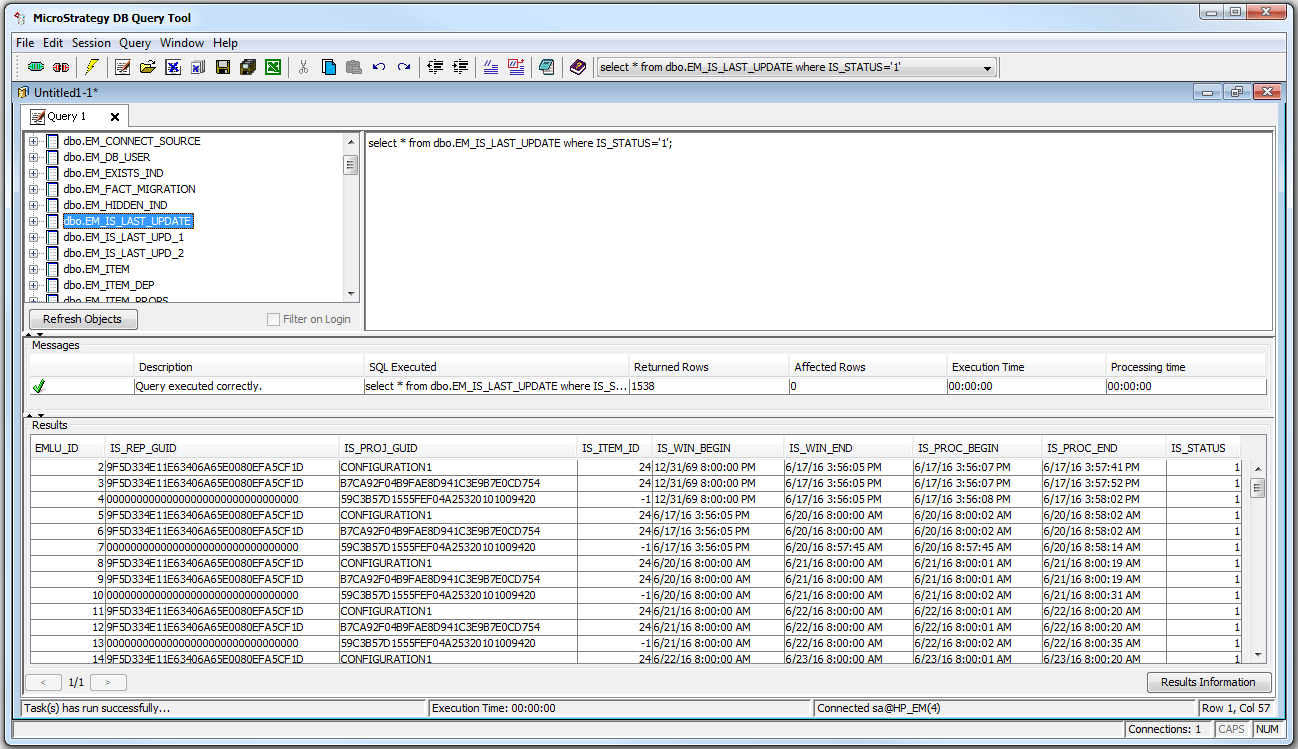
Strategy DB (Database) Query tool is an easy to use Strategy application that utilizes Open Database Connectivity (ODBC) and Java Database Connectivity (JDBC) to access data in any database for which there is an ODBC driver or JDBC driver, respectively. This Strategy tool can be used to quickly test and troubleshoot connectivity to data sources as well as create and execute SQL statements on your data sources for various purposes.
 

ka02R000000kcRJQAY_0EM440000002J7H.png


To access the DB Query Tool in UNIX or Linux:

  1. From a UNIX or Linux console window, navigate to the Strategy target directory (the path indicated during installation as the Directory Name).
  2. Navigate to the bin directory.
  3. Type ./mstrdbquerytool at the prompt. Strategy DB Query Tool opens.
     

To access the DB Query Tool in Windows:

  1. From the Windows Start menu, point to Programs, then point to Strategy Tools, and then select DB Query Tool. Strategy DB Query Tool opens.

 
*For further assistance using Strategy DB Query Tool, please utilize the Help menu within the tool itself.*


Comment

0 comments

Details

Knowledge Article

Published:

April 11, 2017

Last Updated:

April 21, 2017