SYMPTOM:
Narrowcast services in process are not displayed in Distribution Managers or Execution Engines in Strategy 2021. When click "Test Logging Server" button in System Configuration Wizard the following error appears:
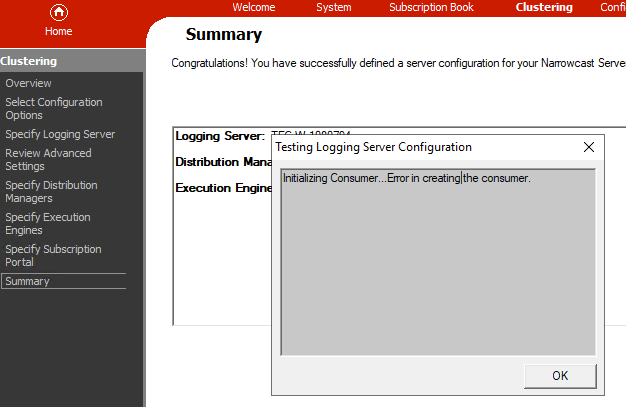
"Initializing Consumer...Error in creating the consumer."
CAUSE:
This is caused by a known bug of ACE before version 5.6.8. Some Windows version has different handling of the TlsAlloc call, which renders the ACE's default limit (ACE_DEFAULT_THREAD_KEYS = 64) fragile.
ACTION:
0. Stop the NCS system and all logging related services (Logging Server/Consumer/Client, Strategy Listener)
1. Copy the aceu.dll (modified the ACE_DEFAULT_THREAD_KEYS to be 1024) provided here to replace the C:\Program Files (x86)\Common Files\Strategy\aceu.DLL in the problematic environment.
3. Start logging relevant services following this order: Logging Server -> Logging Consumer -> Logging Client -> Strategy Listener
4. Open the Narrowcast Administrator and start the system.
5. Run a service to verify if the issue gets resolved: the triggered service should appear in both Distribution Managers or Execution Engines.
Reference:
ACE bug: https://groups.google.com/g/comp.soft-sys.ace/c/1F0562rrTN0/m/B0XElXvyt8QJ
Workaround: https://groups.google.com/g/comp.soft-sys.ace/c/c96UNEWNOu8/m/EVWY56jMGAEJ
