EducationSoftwareStrategy.com
StrategyCommunity

Knowledge Base

Product

Community

Knowledge Base

TopicsBrowse ArticlesDeveloper Zone

Product

Download SoftwareProduct DocumentationSecurity Hub

Education

Tutorial VideosSolution GalleryEducation courses

Community

GuidelinesGrandmastersEvents
x_social-icon_white.svglinkedin_social-icon_white.svg
Strategy logoCommunity

© Strategy Inc. All Rights Reserved.

LegalTerms of UsePrivacy Policy
  1. Home
  2. Topics

KB486013: Data Mismatch When Importing a SharePoint List with Date Time Type


Rong Yu

Quality Engineer, Senior • MicroStrategy


This article explains how to modify SharePoint Time Zone setting.

Symptom


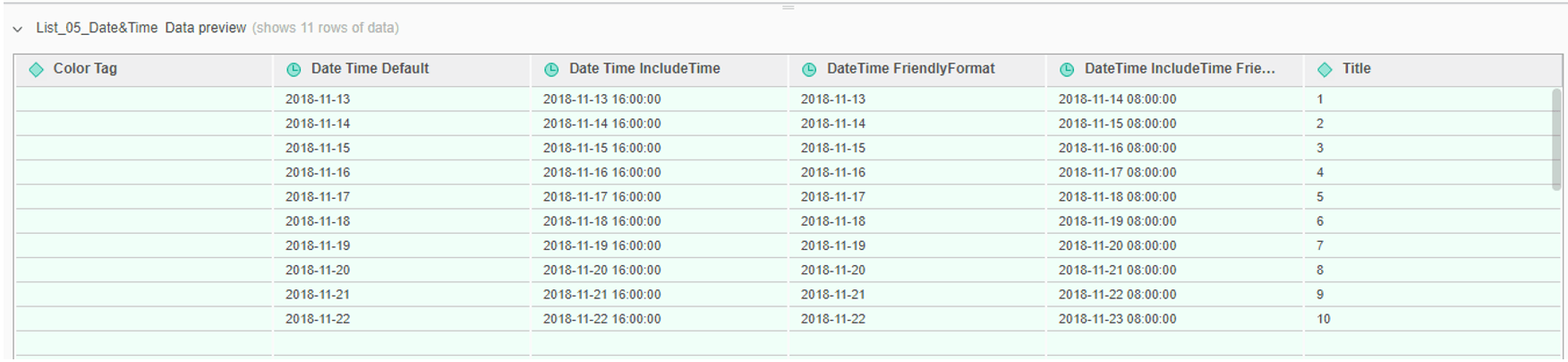
When import a SharePoint List with Date Time type, you may find the imported data has some mismatch as you see in the SharePoint side. For example, the data in SharePoint List side is:
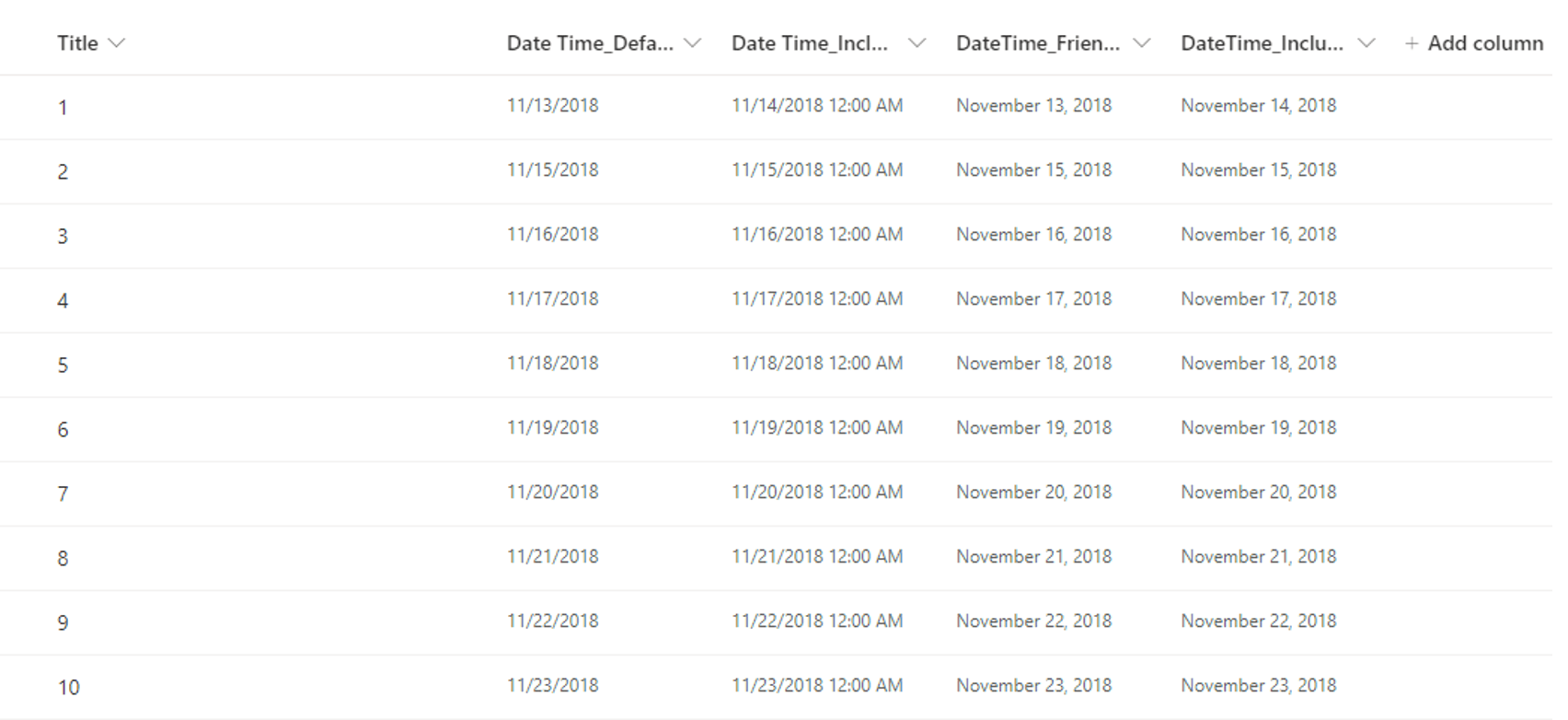
ka04W000000OgU7QAK_0EM4W0000071y9I.jpeg

but the imported to Strategy, it would be parsed as:
ka04W000000OgU7QAK_0EM4W0000071y9N.jpeg


Action


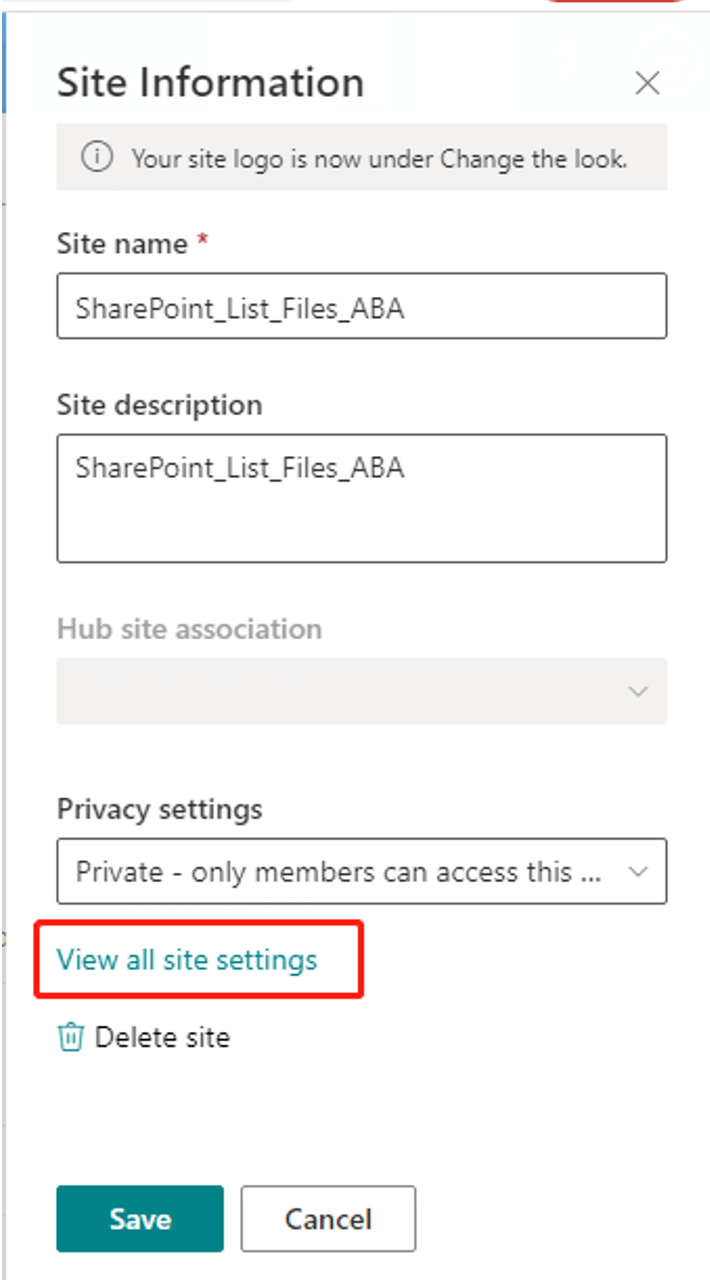
You can follow below steps to modify Time Zone setting: 
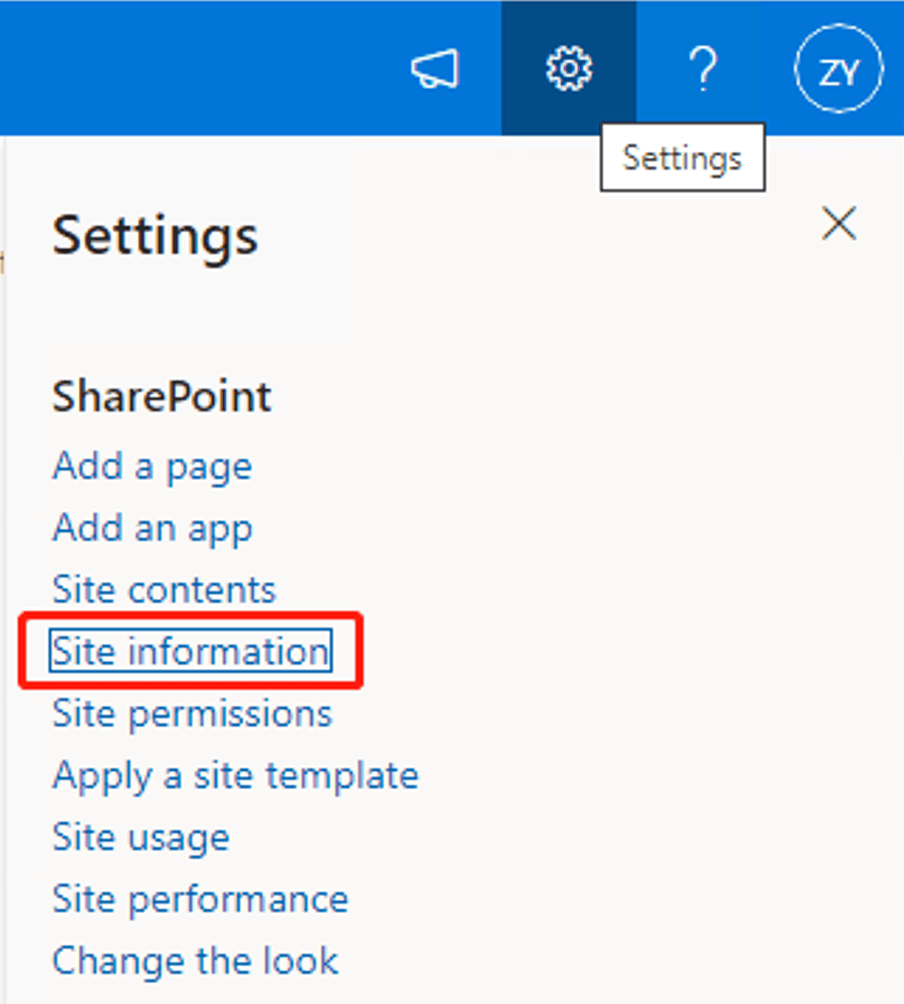
  1. Go to 'Settings', click ‘Site information’.
ka04W000000OgU7QAK_0EM4W0000071y9c.jpeg


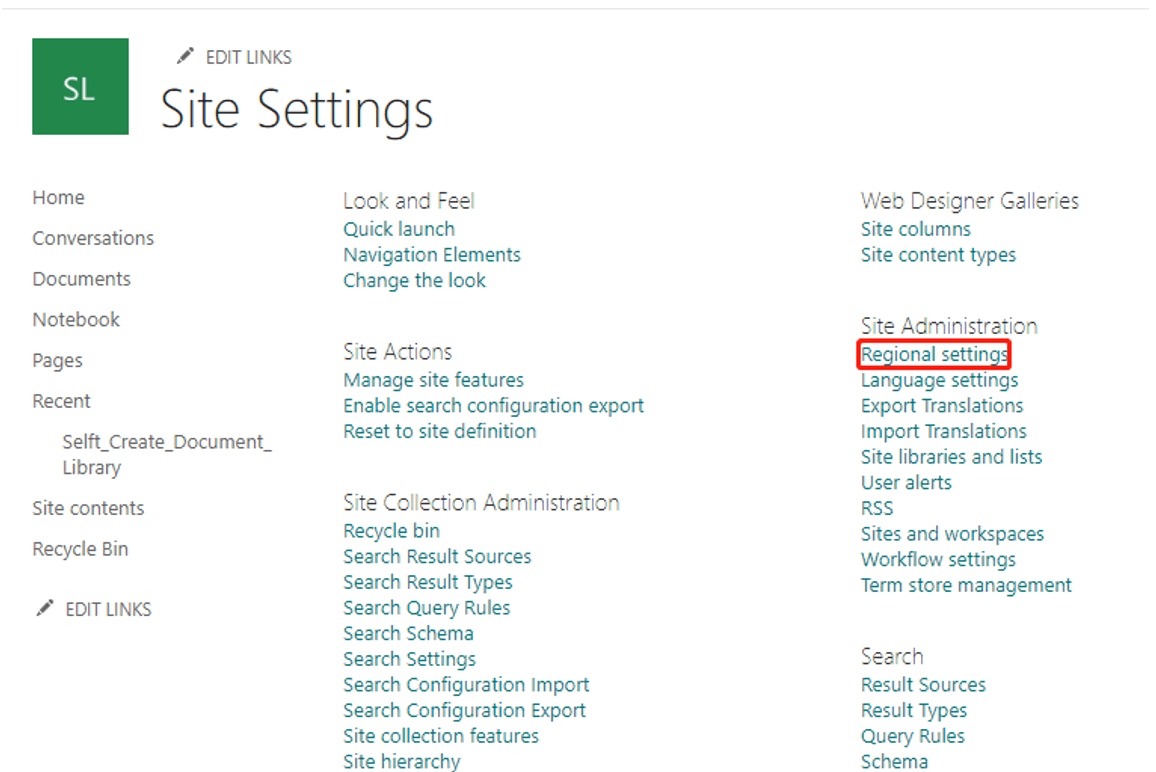
  1. Click 'View all site settings'.
ka04W000000OgU7QAK_0EM4W0000071y9h.jpeg


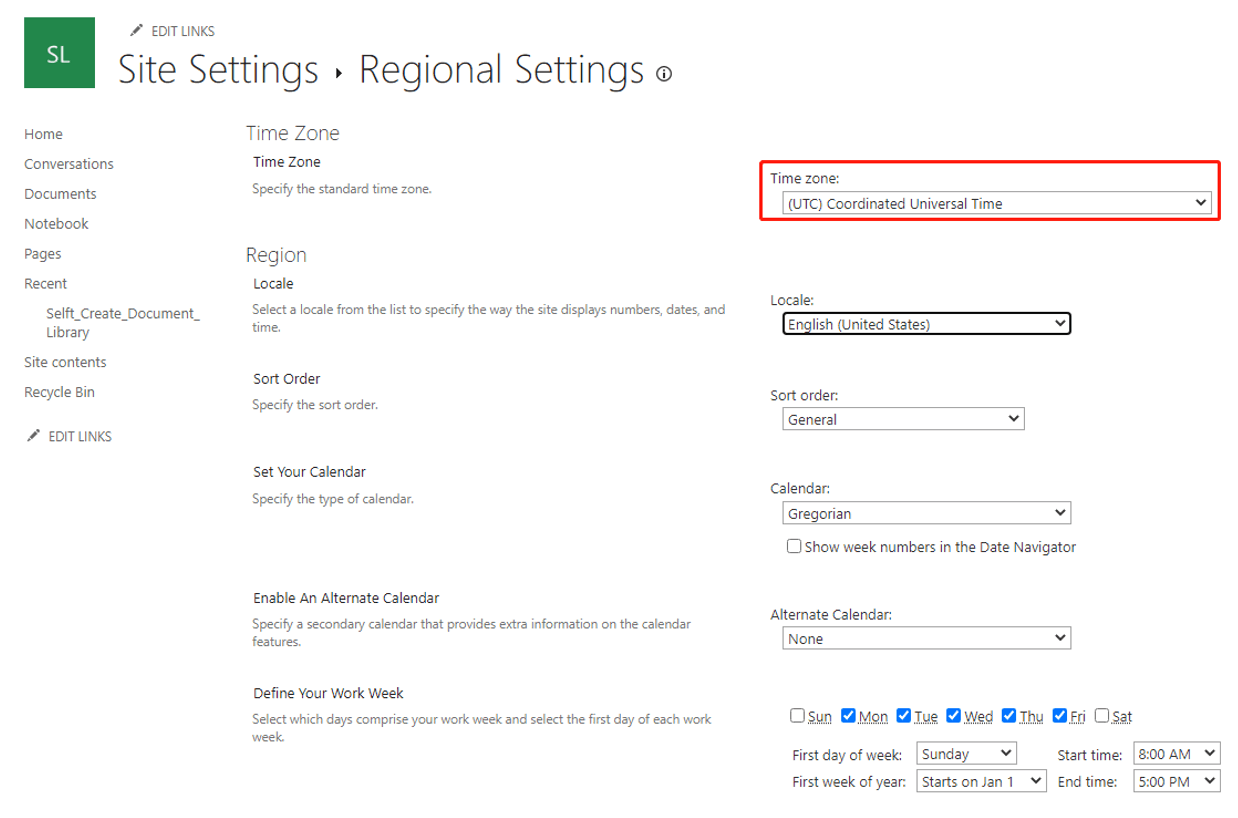
  1. Click 'Regional settings' under 'Site Administration'.
ka04W000000OgU7QAK_0EM4W0000071y9m.jpeg


  1. Choose ‘(UTC) Coordinate Universal Time’ and save.
ka04W000000OgU7QAK_0EM4W0000071y9r.jpeg


Comment

0 comments

Details

Knowledge Article

Published:

May 8, 2023

Last Updated:

June 2, 2023