Starting with the release of Strategy ONE (March 2024), dossiers are also known as dashboards.
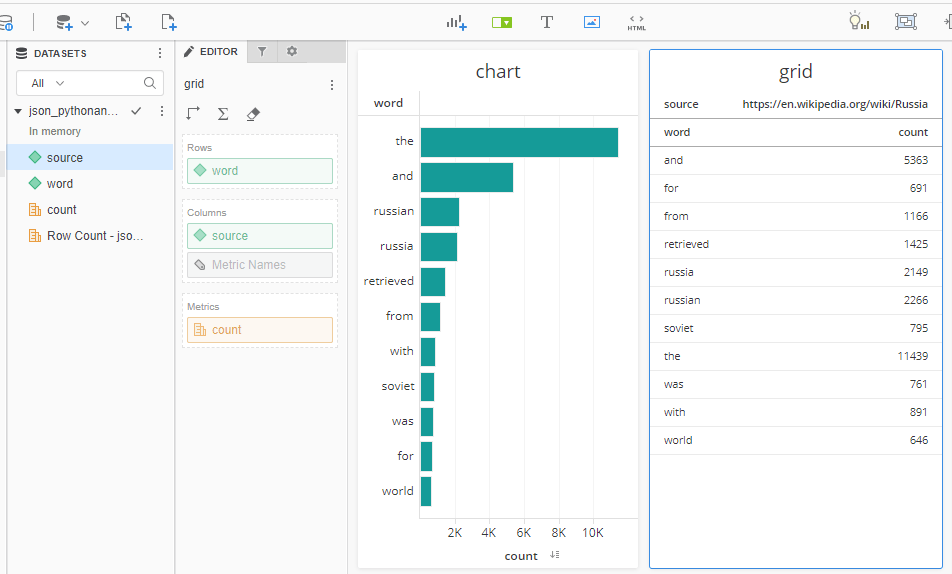
In this example a Python script scraps two Wikipedia pages and provides occurrences statistics of the most common words. Web scrapping is just one simple use case. You can use the same approach to use REST APIs of public or private data repositories, use Strategy REST APIs for querying MSTR metadata, etc. This example uses Flask framework since it is very simple and easy to reproduce.
Instead of configuring my own web server with Python frameworks I am using a basic account (free) of www.pythonanywhere.com. It gives you access to machines with a full Python environment already installed. You can develop and host your website or any other code directly from your browser without having to install software or manage your own server. Note: basic free account has restrictions on what websites/services can be accessed by your Python script HTTP requests. Most common URLs like Wikipedia are white-listed. Strategy Cloud URLs are not, so you would have to pay a small fee for upgrading your account to access any URL.
This diagram shows the process:
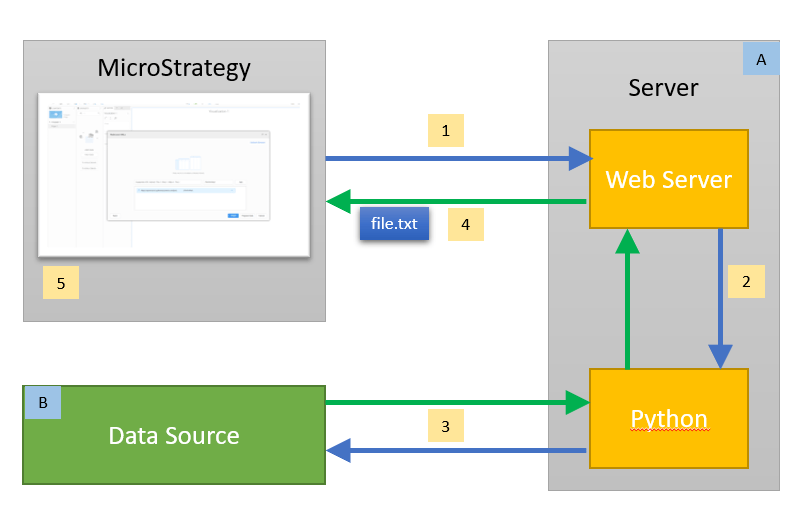
1 – Strategy Dossier user performs Data Import > Data from URL. Allowed URL formats for pulling the data file: file://, http://, https://, ftp://
2 – Server executes Python code via interpreter
3 – Python program gets and processes the data from a Data Source
4 – The data is returned to Strategy as a text file (.txt, .csv, .xls or .json)
5 – the data is saved in memory and can be refreshed via ‚Republish’ command. Republishing can be manually triggered or scheduled. This gives users the control over this process. User can also control the content by using different URLs (important: for that use „Edit Cube>Edit Table”, not „Republish Cube”).
A – a server with a web framework for Python (like Flask or Django)
B – endless possible options (scrapping a website, using REST APIs of public or private data repositories, using Strategy REST APIs for querying MSTR metadata, …)
In my example I can use Data Import with any of the following URLs to import data in a desired format (csv/json) and with desired content (USA/Russia).
Note - I've added color formatting in the code below (http://hilite.me/). Code copied from here might not work due to indentation issues and some problems with quotes (""). In that case, use attached file with sample code.
#### Flask example

import requests
from bs4 import BeautifulSoup
from collections import Counter
from string import punctuation

import pandas as pd
from flask import Flask, Response

app = Flask(__name__)

### Webscrapping
# We get the url
url_usa = "https://en.wikipedia.org/wiki/United_States"
url_russia = "https://en.wikipedia.org/wiki/Russia"

def content(url):
    r = requests.get(url)
    soup = BeautifulSoup(r.content, features="lxml")
    # We get the words within paragrphs
    text_p = (''.join(s.findAll(text=True))for s in soup.findAll('p'))
    c_p = Counter((x.rstrip(punctuation).lower() for y in text_p for x in y.split()))
    # We get the words within divs
    text_div = (''.join(s.findAll(text=True))for s in soup.findAll('div'))
    c_div = Counter((x.rstrip(punctuation).lower() for y in text_div for x in y.split()))
    # We sum the two countesr and get a list with words count from most to less common
    total = c_div + c_p
    words = total.most_common(200)
    # We remove short keywords like 'a' or 'to'
    words_clean=words.copy()
    for row in words:
        if len(row[0])<3:
            words_clean.remove(row)
    frejm = pd.DataFrame(words_clean)

    frejm.columns = ['word','count']
    frejm['source'] = url
    return frejm

### Website
@app.route("/csv_usa")
def getCSV_usa():
    frejm = content(url_usa)
    return Response(
        frejm.to_csv(encoding='utf-8', index=False), mimetype="text/csv",
        headers={"Content-disposition":"attachment; filename=words.csv"})

@app.route("/json_usa")
def getJSON_usa():
    frejm = content(url_usa)
    return Response(
        frejm.to_json(orient='records'), mimetype="text/json",
        headers={"Content-disposition":"attachment; filename=words.json"})

@app.route("/csv_russia")
def getCSV_russia():
    frejm = content(url_russia)
    return Response(
        frejm.to_csv(encoding='utf-8', index=False), mimetype="text/csv",
        headers={"Content-disposition":"attachment; filename=words.csv"})

@app.route("/json_russia")
def getJSON_russia():
    frejm = content(url_russia)
    return Response(
        frejm.to_json(orient='records'), mimetype="text/json",
        headers={"Content-disposition":"attachment; filename=words.json"})
First of all you don't need a web server to produce a text file. Instead of "pulling" the data with Data Import, it is being "pushed" into Strategy cube by Python program using MSTR REST APIs. As a consequence Strategy web users don't have control over the frequency of data updates. Users cannot trigger or schedule cube republishing. This is controlled by the Python script.

1 – Python program gets and processes the data from a Data Source. A schedule is defined in Python code.
2 – The data is being pushed to Strategy Intelligent Cubes with MSTR REST APIs
3 – the data is saved into in-memory cubes and constantly refreshed by the Python program.
A – endless possible options (scrapping a website, using REST APIs of public or private data repositories, using Strategy REST APIs for querying MSTR metadata, …)
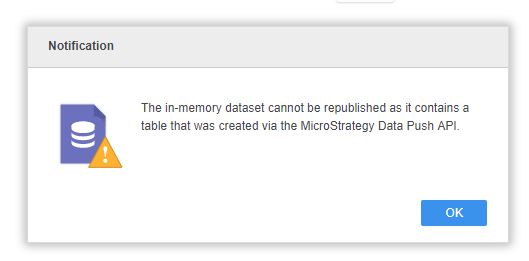
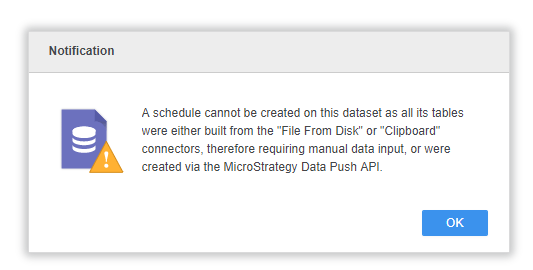
Warning messages during republishing process: