EducationSoftwareStrategy.com
StrategyCommunity

Knowledge Base

Product

Community

Knowledge Base

TopicsBrowse ArticlesDeveloper Zone

Product

Download SoftwareProduct DocumentationSecurity Hub

Education

Tutorial VideosSolution GalleryEducation courses

Community

GuidelinesGrandmastersEvents
x_social-icon_white.svglinkedin_social-icon_white.svg
Strategy logoCommunity

© Strategy Inc. All Rights Reserved.

LegalTerms of UsePrivacy Policy
  1. Home
  2. Topics

KB441163: Data labels of the combo chart are blurry after exporting the Dossier to PDF


Katarzyna Olszewska

Senior Cloud Support Engineer III • MicroStrategy


This knowledge base article describes issue with data labels appearing to be blurry after exporting to PDF.

Starting with the release of Strategy ONE (March 2024), dossiers are also known as dashboards.
STEPS TO REPRODUCE
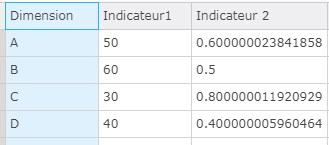
1. Create a dossier and import external data set from “Clipboard”.
ka0PW0000001JW3YAM_0EM44000000WV76.png

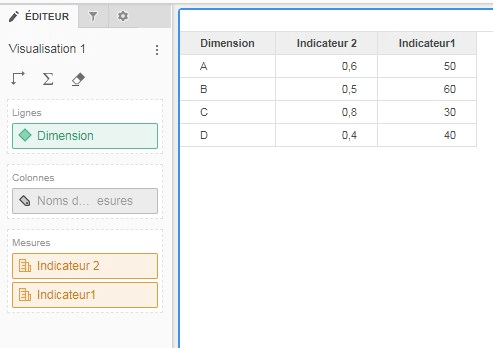
2. Create a grid with an attribute and metrics:
ka0PW0000001JW3YAM_0EM44000000WV7B.png

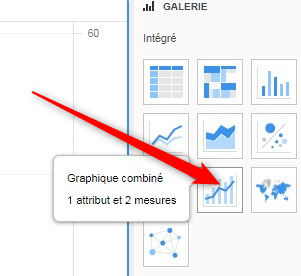
3. Select combo chart visualization.

ka0PW0000001JW3YAM_0EM44000000WV7G.png

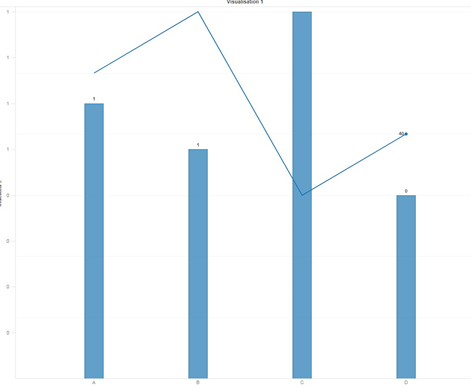
4. Enable labels for it.

ka0PW0000001JW3YAM_0EM44000000WV7Q.png

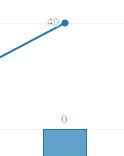
5. Export the Dossier to PDF. After exporting to PDF labels are blurry. 
ka0PW0000001JW3YAM_0EM44000000WV7L.png

CAUSE
This behavior is expected and it is not a defect.
It happens when there is a black text with white stroke around its border. PDF renders the white stroke with a very bold line, making the text less readable. If the user zooms it in, it will be clear because the white border becomes thinner and thinner.
ACTION
Adjust PDF Viewer options:
Edit -> Preferences -> Page Display -> Enhance thin lines 
If Enhance thin lines is enabled, white border of texts will be thicker, so that those texts become less readable, but thin lines will be clearer. In order to make text become readable uncheck Enhance thin lines. 
KB441163


Comment

0 comments

Details

Knowledge Article

Published:

June 28, 2018

Last Updated:

March 21, 2024