In an environment without Java installed, the database administration service cannot be started due to missing permissions for the JVM.sh file.
cd /var/opt/MicroStrategy/install/initd_scripts/
./repository-administration start

[2021-08-05 13:08:16][INFO] mstr-repo-dba-operations is stopped.

[2021-08-05 13:08:44][INFO] Starting Automated Database Administration Process...nohup:
failed to run command 'java': No such file or directory

[2021-08-05 15:32:00][INFO] Starting Automated Database Administration Process...nohup:
failed to run command 'java': No such file or directory
The JVM.sh script does not have executable permissions for the Strategy user (by default,
mstr), so the service is looking for the java machine to start the service.

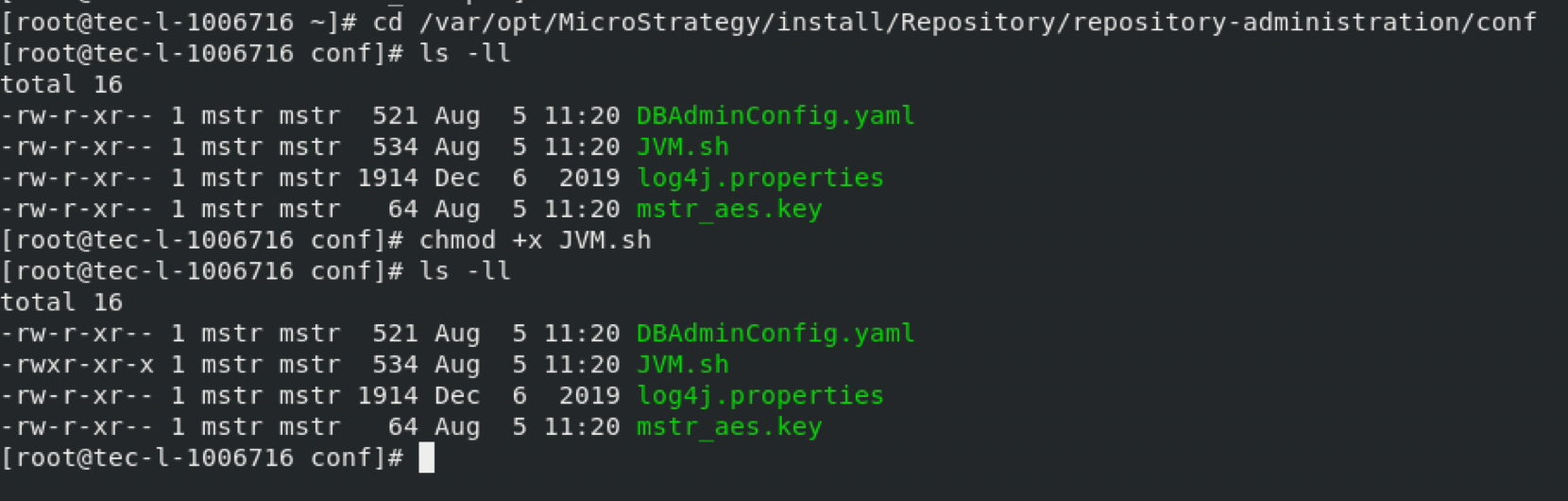
Executable permissions must be given to the JVM.sh script so that it can run on the java bundled Platform installation.
cd /<Install_path>/Repository/repository-administration/conf.
chmod +x JVM.sh
cd /var/opt/MicroStrategy/install/initd_scripts/
./repository-administration start

