In Strategy 2021, new environments are being provisioned with a larger AWS RDS instance (DB server for metadata) for example. r5.xlarge than default r5.large RDS. Then after provisioning RDS size is being changed from this larger size back to default r5.large. If this is done when Intelligence servers are up and running, it is noticed Intelligence Server are not able to restore connectivity with metadata.
Logging developer throw below error: (metadata database is PostgreSQL)
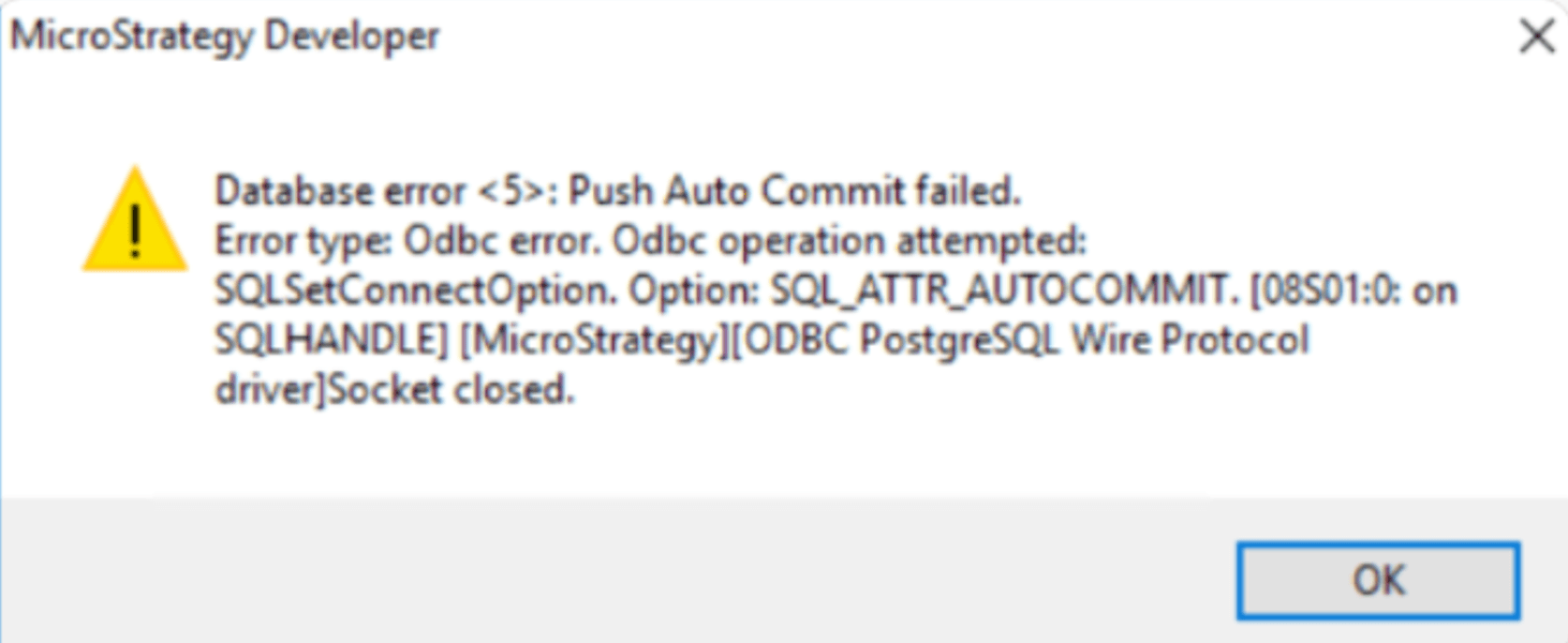
Database error <5>: Push Auto Commit failed.
Error type: Odbc error. Odbc operation attempted:
SQLSetConnectOption. Option: SQL_ATTR_AUTOCOMMIT. [08S01:0: on SQLHANDLE] [Strategy][ODBC PostgreSQL Wire Protocol driver]Socket closed.
While in DSSError.log it is full of entries of "Cannot find a function corresponding to background" as shown below:
[SERVER:CastorServer][PID:25019][THR:140423813486336][Object Server][Error][0x80042700][UID:72D60A76754A79EA65A8578B0C17B240][SID:004390F7E104B0876BB51096676E896D][OID:9B360F3311EA9E99BE090080EF251BAF][CDSSObjectServer.cpp:14568] Cannot find a function corresponding to background....[SERVER:CastorServer][PID:25019][THR:140424701409024][Kernel][Info][UID:0][SID:0][OID:0][MSIConfig.cpp:6528] HTTPSenderThread exits
Below steps do not expose the issue:
This is a known issue with Strategy 2021. The connection to the metadata server has broken after temporary metadata outage, but the connection was cached and reused so it continually reports the same error and cannot be recovered.
This issue has been fixed in Strategy 2021 Update 6. Upgrade to this version to take advantage of the fix.
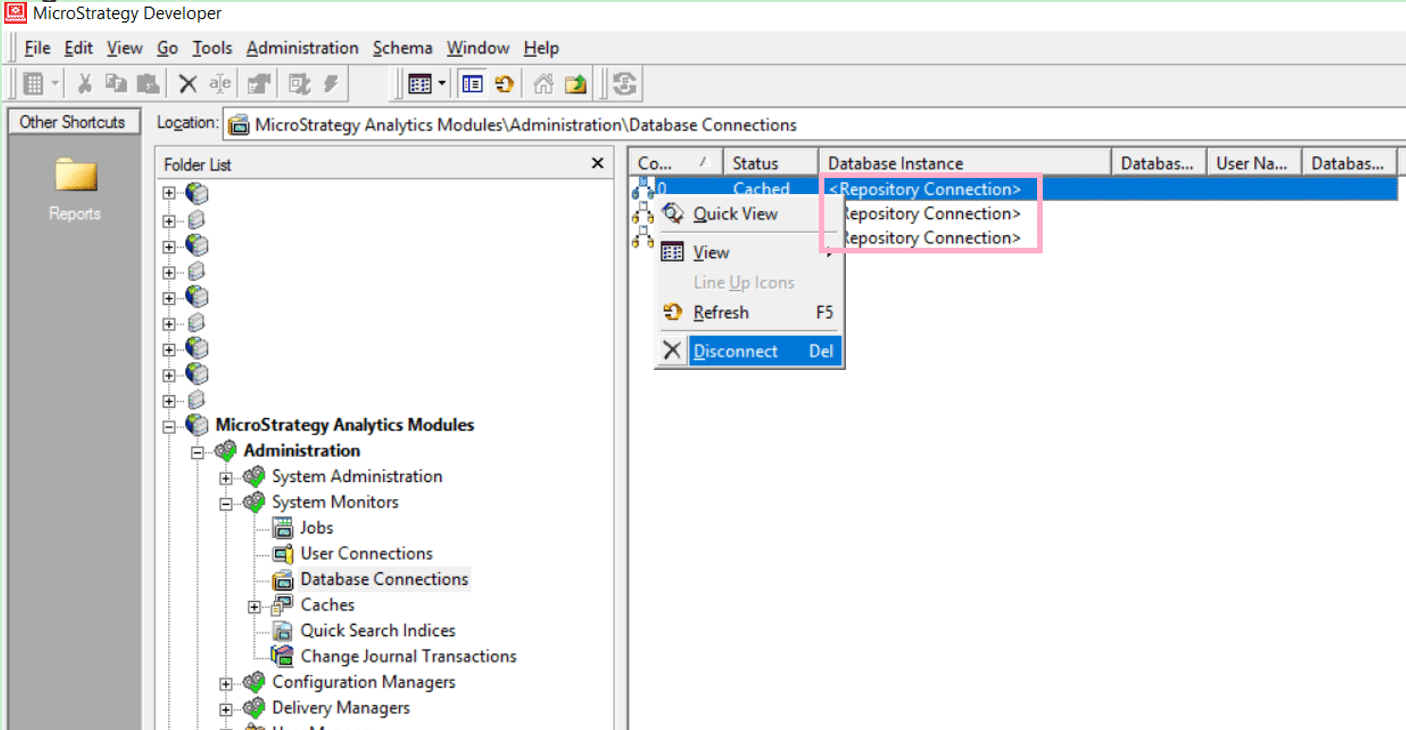
Manually clean all MD connections from Developer, under "Administration" -> "System Monitors" -> "Database Connections", disconnect all connections with the "Repository Connection" Database Instance flag as shown below: