EducationSoftwareStrategy.com
StrategyCommunity

Knowledge Base

Product

Community

Knowledge Base

TopicsBrowse ArticlesDeveloper Zone

Product

Download SoftwareProduct DocumentationSecurity Hub

Education

Tutorial VideosSolution GalleryEducation courses

Community

GuidelinesGrandmastersEvents
x_social-icon_white.svglinkedin_social-icon_white.svg
Strategy logoCommunity

© Strategy Inc. All Rights Reserved.

LegalTerms of UsePrivacy Policy
  1. Home
  2. Topics

KB485489: Derived metric created on derived attribute doesn’t aggregate after upgrading to newer version of MicroStrategy


Danfeng Zhan

Principal Product Specialist • Strategy


This article narrates derived metric created on derived attribute doesn’t aggregate after upgrading MicroStrategy ( due to data engine behavior change). A couple of workarounds are available in the current document.

Starting with the release of Strategy ONE (March 2024), dossiers are also known as dashboards.

Symptom


After upgrade from Strategy, derived metric created on derived attribute doesn’t aggregate on visualization level and display all value as 1. 
In Strategy 2020 GA, Data Engine version 10(Strategy 2019 behavior) is chosen on purpose to be used; and in 2021 Update 4, Data Engine version 13 is used by default. 
Note the different Data Engine Version and its behavior as below: 
10 = Strategy 10.4 platform behavior 
11 = Strategy 2019 platform behavior 
12 = Strategy 2020 platform behavior 
13 = Strategy 2021 platform behavior 
 

Steps to reproduce

  1. Create an Intelligent cube named Q1 with attribute ‘Brand’, ‘Item’ and ‘Warranty’; publish it. 
  2. Create a subset report named R based on Intelligent Cube Q1; drag attribute ‘Brand’, ‘Item’ and ‘Warranty’ to the grid.
  3. Create a dossier and add subset R from Existing Dataset. 
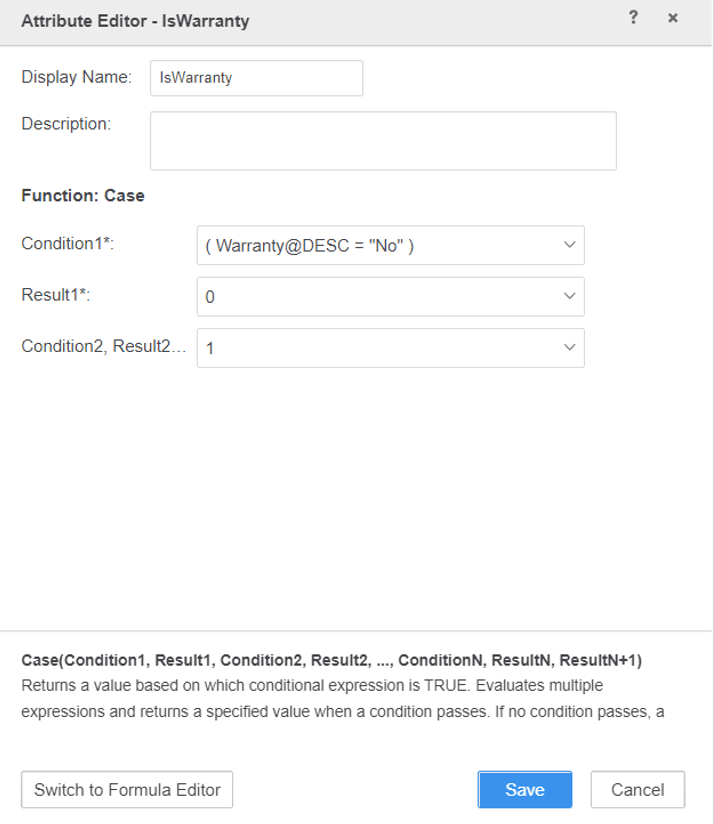
  4. RMC on attribute Warranty to Create Attribute named ‘IsWarranty’ with the formula of “IsWarranty: Case(([Warranty]@[DESC]="No"), 0, 1)” as shown below: 
ka0PW0000001JjQYAU_0EM4W000004Zv8F.jpeg


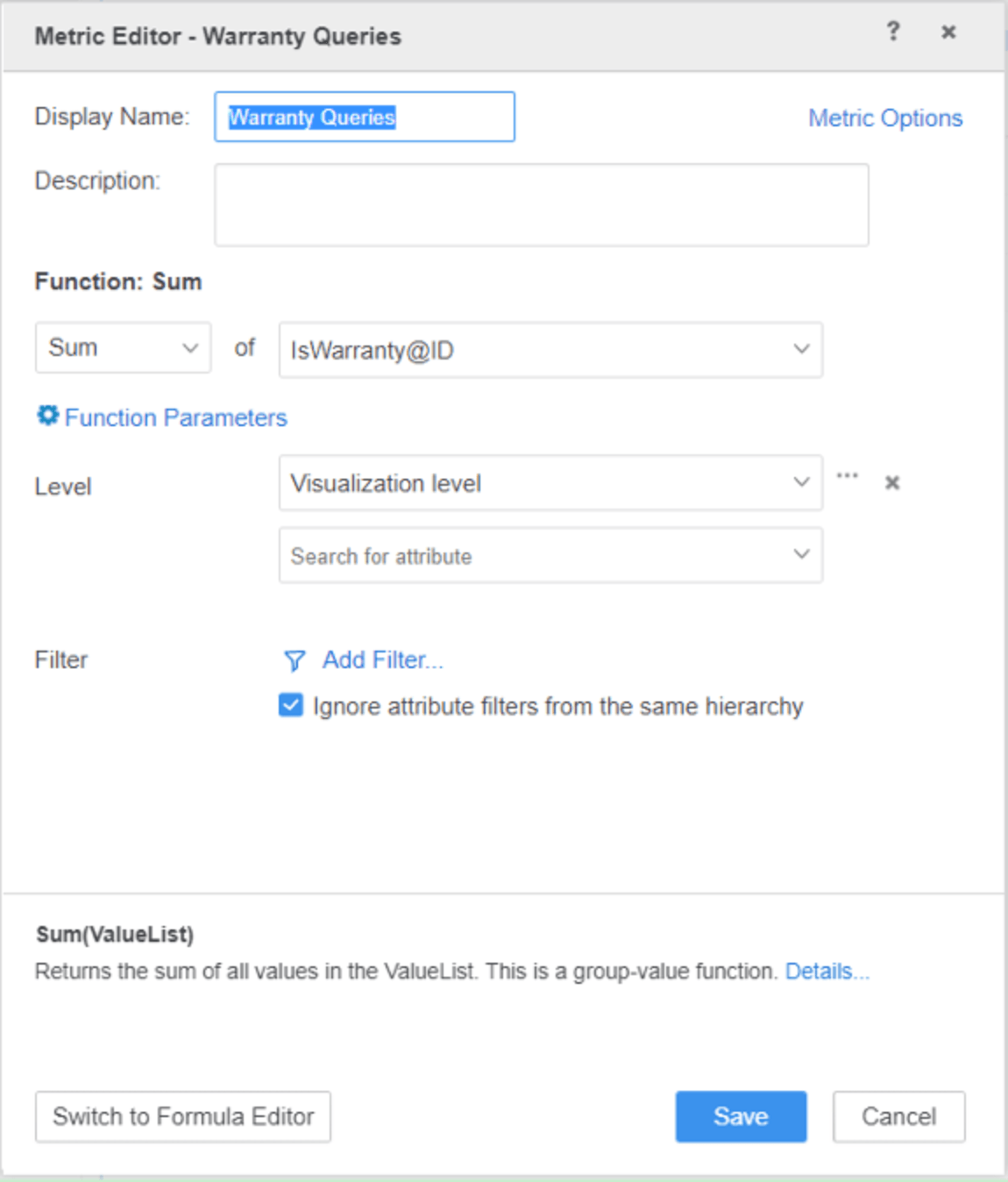
  1. Create derived metric named ‘Warranty Queries’ with the formula of “Sum(IsWarranty@ID){~+}” as shown below: 
ka0PW0000001JjQYAU_0EM4W000004Zv8P.jpeg
  1. Add attribute ‘Brand’ to the row and derived metric ‘Warranty Queries’ to the column
  2. Add a filter on attribute ‘Brand’ and check only elements of ‘PNY’, ‘RCA’ and ‘Sharp’. 
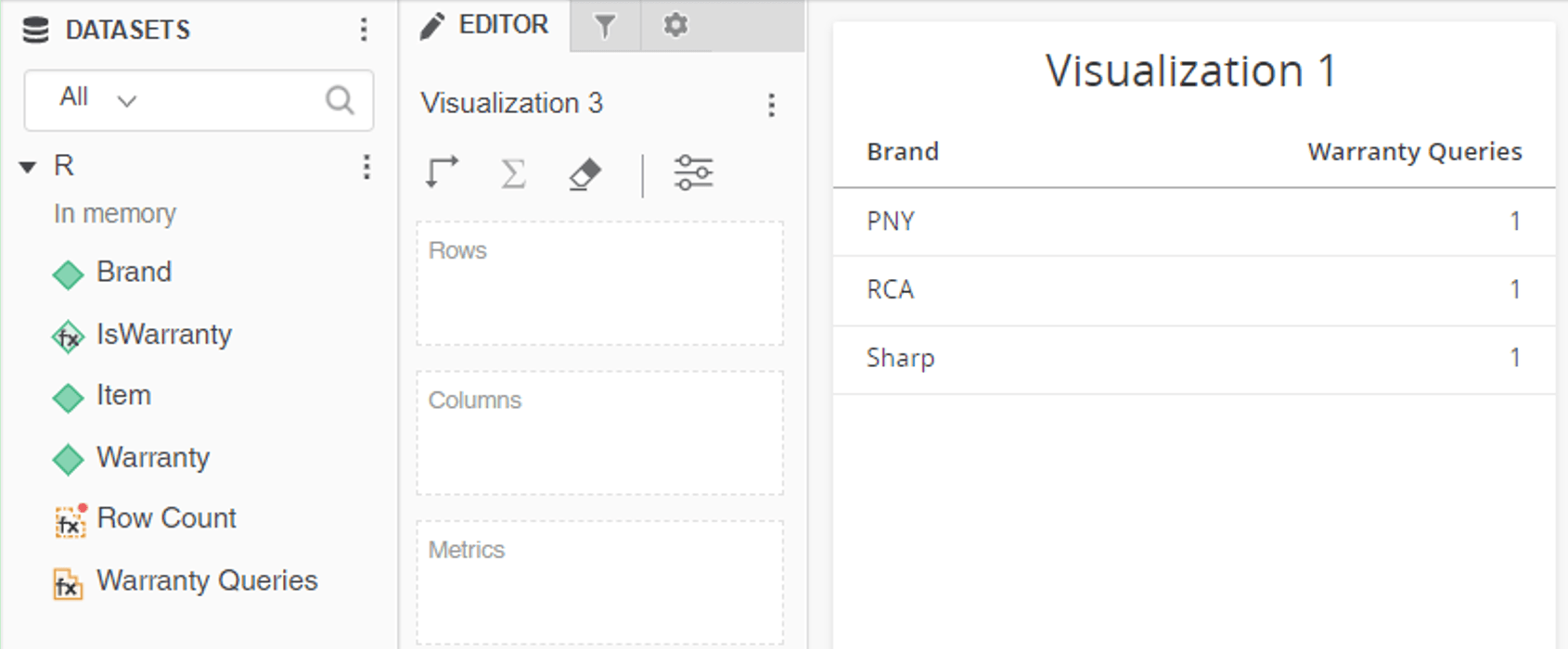
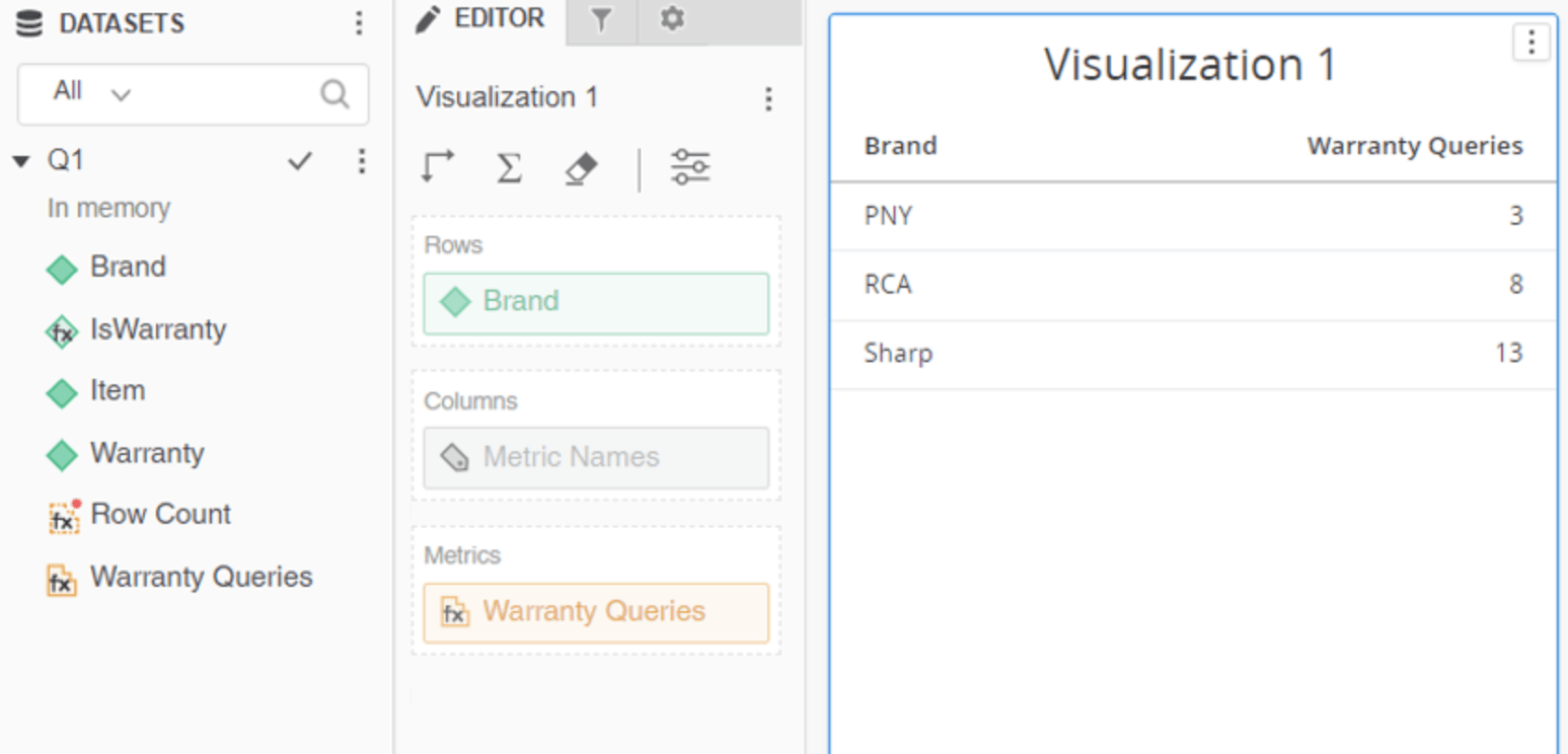
  3. It is noticed the derived metric ‘Warranty Queries’ shows 1 for all the elements while the expected value is 3;8;13. 
ka0PW0000001JjQYAU_0EM4W000004Zv8U.jpeg


Cause


This is caused by Data Engine behavior change. 

Before Strategy 2019 (Data Engine Version 10):


When joining multiple attributes from multiple data sources, engine drags the whole fact table from multiple attributes to join. When the fact table is very big, it triggers performance issue such as the grid can never be rendered for example. 

Strategy 2019 and above (Data Engine Version 11 and above): 


Performance issue is fixed by only dragging and joining columns with relationship from fact tables in multiple data source on Strategy 2019. The fix affects the aggregation behavior of derived metrics when there is derived attribute in it. The derived metric which works before might not work after upgrade. 
 

Workaround


There are four workarounds available for this issue. Each workaround is explained below:
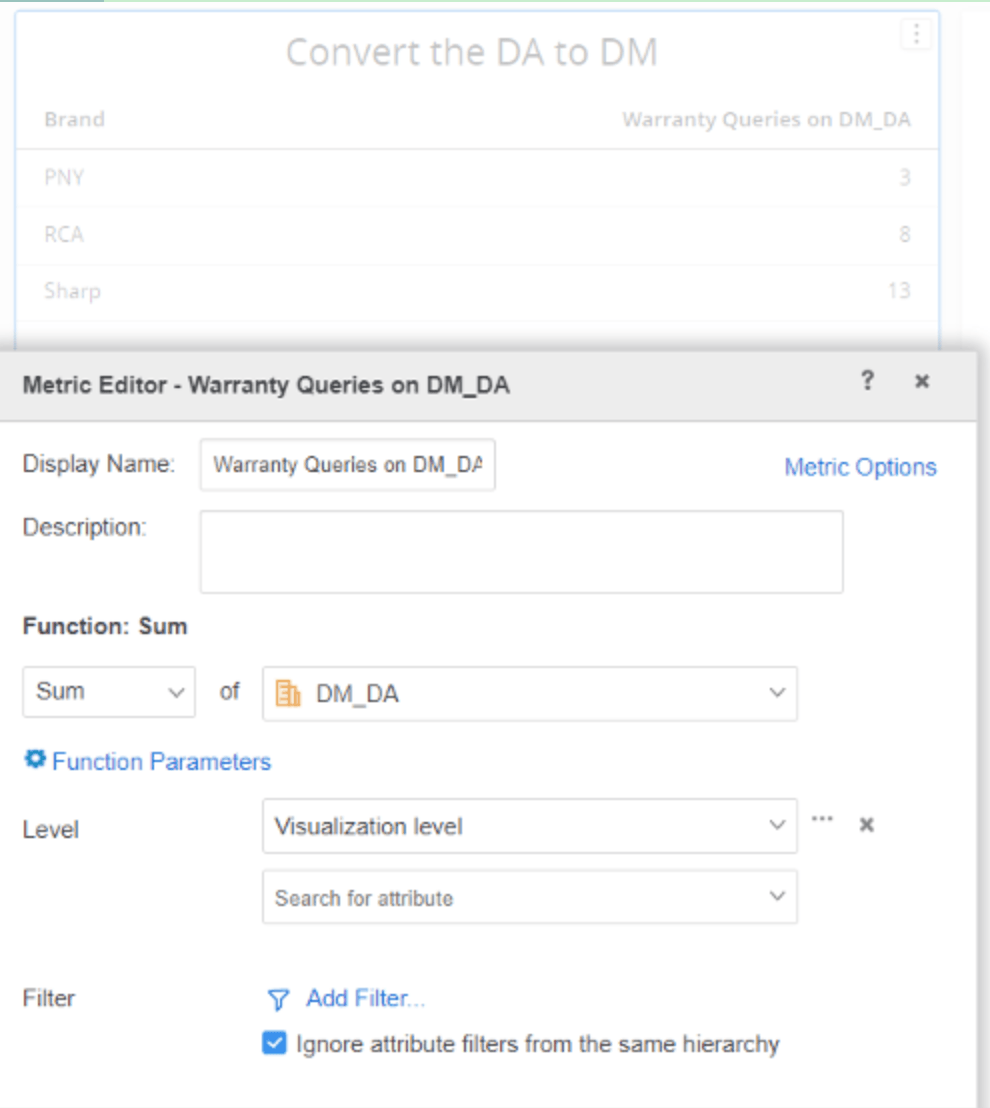
  • Convert the derived attribute to derived metric with the same definition to calculate the final metric.
ka0PW0000001JjQYAU_0EM4W000004Zv8o.jpeg
  • Use Intelligent Cube as Dossier Datasets instead of using cube-based subset report.   
ka0PW0000001JjQYAU_0EM4W000004Zv8t.jpeg


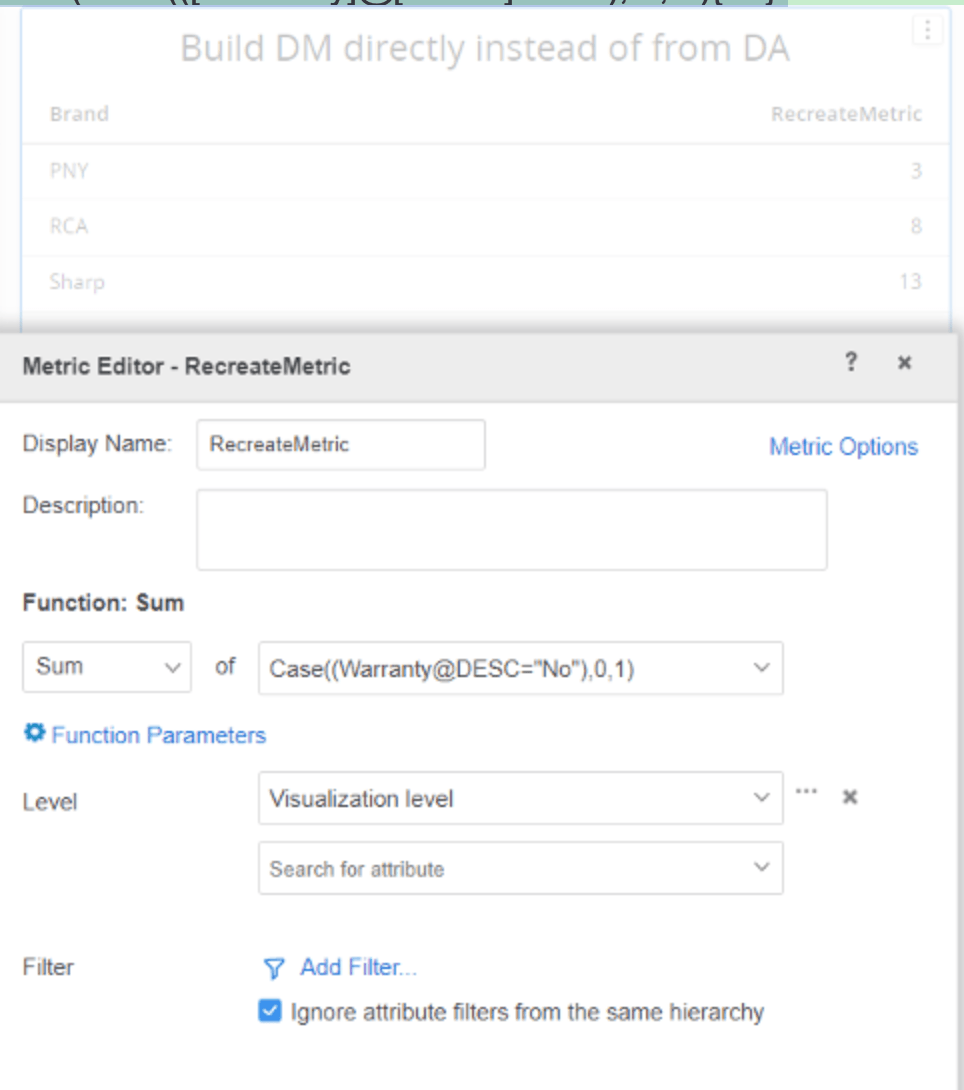
  • Recreate the metric to build derived metric directly instead of from a derived attribute: Change the metric definition of ‘Warranty Queries’  From Sum(IsWarranty@ID){~+}  to  Sum(Case(([Warranty]@[DESC]="No"), 0, 1){~+} 
ka0PW0000001JjQYAU_0EM4W000004Zv8y.jpeg
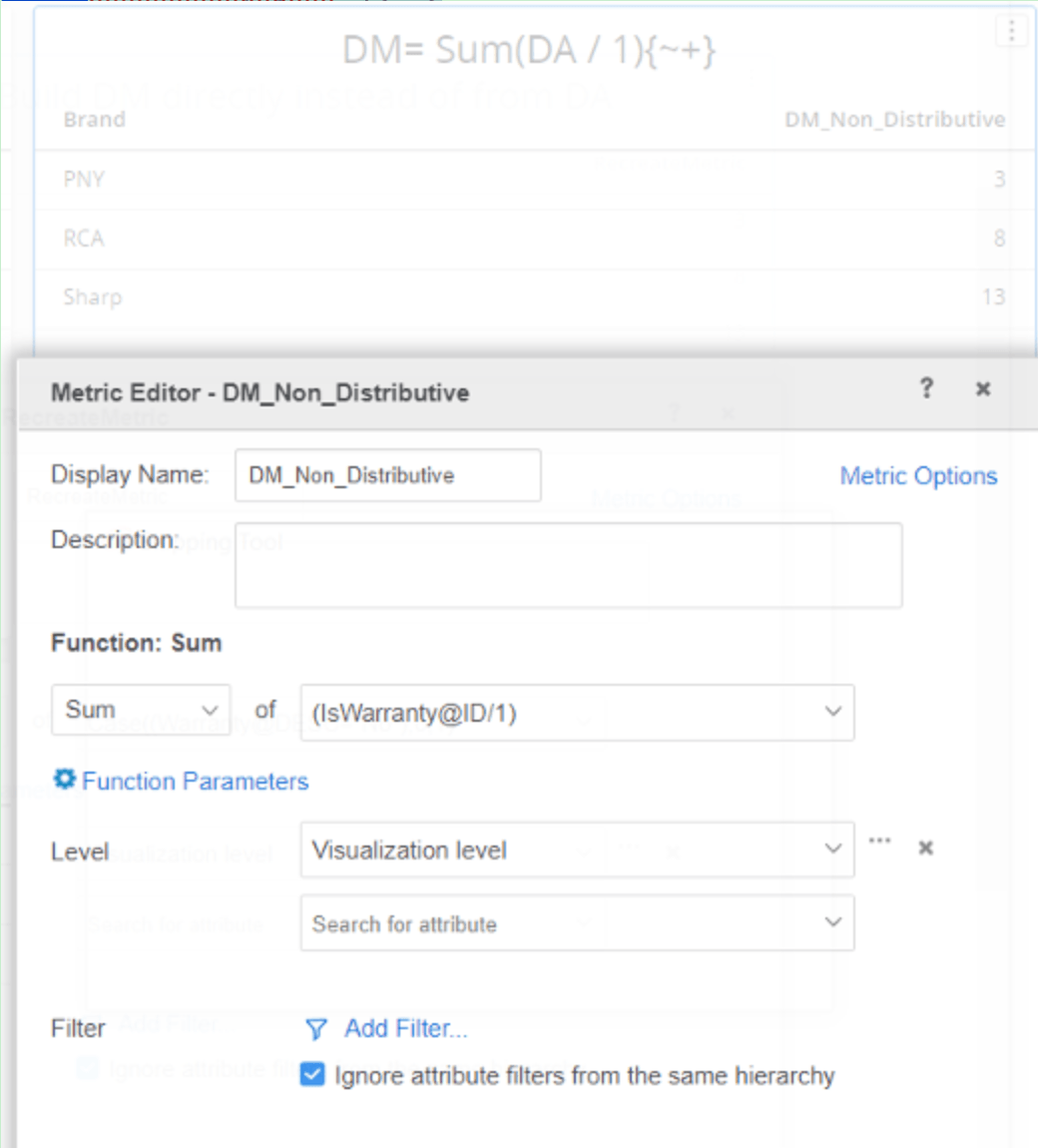
  • Define DM = Sum(DA / 1){~+} to make the final metric as a non-distributive function so result will be calculated from the dataset level. The metric definition of ‘Warranty Queries’ is change to Sum(IsWarranty@ID/1){~+}
ka0PW0000001JjQYAU_0EM4W000004Zv93.jpeg

Further readings: 
Data Engine changes in MicroStrategy 2019 release
Data Engine changes in MicroStrategy 2020 release
Data Engine changes in MicroStrategy 2021 release

ACTION: 

This issue has been fixed in Strategy 2021 Update 7. Upgrade to this version and enable below registry key to take advantage of the fix.
 
Windows:

  1. Open the registry editor.
  2. Find the registry key [HKEY_LOCAL_MACHINE\SOFTWARE\WOW6432Node\Strategy\DSS Server\Castor]
  3. Add a dword value with the name DE233022_Customer_Specific and value of 1.
  4. Restart the Intelligence server to apply the change.

[HKEY_LOCAL_MACHINE\SOFTWARE\WOW6432Node\Strategy\DSS Server\Castor]
"DE233022_Customer_Specific"=dword:00000001
Linux:

  1. Go to the Strategy folder with MSIReg.reg and edit this file.
  2. Find the key  [HKEY_LOCAL_MACHINE\SOFTWARE\Strategy\DSS Server\Castor]
  3. Add a dword value with the name DE233022_Customer_Specific and value of 1.
  4. Restart the Intelligence server to apply the change.

[HKEY_LOCAL_MACHINE\SOFTWARE\Strategy\DSS Server\Castor]
"DE233022_Customer_Specific"=dword:00000001


Comment

0 comments

Details

Knowledge Article

Published:

May 17, 2022

Last Updated:

March 21, 2024