EducationSoftwareStrategy.com
StrategyCommunity

Knowledge Base

Product

Community

Knowledge Base

TopicsBrowse ArticlesDeveloper Zone

Product

Download SoftwareProduct DocumentationSecurity Hub

Education

Tutorial VideosSolution GalleryEducation courses

Community

GuidelinesGrandmastersEvents
x_social-icon_white.svglinkedin_social-icon_white.svg
Strategy logoCommunity

© Strategy Inc. All Rights Reserved.

LegalTerms of UsePrivacy Policy
  1. Home
  2. Topics

KB485667: Derived metrics created in report cannot be saved in Dossier's metric selector after upgrading to MicroStrategy 2021 from 2020


Danfeng Zhan

Principal Product Specialist • Strategy


This issue has been classified as a defect by MicroStrategy. Derived metrics created in report cannot be saved in Dossier's metric selector after upgrading to MicroStrategy 2021 from 2020 due to new invalidate workflow changes. A couple of workarounds are available in the current document. A solution/code fix for this issue is not available in current releases but is being reviewed for a future MicroStrategy release.

Starting with the release of Strategy ONE (March 2024), dossiers are also known as dashboards.

Symptom


In Strategy 2021, Metric Selector being cleared (three selected derived metrics disappear) once click Apply after target chosen in the dossier. The issue doesn’t happen in Strategy 2020.  
With Chrome Developer Tool > Network, it shows intelligence Server return 3 elements once click ‘Apply’ in Strategy 2020, but no elements in Strategy 2021. 
 
2021: 
1: {k: "WFCCC9C103F1D4C91861F01A5E2F3D204", wid: 1, elms: [], ces: [], unset: true} 
ces: [] 
elms: [] 
 
2020: 
1: {k: "W9C43D94AD29647DD882BAFF366AE01A3", wid: 1, elms: [{,…}, {,…}, {,…}], ces: [], unset: true} 
ces: [] 
elms: [{,…}, {,…}, {,…}] 
Refer to Knowledge Base article below for how to use the chrome tool.
KB438738: How to collect a HTTP request trace using Chrome or Internet Explorer 11 Developer Tools
 

Steps to reproduce

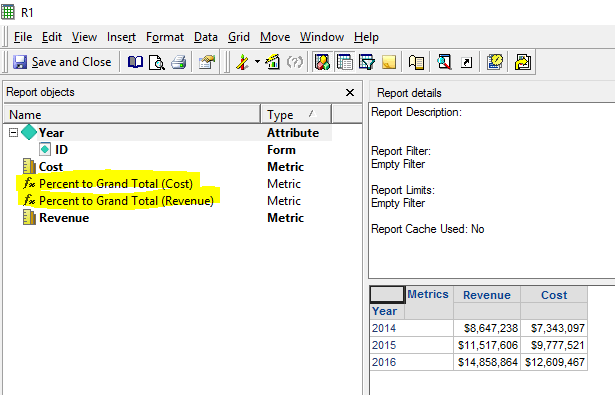
  1. Create a report with attribute ‘Year’ in row and metric ‘Revenue’ and ‘Cost’ in column.
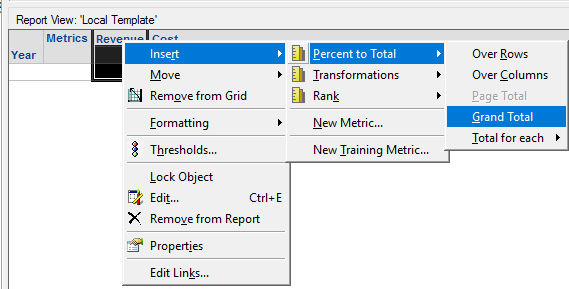
  2. Create two derived metric based on metric ‘Revenue’ and ‘Cost’ by RMC on the metric and choose Insert > Percent to Total > Grand Total as shown below: 


ka0PW0000001JjVYAU_0EM4W000005n2eg.png
  1. Remove the two newly created derived metrics by RMC and choose ‘Remove from the grid’ (not remove from the report) and save the report; the two derived metric are now disabled metrics in view template as shown below:


ka0PW0000001JjVYAU_0EM4W000005n2eh.png
  1. Create a new Dossier based on the Report.
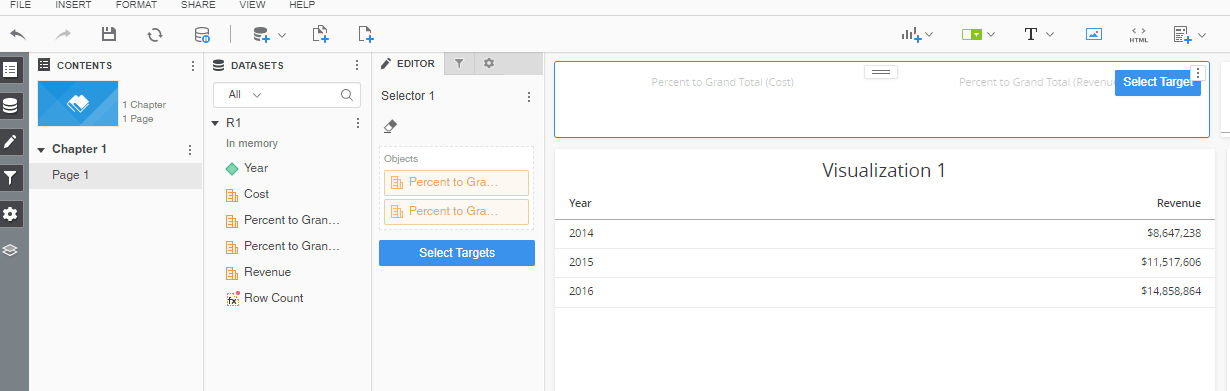
  2. Add the two derived metrics into the Attribute/Metric Selector in the Dossier. 
    NOTE: The derived metrics are not displaying "fx" icon in dossier. 


ka0PW0000001JjVYAU_0EM4W000005n2ei.png
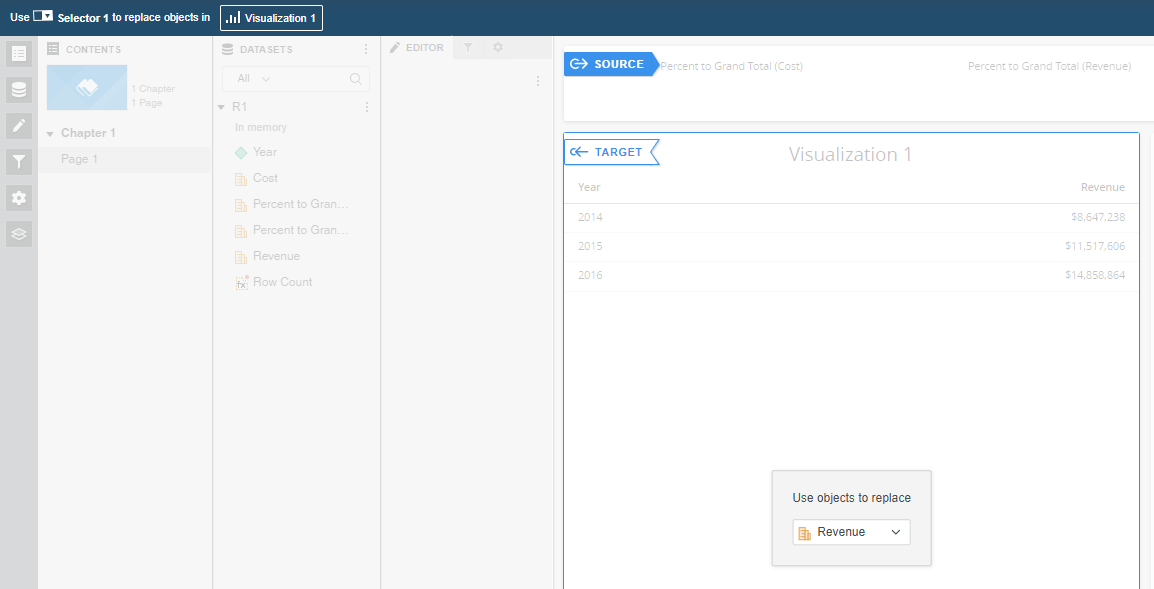
  1. Select Target, the two derived metrics are still there as shown below:


ka0PW0000001JjVYAU_0EM4W000005n2ej.png
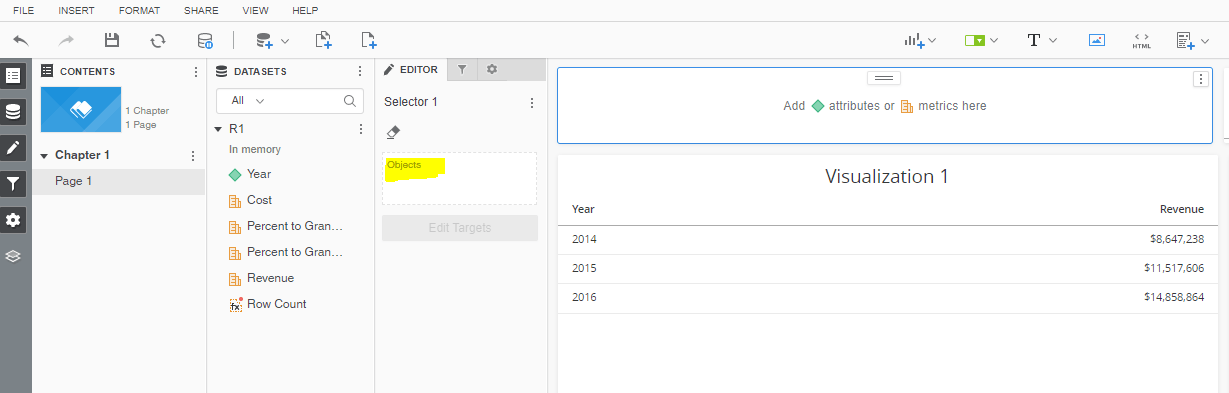
  1. Click ‘Apply’, the metric selector is immediately being cleared. The two derived metrics disappear from both the visualization selector and left edit tab as shown below:


ka0PW0000001JjVYAU_0EM4W000005n2ek.png


Cause


This is a known issue with Strategy 2021.  
The new validation is introduced since Apr 22, 2020, which will not check and collect the disabled derived metrics from the view template and remove the derived metric from the template instead.  
Thus, the data model record does not have those derived metric information, so the return JSON does not include those metric elements. 
 

Action


Strategy will continue to investigate and post updates as soon as they are available. 
 

Workaround


There are two workarounds available:  

  • Re-creating the derived metrics and ensure them kept in the report grid.
  • Re-create derived metrics on the dossier. 


Comment

0 comments

Details

Knowledge Article

Published:

September 20, 2022

Last Updated:

March 21, 2024