Starting with the release of Strategy ONE (March 2024), dossiers are also known as dashboards.
The Attribute Qualification prompt can be used to create a more focused prompt than the Hierarchy Qualification prompt. You determine a single attribute from which each user who executes the report can select elements to define his report filter. You can also let users select an attribute from a set of attributes, and then select elements from their chosen attribute. More information regarding these prompts can be found here. These prompts will function as expected on the iOS Strategy Library application but fails with the Strategy Android application.
When executing a report services document that contains an attribute qualification prompt on an Android device with the out-of-the-box Strategy Library application, the following error is received:
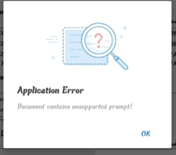
“Application Error

Document contains unsupported prompt!”
1. In Strategy web, create new prompt
2. Select Attribute qualification prompt
3. Choose Region attribute - any attribute should work
4. Navigate to Qualification Tab
5. Expression type allowed: Select
6. Default selection type: Select
7. Default condition Operator: Not in list
8. All other prompt options can be left as default
9. Add prompt created in steps 1-8 to a new grid report
10. Add grid report from step 9 to a new report services document
11. Add report services document to Library
12. Attempt to execute report services document from Library on an Android device
This is working as designed. There are currently no plans to allow for this functionality for report services documents in the near future.
An existing enhancement has been submitted for this functionality.
Use dossiers instead of report services documents.
