EducationSoftwareStrategy.com
StrategyCommunity

Knowledge Base

Product

Community

Knowledge Base

TopicsBrowse ArticlesDeveloper Zone

Product

Download SoftwareProduct DocumentationSecurity Hub

Education

Tutorial VideosSolution GalleryEducation courses

Community

GuidelinesGrandmastersEvents
x_social-icon_white.svglinkedin_social-icon_white.svg
Strategy logoCommunity

© Strategy Inc. All Rights Reserved.

LegalTerms of UsePrivacy Policy
  1. Home
  2. Topics

KB441461: Does MicroStrategy Library have a default authentication mode?


Pascal Deguine

Principal Product Specialist • Strategy


This knowledge base explains to what extent the concept of a default authentication mode applies to MicroStrategy Library.

Strategy Library supports multiple authentication modes, as such:

  • Standard
  • LDAP
  • Guest
  • SAML
  • Integrated (Kerberos)
  • Trusted


Multiple authentication modes can be enabled simultaneously. In that case, the user will always be given the option to select the authentication mode by showing a login mode. 
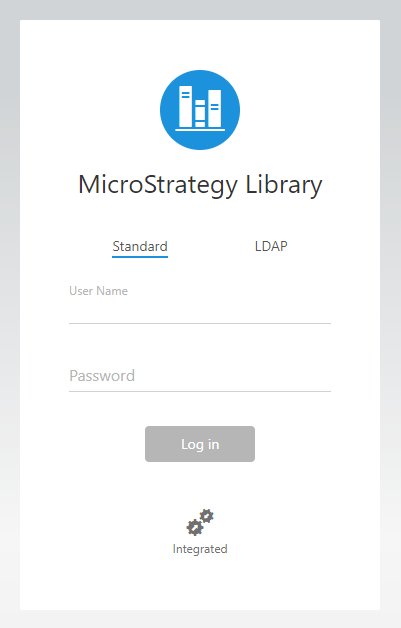
ka04W000001Iqv9QAC_0EM44000000Wg4S.png

It is not possible to select a default authentication mode. If users should be logged in without showing the Strategy Library login page (through Single Sign On authentication modes such as Integrated authentication), then only Integrated authentication must be enabled and all other authentication modes be disabled. 
Note: When using the new seamless login feature between Strategy Web 10.11+ and Strategy Library 10.11+ (Seamless Login: New features available with the 10.11 MicroStrategy version ), users will not be shown a login page since the session will be created seamlessly from the original session in Strategy Web.
Article Reference Number: KB441461


Comment

0 comments

Details

Knowledge Article

Published:

August 6, 2018

Last Updated:

December 24, 2018