There may be a need for a user to search for objects with either the names "Delete" or "Publish" (case insensitive) from within Developer. However, this has been found to cause an error with Developer proceeding to freeze and then crash.
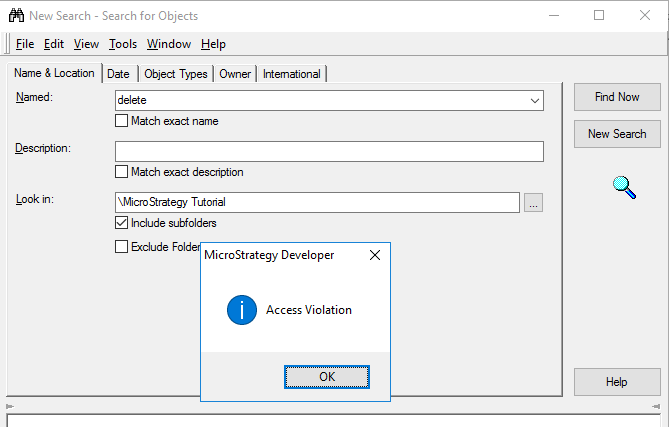
Searching for either ‘delete’ or ‘publish’ will initially give you the error above. After hitting ‘OK’ you will receive another error at which point the object search will become unresponsive to most inputs.
However, if you select “New Search” Developer will proceed to crash and you will get a Windows crash popup window.
This has been identified as a defect found in our 10.9 release. This has been resolved in our 10.11 release. Please upgrade to take advantage of the fix KB439432
