EducationSoftwareStrategy.com
StrategyCommunity

Knowledge Base

Product

Community

Knowledge Base

TopicsBrowse ArticlesDeveloper Zone

Product

Download SoftwareProduct DocumentationSecurity Hub

Education

Tutorial VideosSolution GalleryEducation courses

Community

GuidelinesGrandmastersEvents
x_social-icon_white.svglinkedin_social-icon_white.svg
Strategy logoCommunity

© Strategy Inc. All Rights Reserved.

LegalTerms of UsePrivacy Policy
  1. Home
  2. Topics

KB485620: [Dossier Export] Esri Map and Geospatial Service visualizations are incomplete after exported to PDF


Ni Shen

Product Owner, Principal • MicroStrategy


Starting with the release of Strategy ONE (March 2024), dossiers are also known as dashboards.
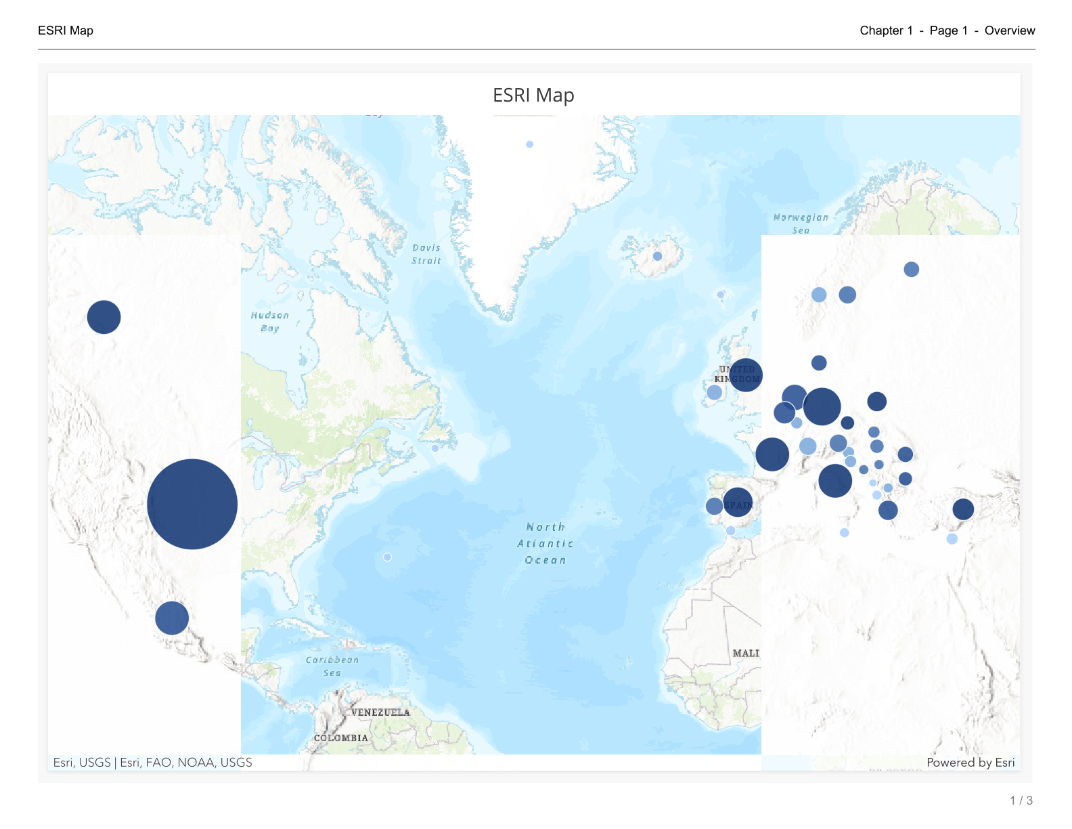
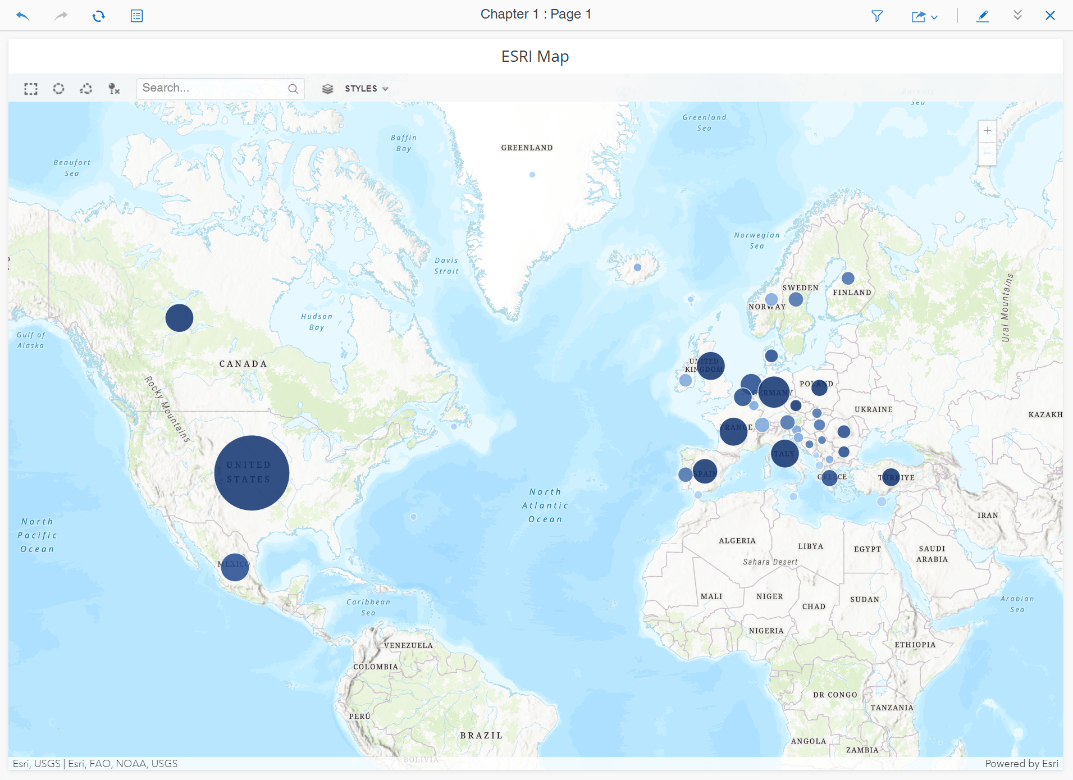
Case1 : [Esri Map] Map visualizations are incomplete after exported to PDF 
 
Strategy Versions 

  • Strategy 2021 Update 5 ~ latest 

Symptom 
Create an ESRI Map in your dossier. Export the dossier to PDF and see the ESRI Map is sometimes incomplete in PDF files. 
ka0PW0000001JioYAE_0EM4W000005lzau.png


ka0PW0000001JioYAE_0EM4W000005lzav.png

 
Cause 
This is a known issue since Strategy 2021 Update 5, in which ESRI Map was upgraded from 3.x to 4.x. 
The new ESRI Map does not provide an event to notify it has finished rendering. Based on existing APIs, we checked its updating rendering stationary and other states to approximately wait until ESRI Map is fully displayed. However, it cannot handle all cases. 
Workaround 
Change to another map style and try exporting again. 
On the other hand, we are constantly communicating with ESRI teams to find out a solution for such cases. 
 
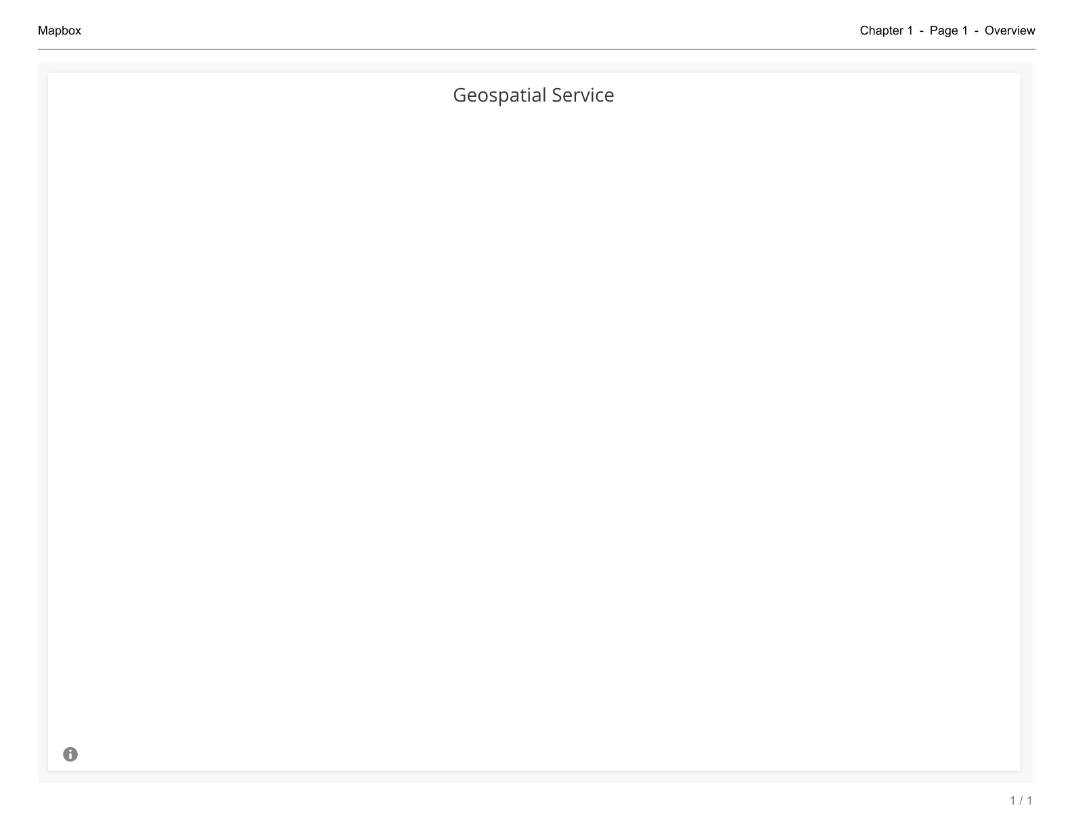
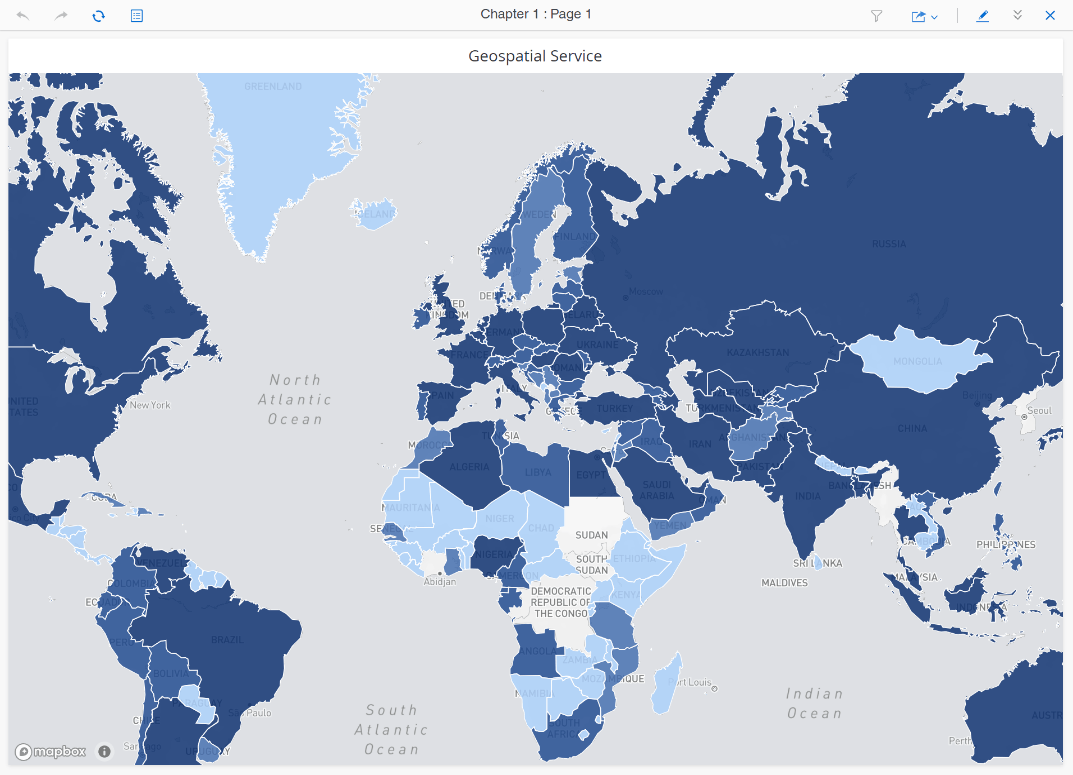
Case2 : [Geospatial Service] Map visualizations are incomplete after exported to PDF 
 
Strategy Versions 

  • Strategy 2019 (11.1.x) 
  • Strategy 2020 (11.2.x) 
  • Strategy 2021 (11.3.x) 

Symptom 
Create a dossier with a visualization of Geospatial Service. Export it to PDF and sometimes the map is not complete in PDF files. Even worse, it may be blank. 
ka0PW0000001JioYAE_0EM4W000005lzaw.png


ka0PW0000001JioYAE_0EM4W000005lzax.png

 
Cause 
This is because Strategy Export Service cannot fetch map tiles or other data from Web Services APIs of Mapbox served in the internet. 
Solution 

  1. Check your allow list settings in MicroStrategy Web. It should contain a default rule of https://*.mapbox.com/*. If not, please add it back. 
  1. Ask your network administrator to check whether mapbox.com is accessible from where Strategy Export Service is installed. In secured environments, public network traffic is strictly controlled. 
  1. Try again to see if it is random. 
    If this is a random issue that you occasionally encountered, it’s a known limitation that Geospatial Service cannot be loaded in some rare cases where network condition becomes unstable. In that case, render events from Mapbox GL JS API may be fired with breaks or interruptions, making it hard to detect whether it has really finished rendering or just gets stuck because of bad conditions. 


Comment

0 comments

Details

Knowledge Article

Published:

August 12, 2022

Last Updated:

March 21, 2024