EducationSoftwareStrategy.com
StrategyCommunity

Knowledge Base

Product

Community

Knowledge Base

TopicsBrowse ArticlesDeveloper Zone

Product

Download SoftwareProduct DocumentationSecurity Hub

Education

Tutorial VideosSolution GalleryEducation courses

Community

GuidelinesGrandmastersEvents
x_social-icon_white.svglinkedin_social-icon_white.svg
Strategy logoCommunity

© Strategy Inc. All Rights Reserved.

LegalTerms of UsePrivacy Policy
  1. Home
  2. Topics

KB442449: Dossier Performance: Connect Live performance considerations


Community Admin

• Strategy


The aim of this KB is to have a look at the Live connected intelligent cubes performance considerations as it’s necessary to understand how many steps are involved in the process, of course each step consumes time, hence the more steps the more time will take a dossier to be executed.

Starting with the release of Strategy ONE (March 2024), dossiers are also known as dashboards.
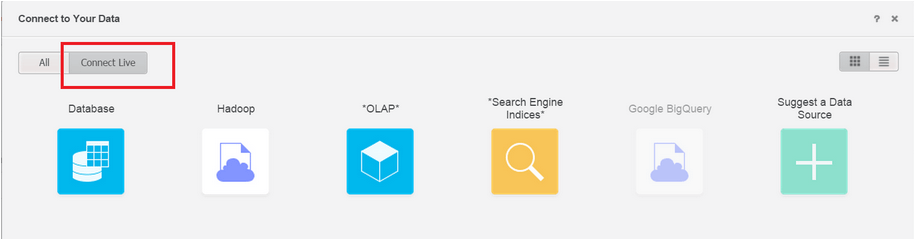
For a dossier that is pulling data from a Live Connected Intelligent Cube here are the steps performed when the dossier is executed:
 

  1. The request is received by the Intelligence Server.
  2. The Intelligence Server brings the Live Connected Intelligent Cube definition from the Metadata and analyzes the information requested from that definition.
  3. The Intelligence Server generates a query based on the requested information and the definition from last step.
  4. The Intelligence Server executes the previous query against the Data Warehouse.
  5. The Data Warehouse process the request.
  6. Once the request is processed from the Data Warehouse the Intelligence Server starts to transfer the data from the Data Warehouse to the Intelligence Server.
  7. Once the data is transferred the Intelligence Server performs any additional operations requested like subtotals, formatting, etc…
  8. The data is rendered in the end user browser.
ka0PW0000001JTMYA2_0EM44000000RaeN.png

 
Now let’s see the steps when the dossier is pulling data from an In-Memory Intelligent Cube.
 

  1. The request is received by the Intelligence Server.
  2. The Intelligence Server brings the In-Memory Intelligent Cube definition from the Memory and the Metadata.
  3. The Intelligence Server performs any additional operations requested like subtotals, formatting, derived elements, etc…
  4. The data is rendered in the end user browser.


As you can see the Live Connected workflow takes 8 steps while the In-Memory Intelligent Cube takes 4 steps, clearly the In-Memory workflow is faster.
 
Of course, there is a trade of, since the In-Memory technology keeps the data in memory, there are RAM memory implications using this approach, however if that’s the only concern, you should still use the In-Memory and just add more RAM to the Intelligence Server.
 
Try not to use Live Connected technology when memory is the main concern. If your dossier is powered by Live Connected datasets, every visualization within the dossier will become a job that goes through the 8 steps previously detailed, most of the time the performance would be better with an In-Memory solution.
 
Unless you have a very powerful in-memory data warehouse that can outperform the Strategy In-Memory Intelligent Cubes, also even if that’s your situation you also need to take in consideration the data transfer between your Data Warehouse and the Intelligence Server.
  KB442449


Comment

0 comments

Details

Knowledge Article

Published:

December 24, 2018

Last Updated:

March 21, 2024