EducationSoftwareStrategy.com
StrategyCommunity

Knowledge Base

Product

Community

Knowledge Base

TopicsBrowse ArticlesDeveloper Zone

Product

Download SoftwareProduct DocumentationSecurity Hub

Education

Tutorial VideosSolution GalleryEducation courses

Community

GuidelinesGrandmastersEvents
x_social-icon_white.svglinkedin_social-icon_white.svg
Strategy logoCommunity

© Strategy Inc. All Rights Reserved.

LegalTerms of UsePrivacy Policy
  1. Home
  2. Topics

KB485736: Dossier TXN Known Product Limitations


Haiyue Yu

Product Owner, Senior •


This feature uses a modern grid in a dossier to add, modify, and delete data in a selected data source. In the first release, we support using SQL based databases as write-back data sources.

Starting with the release of Strategy ONE (March 2024), dossiers are also known as dashboards.

Availability


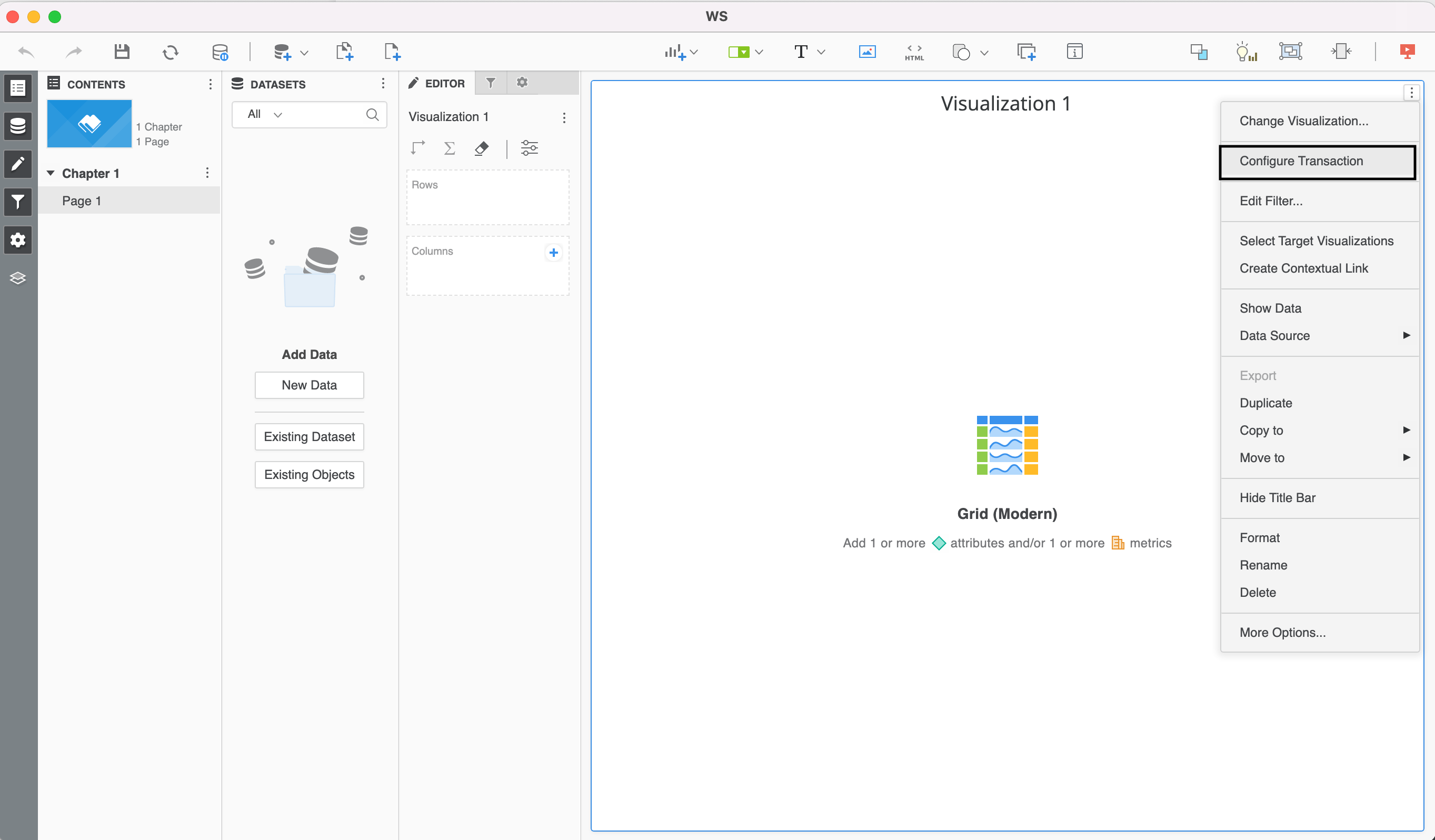
The New Dossier TXN feature is available on Strategy Workstation and Strategy Library only, it is not available on Strategy Web. On the MSTR Workstation, you need to save a newly created dossier with a modern grid to Intelligence Server first then to see the entry point to configure the TXN.
ka0PW0000001JjPYAU_0EM4W000005ny92.png


Atomic Transaction

  • When multiple rows of data being inserted, updated, or deleted, the engine sends one call to the Data Service layer packaged with all rows of data. 
  • Normally the Data Service layer sends one ODBC/JDBC call to pass all data as parameters for the SQL request. In rare cases when there is a large amount of data, there is a possibility that Data Service layer will send data chunk by chunk. 
  • The whole transaction execution is considered one atomic action. Any failure will cause the entire request to rollback as if no changes were submitted. 

Only relational database transactions are supported


Strategy supports connectivity to multiple Hadoop components and SaaS applications through an ODBC or JDBC driver. Example: Hive, Salesforce, MongoDB. These drivers support data retrieval (queries) but do not support data manipulation. The dossier transaction feature cannot be used with them.
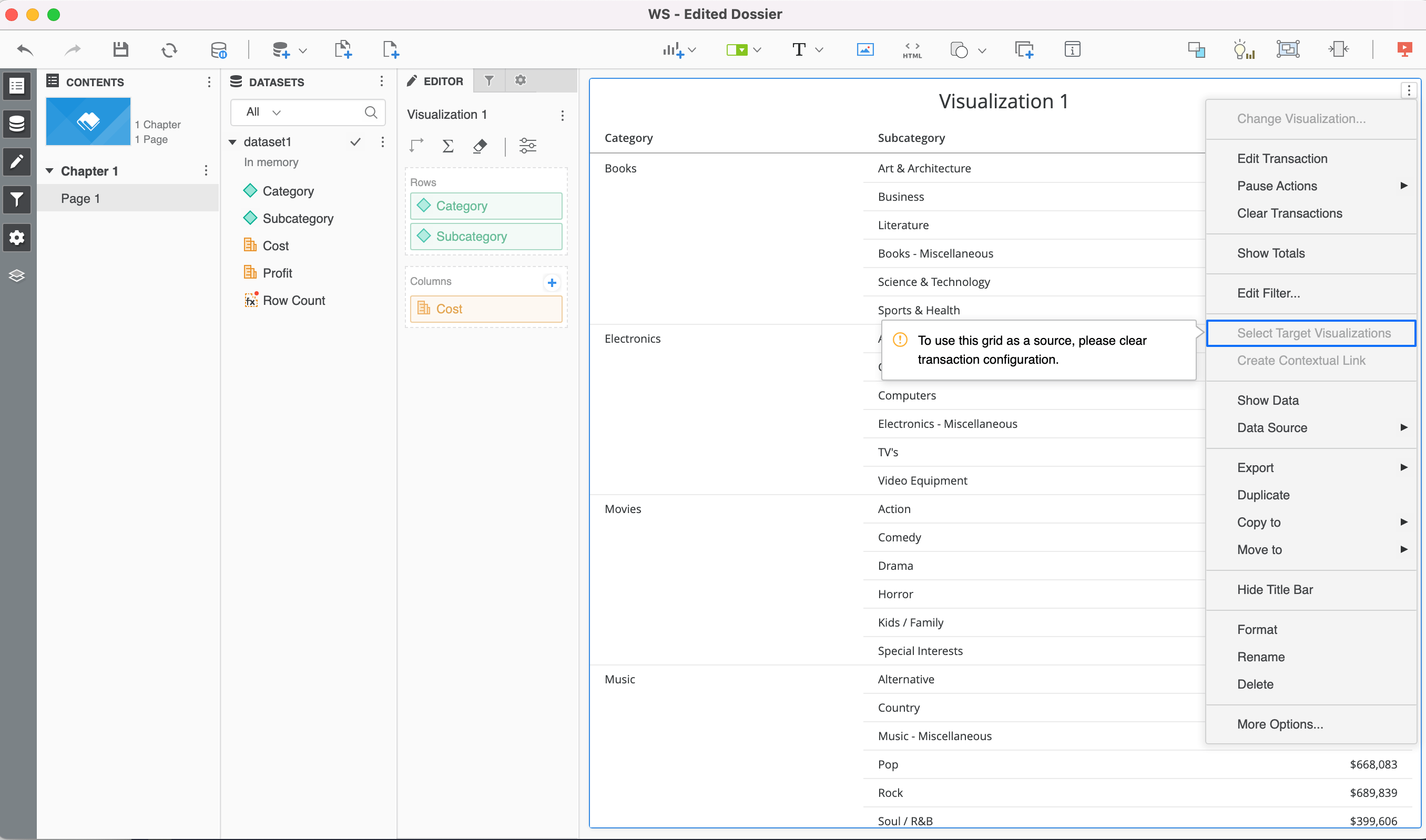
 

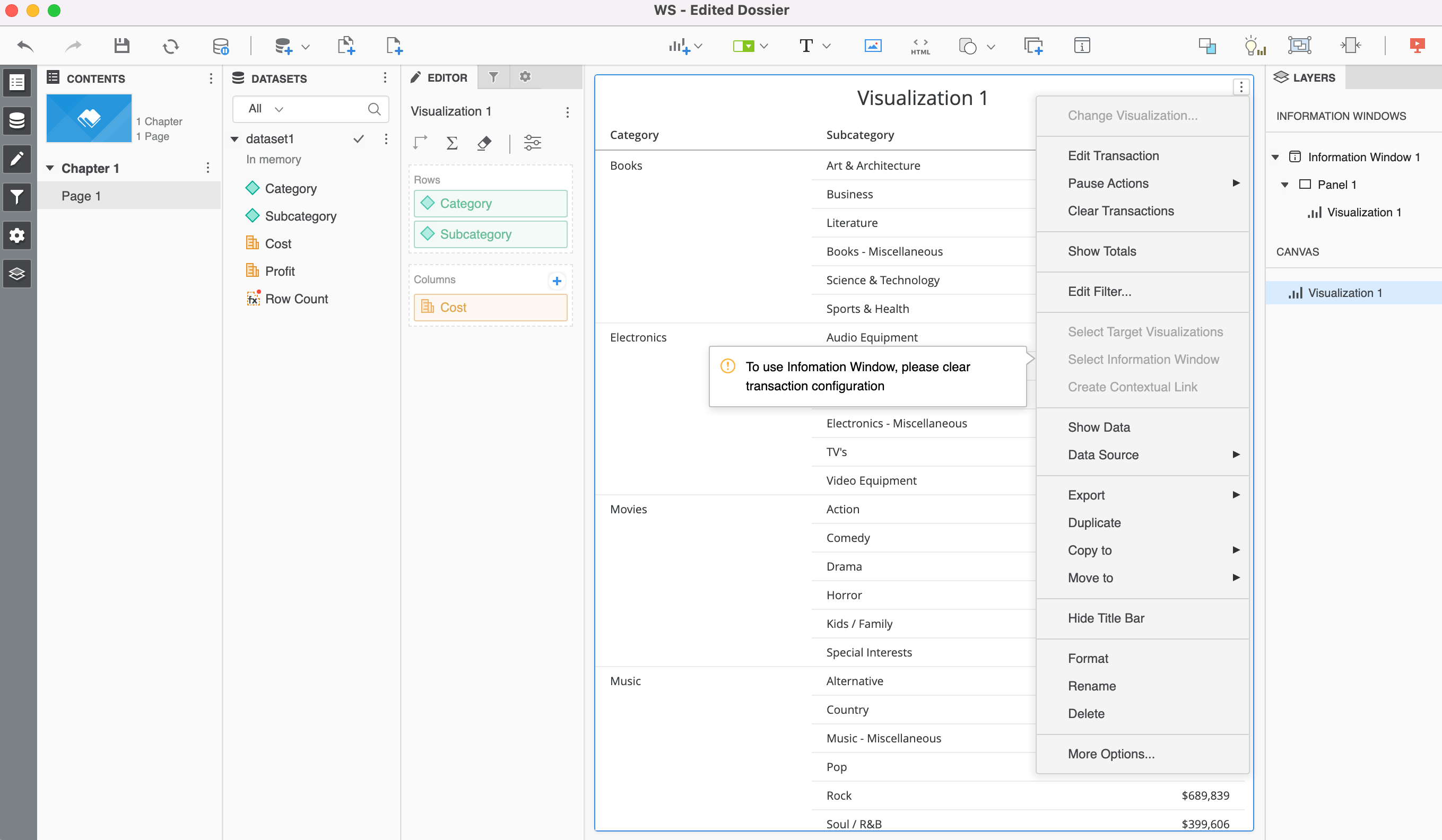
Features that cannot be used with transactions on the same modern grid

  • Contextual links 
  • Targeting a visualization
  • Thresholds
  • Info windows
  • Targets for attribute/metric selectors
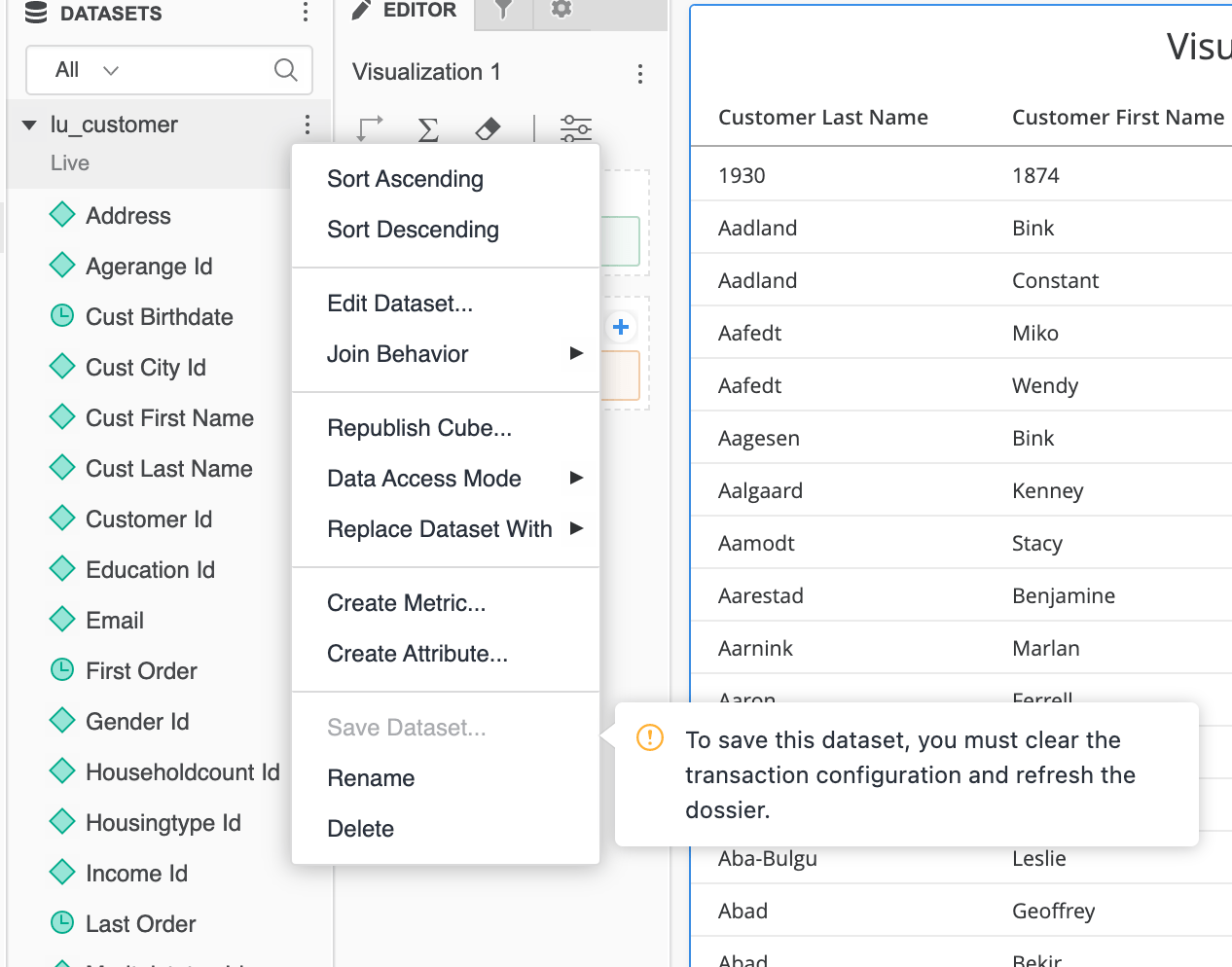
  • Saving datasets
  • Time zones
ka0PW0000001JjPYAU_0EM4W000005ny93.png
ka0PW0000001JjPYAU_0EM4W000005ny94.png
ka0PW0000001JjPYAU_0EM4W000005ny8t.png


Be careful about who has access to the Web Transaction Configuration privilege with the flexibility provided in the configuration dialog:

  • Some stored procedures on the database can be triggered.
  • Deletion of DB tables is possible
  • All database connections defined on the IServer machine can be accessible if ACLs are not used to filter them out.


SQL view usages


The SQL view in the transaction configuration dialog is a way to show the mapping view configuration in SQL. This view supports the basic customization of SQL statements. It is not another freeform SQL report editor.
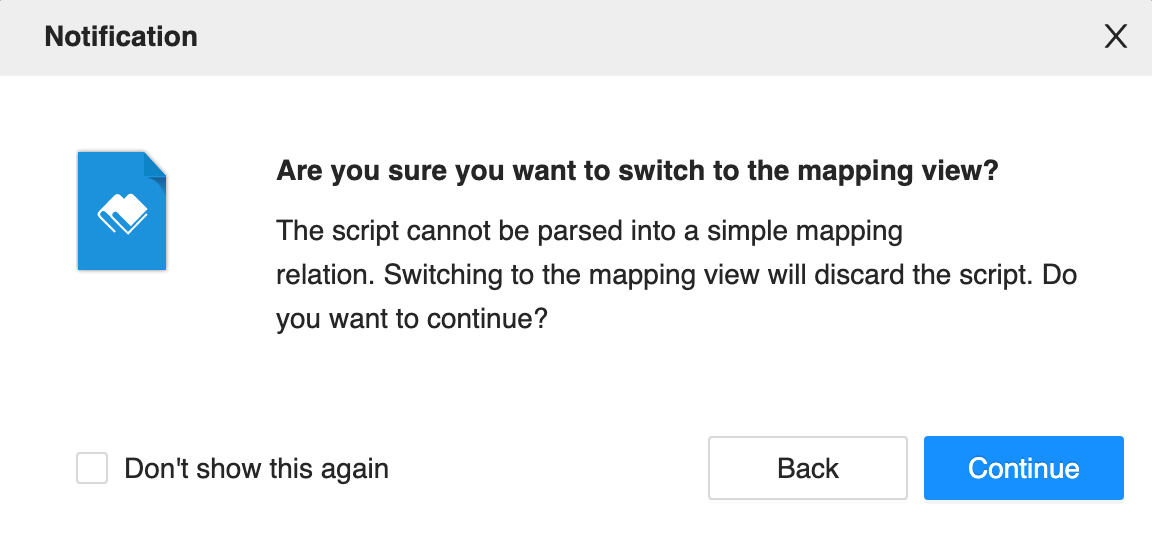
 

  • After modifications in the SQL view, if users try switching back to the mapping view,  all SQL view changes will be lost.
ka0PW0000001JjPYAU_0EM4W000005ny8u.png


  • The SQL view only parses database table columns if the user is selecting a table on the table selection dialog. 

If the user type the database name space and table name directly into the editor, the SQL view treats them as a string.
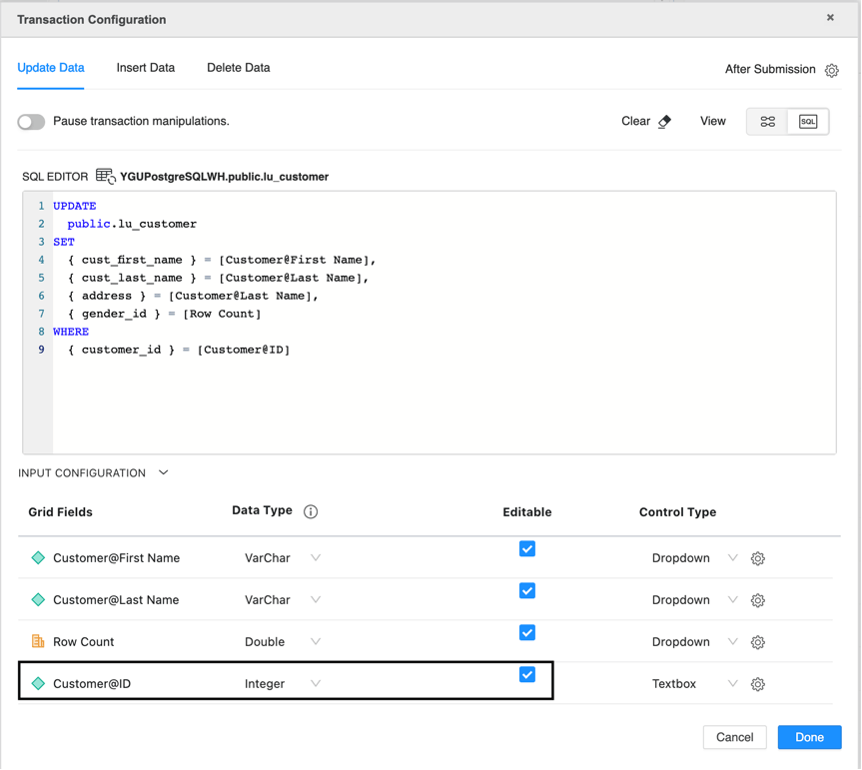
 

  • By default, the SQL editor sets all template objects as editable on the Update tab. The user must manually  deselect this setting for template objects used in the WHERE clause.
ka0PW0000001JjPYAU_0EM4W000005ny8v.png


Using a primary key or column with a unique value in the WHERE clause


For inline editing manipulations, if the user is expected to update data in one row or delete one row, it is necessary to use the primary key of the target database table or column with unique value in the WHERE clause. Otherwise, all rows meet the WHERE clause conditions and are updated/deleted.
Do not use decimal, double, or float data types in the WHERE clause, as the data precision may fail to match a row correctly.
 

Using live dataset for transaction


For inline editing manipulations, if the user expects to update data in one cell/one row, but the transaction is configured on a grid based on an in-memory cube/dataset, there it is possibility that non-updated data will unintentionally overwrite updated data. 
 

Pre-defined data type


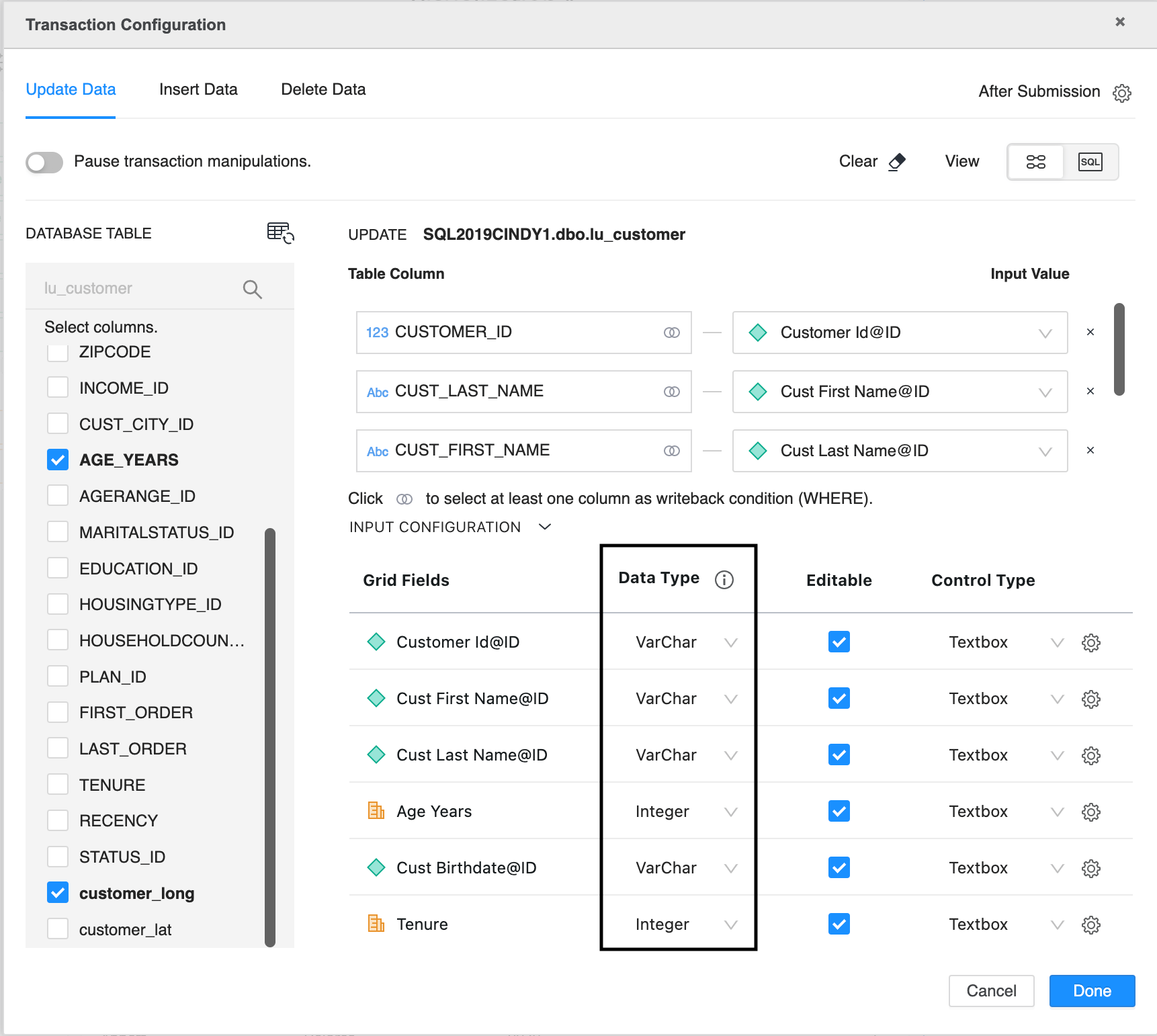
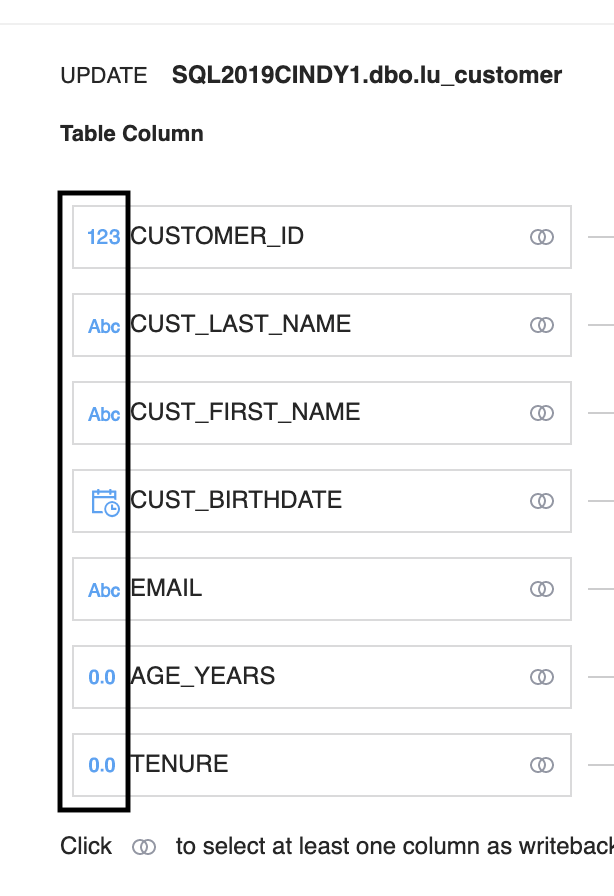
In Strategy 2021 Update 6, by default , the configuration dialog put “VarChar” for all attributes and “Integer” for all metrics in the input configuration section and rely on the Dossier author to put int he proper data type.
ka0PW0000001JjPYAU_0EM4W000005ny8w.png

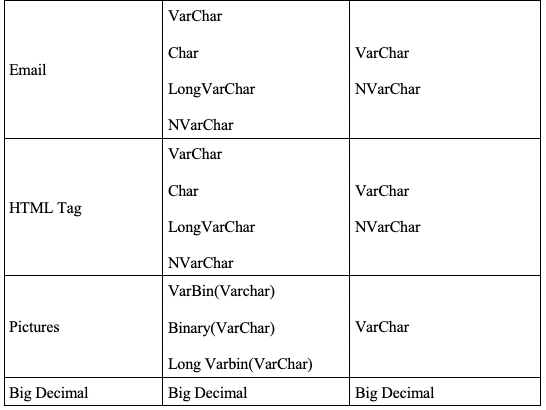
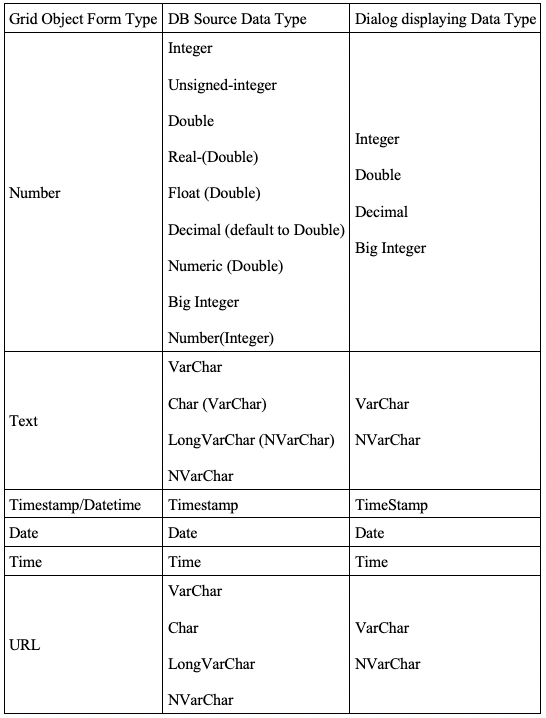
In Strategy 2021 Update 7, by default , in the mapping view, the configuration dialog get the data type from the target table and uses this conversion table to convert it to the closest displaying data type:
ka0PW0000001JjPYAU_0EM4W000005ny8x.png
ka0PW0000001JjPYAU_0EM4W000005ny8D.jpeg
ka0PW0000001JjPYAU_0EM4W000005ny8I.jpeg

   
For not supported datatype, we display "VarChar" as the default type, the user can access the full short list to assign a proper one.
For the SQL view, the data type is populated with the data type of the template object forms, the user can access the full short list to assign a proper one.
 
For a template object shared in mapping view/SQL view, shared among different TXN manipulations, once the default data type is set, it will not change unless a user manually update it.
 

Other known limitations:


https://community.Strategy.com/s/article/KB485720-Dossier-transaction-gateway-usage-suggestions-and-workarounds-for-known-defects-limitations?language=en_US


Comment

0 comments

Details

Knowledge Article

Published:

October 20, 2022

Last Updated:

March 21, 2024