EducationSoftwareStrategy.com
StrategyCommunity

Knowledge Base

Product

Community

Knowledge Base

TopicsBrowse ArticlesDeveloper Zone

Product

Download SoftwareProduct DocumentationSecurity Hub

Education

Tutorial VideosSolution GalleryEducation courses

Community

GuidelinesGrandmastersEvents
x_social-icon_white.svglinkedin_social-icon_white.svg
Strategy logoCommunity

© Strategy Inc. All Rights Reserved.

LegalTerms of UsePrivacy Policy
  1. Home
  2. Topics

KB484523: Dossier data label enhancements in MicroStrategy 2020 Update 2


Community Admin

• Strategy


Check out the data label enhancements in MicroStrategy 2020 Update 2 and learn more to make sure your data labels look great in your dossier.

Starting with the release of Strategy ONE (March 2024), dossiers are also known as dashboards.

What are the data label enhancements in 2020 Update 2?

Data Label Display


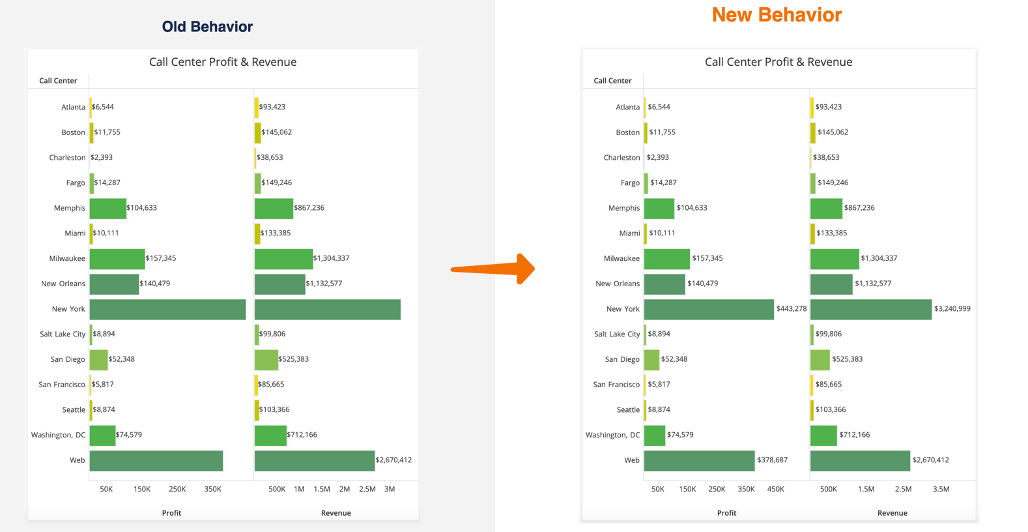
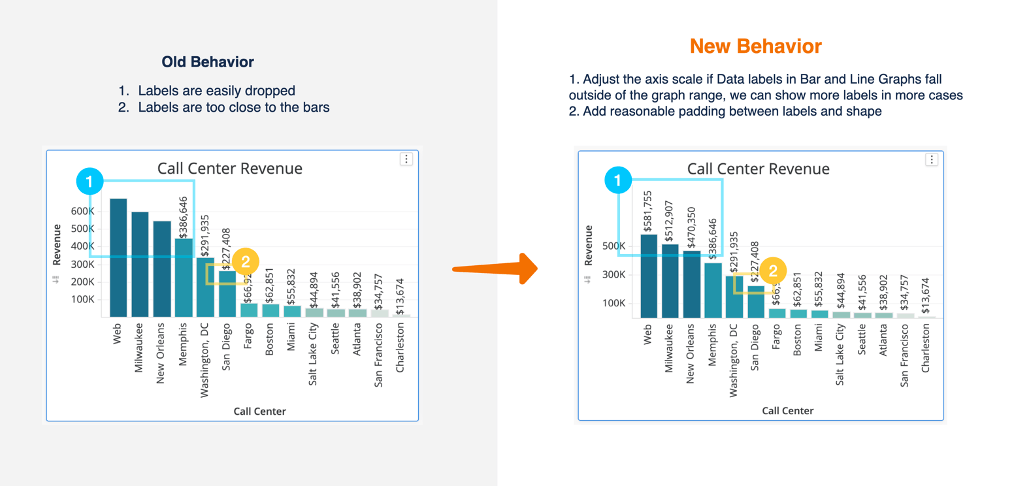
Previously, labels dropped when there wasn’t enough space. In Strategy 2020 Update 2, the axis scale adjusts if data labels fall outside the graph range to display more labels.
Example 1
ka0PW0000001JdYYAU_0EM4W000001IRDb.jpeg

Example 2

ka0PW0000001JdYYAU_0EM4W000001IRDg.jpeg


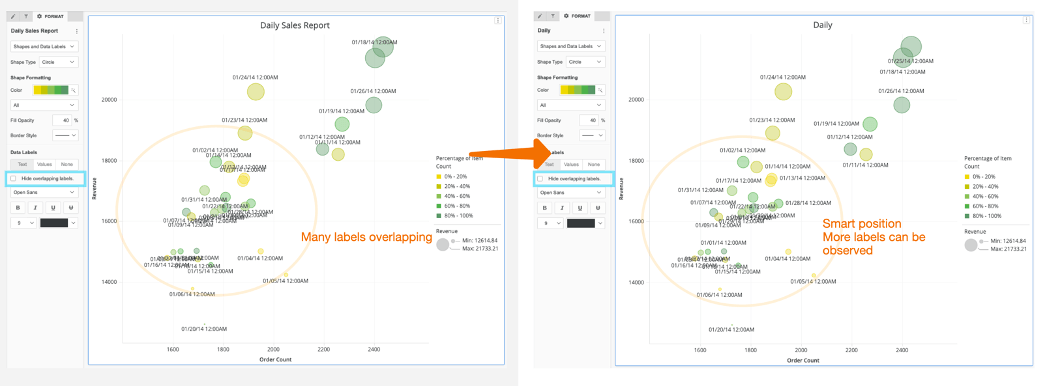
Show Overlapping Labels

Previously, when users want all labels to display, even if it will introduce overlap, many labels are unreadable. Now, when users have Hide overlapping labels unchecked, the graph automatically picks better places to display labels, so more are readable.
ka0PW0000001JdYYAU_0EM4W000001IRDl.jpeg


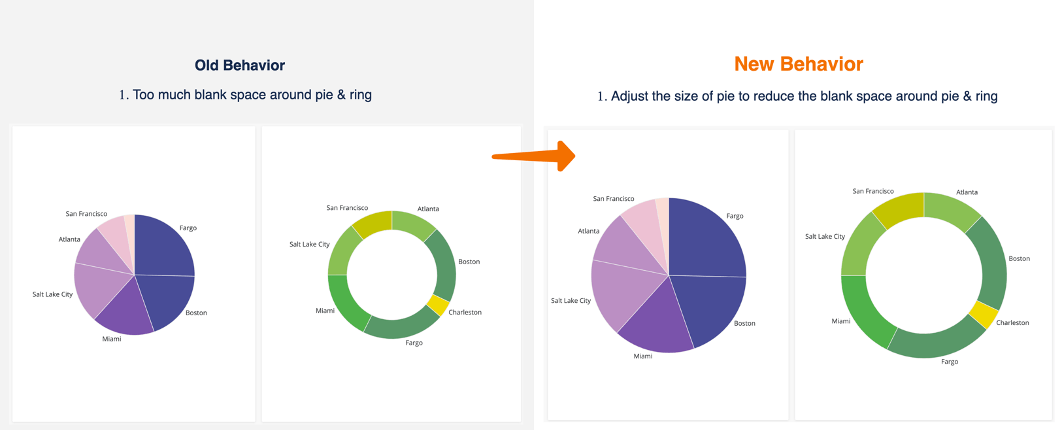
Pie Chart


Better use of container space, while still showing data labels.
ka0PW0000001JdYYAU_0EM4W000001IRDq.jpeg


Why am I still seeing data labels drop?


For Strategy 2020 Update 2, we introduced a 30% rule–an improvement from the previous behavior which was inconsistent in some cases. With the 30% rule, it will consistently show data labels at 30% or less of the container.
Examples:

An analyst is building a visualization while maximized, and then when they minimize the container, they notice some of the labels drop. This means that the once the visualization is minimized, because the data label are now occupying more than 30% of the container, they are hidden, which is the expected behavior.


How can I make my data labels appear?


With this 30% rule in mind, consider tweaking your design to give the containers more space.

  • For example, move the visualization to another relevant page to avoid overcrowding.
  • Consider shrinking other elements on the page that have extra white space.
  • Reduce the data label font size.
  • Adjust the number formatting (e.g. condensed, or remove decimals).


What else is new in 2020 Update 2?


Hear from Strategy’s CTO, Tim Lang, on the top 10 features in Strategy 2020 Update 2 in this video. 


Comment

0 comments

Details

Knowledge Article

Published:

August 21, 2020

Last Updated:

March 21, 2024