EducationSoftwareStrategy.com
StrategyCommunity

Knowledge Base

Product

Community

Knowledge Base

TopicsBrowse ArticlesDeveloper Zone

Product

Download SoftwareProduct DocumentationSecurity Hub

Education

Tutorial VideosSolution GalleryEducation courses

Community

GuidelinesGrandmastersEvents
x_social-icon_white.svglinkedin_social-icon_white.svg
Strategy logoCommunity

© Strategy Inc. All Rights Reserved.

LegalTerms of UsePrivacy Policy
  1. Home
  2. Topics

KB484780: Dossiers with multiple datasets and linked attributes show incorrect data


Yaoli Li

Quality Engineer, Principal • MicroStrategy


This article addresses the incorrect data shown when a dossier with multiple datasets are run for the first time and the filter on new derived elements is not applied. This article also provides a solution to avoid this issue.

Starting with the release of Strategy ONE (March 2024), dossiers are also known as dashboards.

Description 


If the filter on new derived elements is not applied when running the dossier for the first time, the dossier with multiple datasets and link attributes will show incorrect data. 
Steps to reproduce

  • In the Strategy Tutorial project, create a Data Import cube called DS1 with the table, LU_CATEGORY.
  • Create a second Data Import cube called DS2 with table, YR_CATEGORY_SL.
  • Create a dossier and add DS1 and DS2 as datasets.
  • Link the attribute Category Id from DS1 to Category Id in DS2.
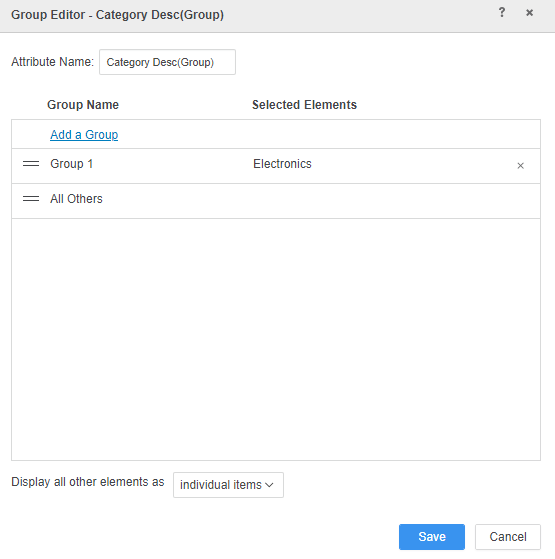
  • Add the attribute Category Desc of DS1 to the grid and create new derived elements on Category Desc. For example, add Electronics to Group 1.
ka0PW0000001Jf6YAE_0EM4W000001KEax.jpeg
  • Delete the grid. Add the new derived element Category Desc(Group) to the filter panel.
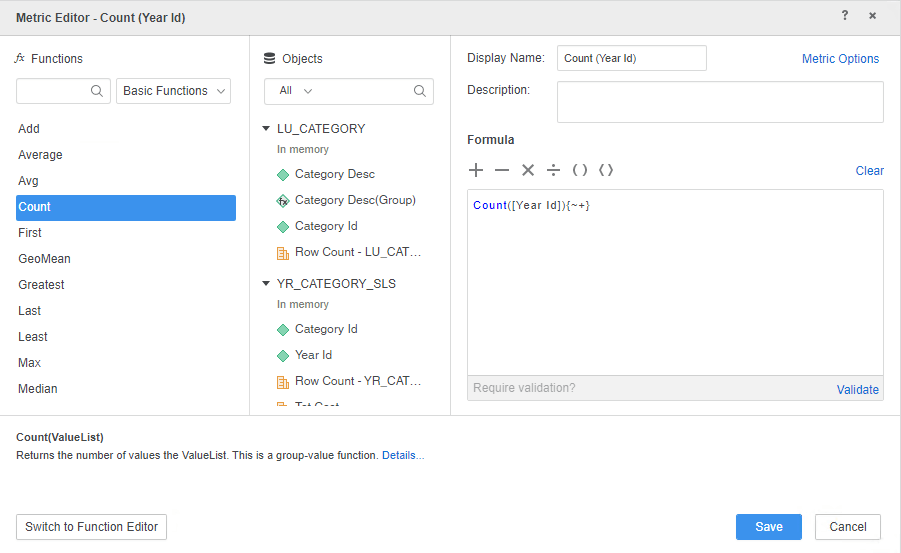
  • In DS2, create a derived metric on Year Id called Count(Year Id). Add Count(Year Id) to the grid.
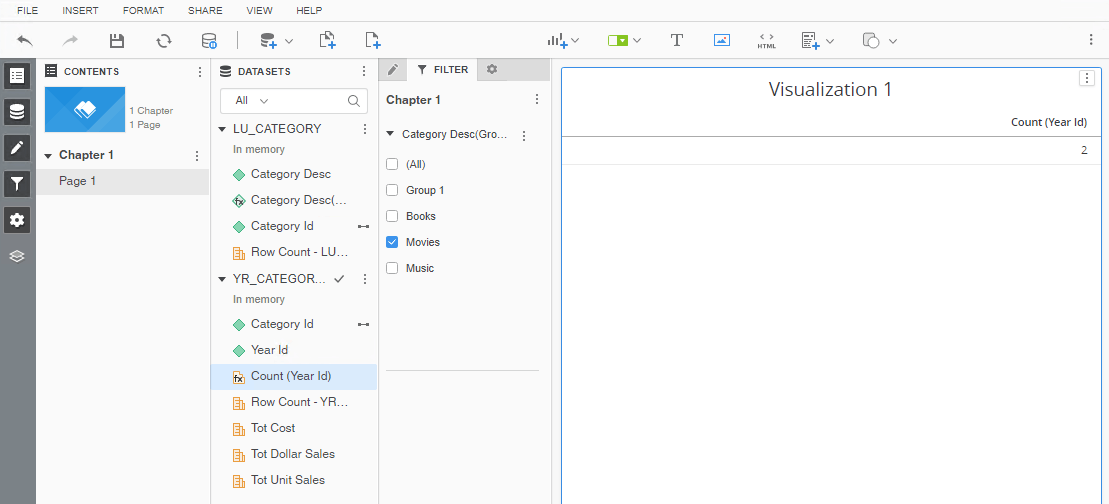
ka0PW0000001Jf6YAE_0EM4W000001KEUR.jpeg
  • Select Movies on the Category Desc(Group) of the Filter panel. Count(Year Id) in the grid returns "2."
ka0PW0000001Jf6YAE_0EM4W000001KEbb.jpeg
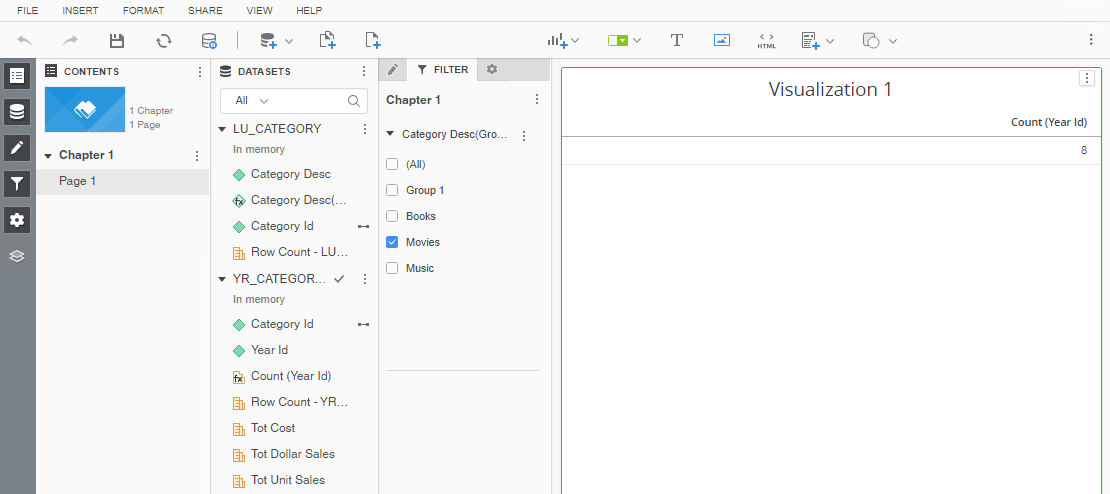
  • Save the dossier. Run the dossier again and notice Count(Year Id) in the grid returns "8." This is incorrect. The correct result is 2.
ka0PW0000001Jf6YAE_0EM4W000001KEbg.jpeg

Why is this happening?


This is a known defect in versions prior to Strategy 2020. At the initial dossier execution, the new derived elements are not populated, so the filter on it is ignored when the new derived elements are not in the grid.

Solution


This issue has been addressed in Strategy 2020. If you are upgrading to Strategy 2020 or a later version, to pick up the fix, you must enable the project level setting "Data Engine Version" to 2020 or above. For more details on enabling the setting, refer to Change Data Engine Version. After the upgrade, the derived metric can get the correct value filtered by the new derived elements when running the dossier for the first time. 

Workaround


To get the correct value of the derived metric, you can select other elements on the new derived elements of the filter panel, then unselect it. The derived metric gets the correct result. The problem only occurs on the first dossier execution.


Comment

0 comments

Details

Knowledge Article

Published:

December 23, 2020

Last Updated:

March 21, 2024