Starting with the release of Strategy ONE (March 2024), dossiers are also known as dashboards.
Explore the following topics in this article to learn about the dynamic default selection for filters in dossiers:
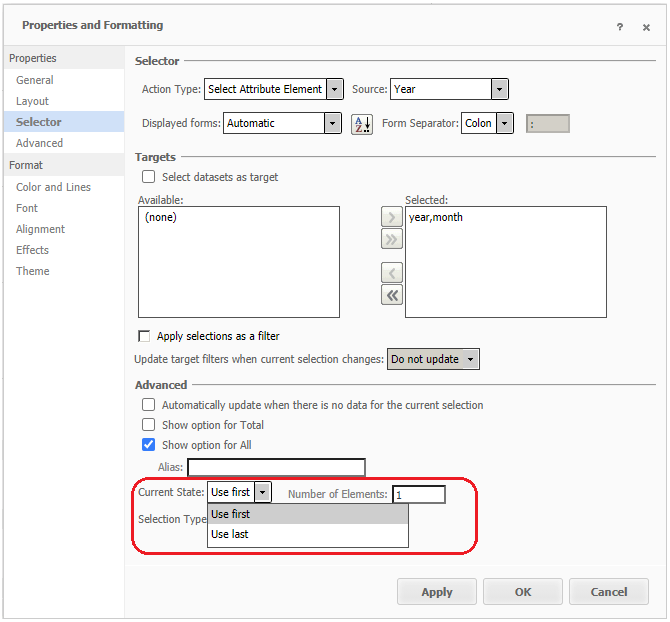
Prior to the introduction of dossiers, data analysis and reporting heavily relied on documents. A document function for slicing selectors provides users the option to use first or last N as the default selections, so that the selection is updated automatically to the most current or specific data (such as date) when datasets are updated. The setting is shown in the following screenshot. Please note that this function is only available in documents for slicing selectors and does not support the unit condition selector.
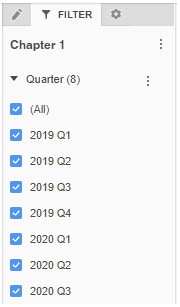
Prior to Strategy 2020, for the unit condition selector in dossiers, the default selection is unset, which is thee same as selecting (All). This does NOT filter target views.
The option to use first or last N as the default selection in a unit condition selector in dossiers is practical and useful for our users, just like using a slicing selector in documents. This behavior ensures that the selection of thee unit condition selector is automatically updated to the most current or specific data when datasets are updated. With this feature, we support dynamic default selection in unit condition selectors in a dossier via specifying the last/first N elements.
For filters in the filter panel, you can define the dynamic default selection in your dossier via the following entry:
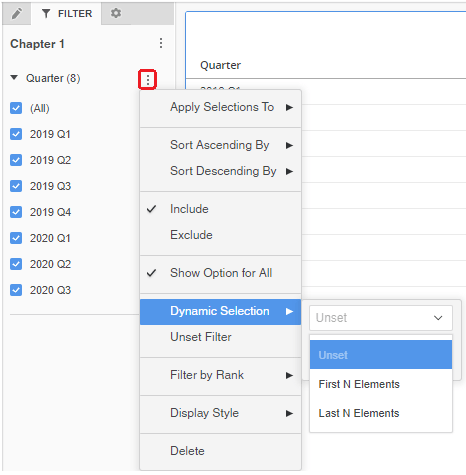
The same entry applies to in-canvas selectors.
For filters in the filter panel, after the dynamic default selection is defined, an icon and text('First N'/'Last N') appear indicating dynamic selection is ON.
If you single click on the icon, or make any manual selection on the filter, the icon is grayed out, indicating dynamic selection is OFF.
If you single click on the icon again, the icon is no longer grayed out and the filter’s selection is reset to the user-defined First N/Last N.
If you unset the filter, the icon disappears, indicating the dynamic selection setting (use first, use last, N’s number) defined by user is disabled.
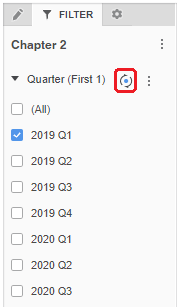
For in-canvas selectors, the icon and text do not appear.

If you hover over the selector, you can see the dynamic icon and it works as described above.

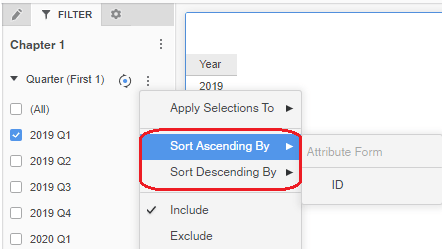
The function of sorting filter elements also comes with the dynamic default selection. You can combine the usage of sorting filter elements and dynamic default selection to filter data more freely.
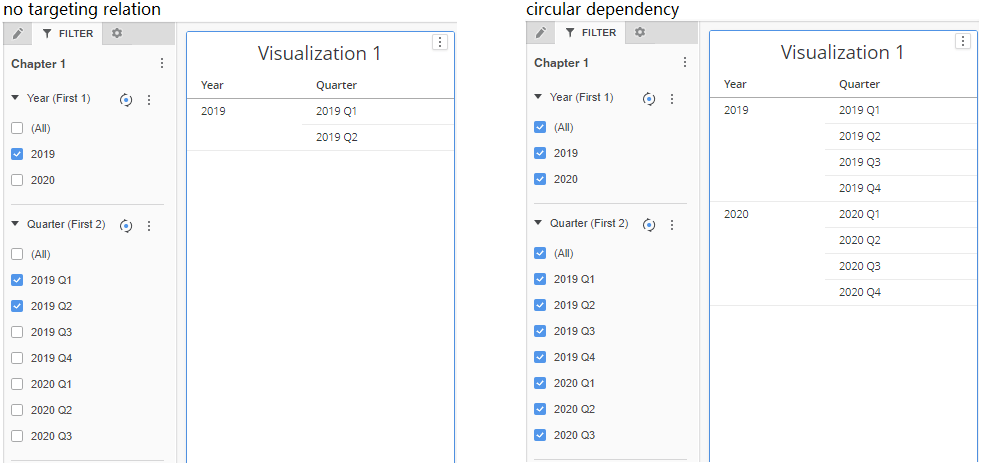
The following two cases lead to a circular dependency problem and cause the dynamic default selection to FAIL:
When dynamic default selection fails to work, the selectors will still show text and icon indicating dynamic selection is on, but all the candidate elements will be selected because it can’t automatically select the correct first N/last N elements.
Dynamic default selection does not support recursive attributes, but you can sort filter elements on recursive attributes.
When a selector’s source is a custom group, you cannot conduct sort on the selector, because custom group elements cannot be sorted, just as you cannot sort on custom group elements on a grid.
