EducationSoftwareStrategy.com
StrategyCommunity

Knowledge Base

Product

Community

Knowledge Base

TopicsBrowse ArticlesDeveloper Zone

Product

Download SoftwareProduct DocumentationSecurity Hub

Education

Tutorial VideosSolution GalleryEducation courses

Community

GuidelinesGrandmastersEvents
x_social-icon_white.svglinkedin_social-icon_white.svg
Strategy logoCommunity

© Strategy Inc. All Rights Reserved.

LegalTerms of UsePrivacy Policy
  1. Home
  2. Topics

Dynamic link to pass multiple elements


Robert Prochowicz

Manager, Sales Engineering • MicroStrategy


There is a way to build a dynamic link that is able to pass multiple elements as parameters to external applications. You can use this feature to create links that would pass multiple customer ID to your CRM application, or multiple product IDs to your ordering application. In my example I will pass multiple names to Google Search. Creating a link that would pass a single element is enabled OOTB. Passing multiple elements requires a small workaround.

Starting with the release of Strategy ONE (March 2024), dossiers are also known as dashboards.
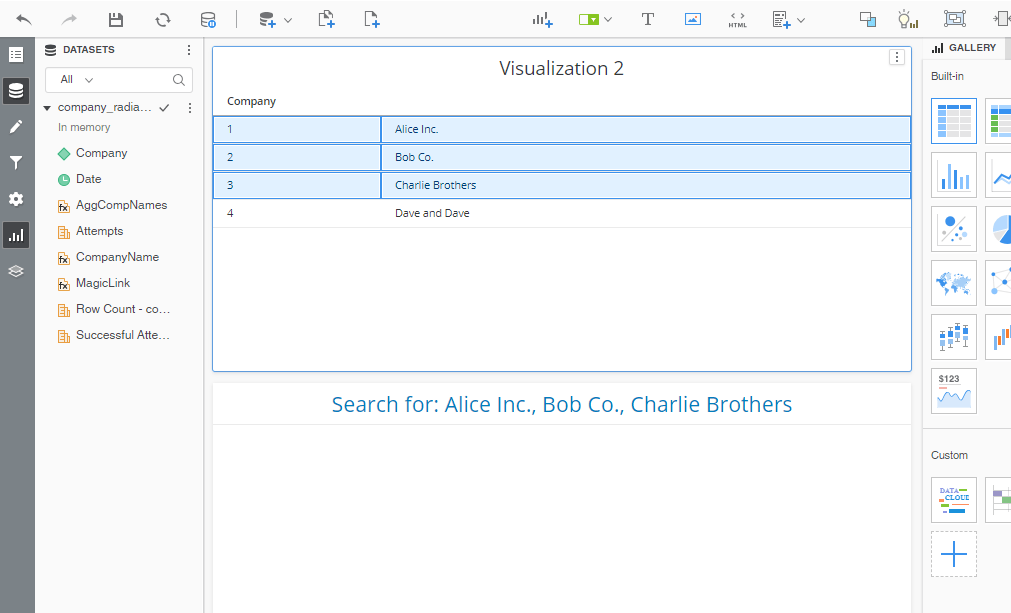
In the final dossier you would be able to select multiple elements in a grid and the URL below will be updated with elements you've selected.
ka0PW0000001JchYAE_0EM2R000000fw9p.jpeg

In order to do that you would have to create two metrics:
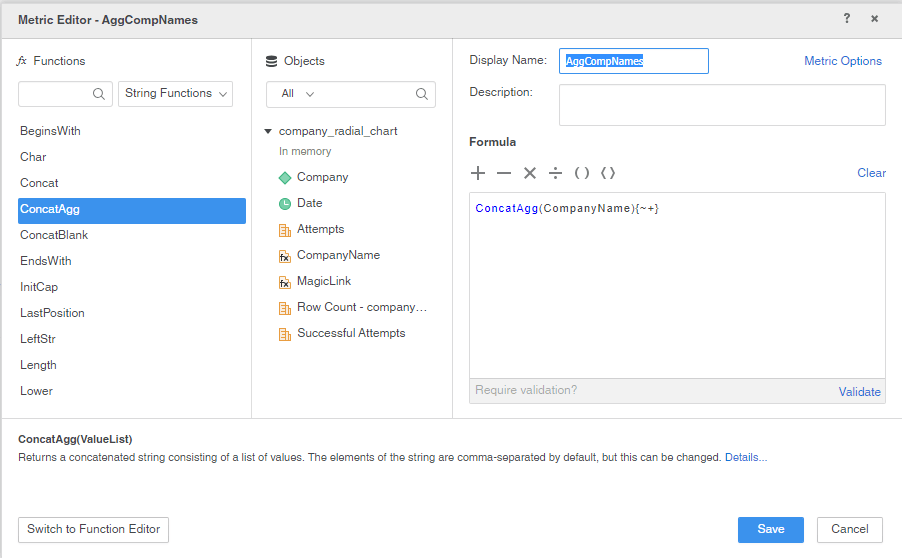
METRIC 1: AggCompNames with formula:
ConcatAgg(CompanyName){~+}
ka0PW0000001JchYAE_0EM2R000000fw9L.jpeg

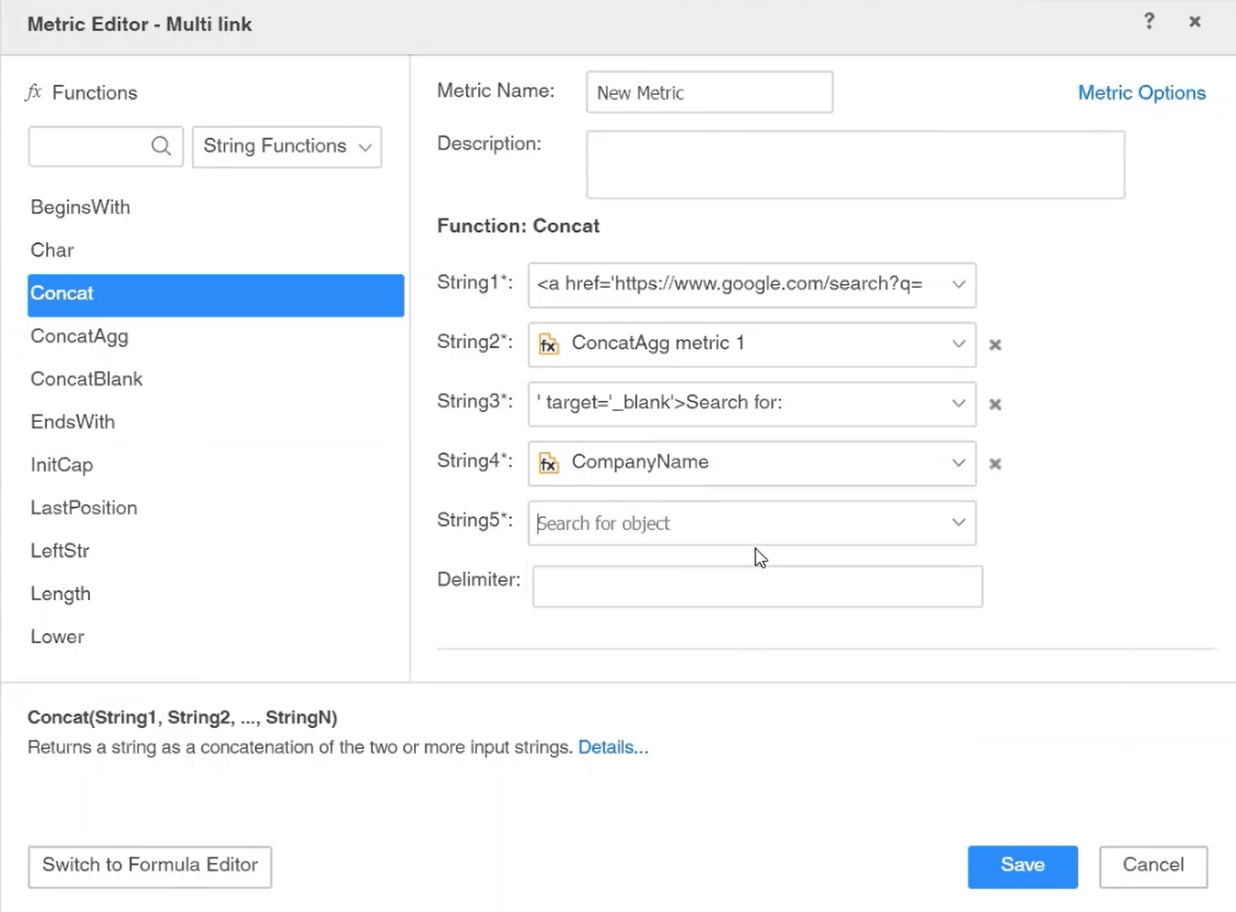
METRIC 2: Multi Link with formula: 
Concat("<a href='https://www.google.com/search?q=", AggCompNames, "' target='_blank'>Search for: ", AggCompNames, "</a>")
This is basically a regular URL that you need to split into pieces and replace 'xxx' with the first metric you've created.
<a href='https://www.google.com/search?q=xxx' target='_blank'>Search for: xxx</a>
ka0PW0000001JchYAE_0EM2R000000fw9a.jpeg

See the video for additional information:


Comment

0 comments

Details

Example

Published:

June 12, 2020

Last Updated:

March 21, 2024