KB442252
Part I: BlackBerry Good Control
1.1 Manage App
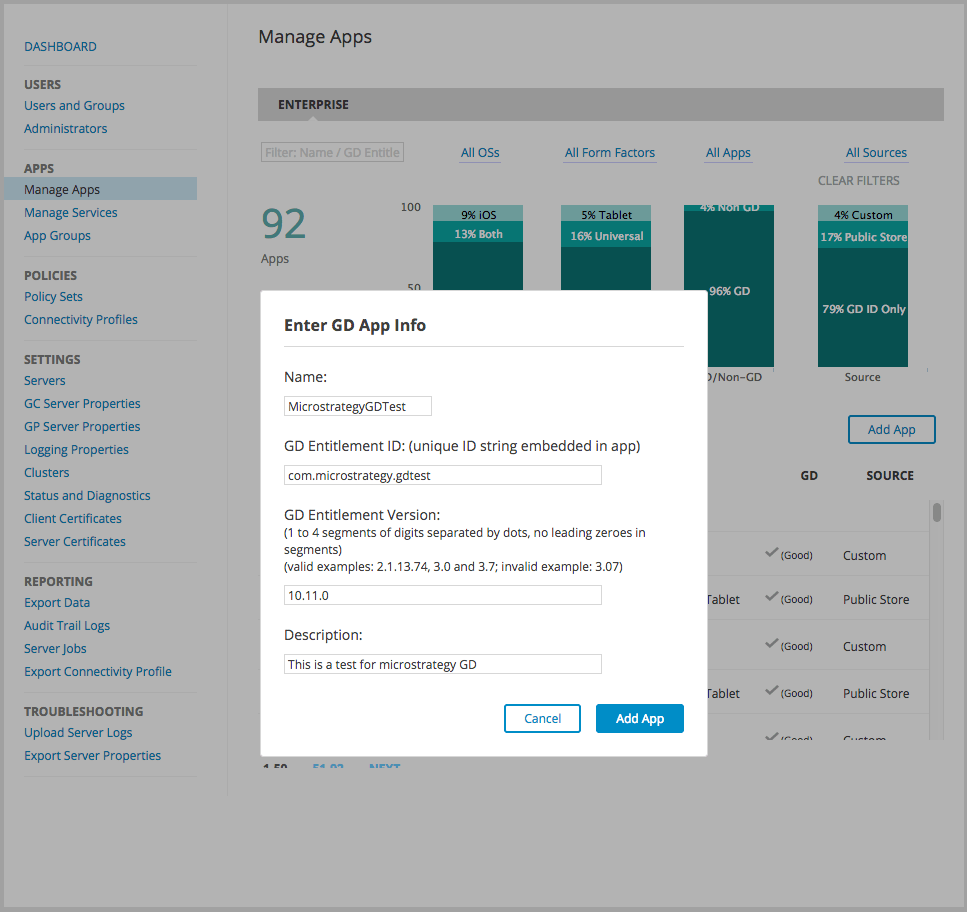
Log on to Good Control Console. Go to APPS → Manage Apps. Click Add App button, choose GD Entitlement ID and Version only, click Next.

Enter necessary app information including GD Entitlement ID (Just create a new one, and set in app) and GD Entitlement Version, click Add App.
1.2 Xcode Configuration
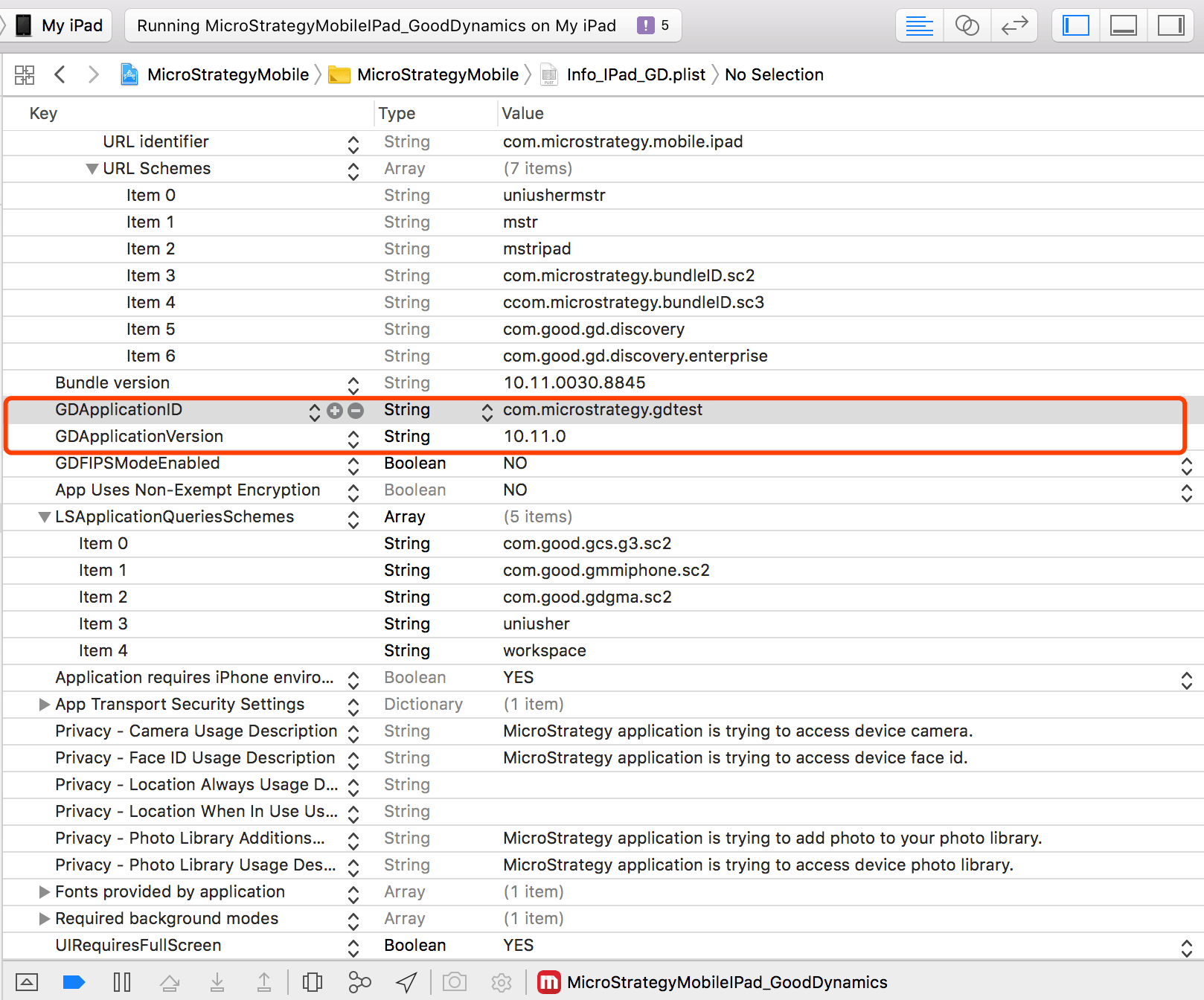
App build Bundle ID should be the same with the bundle ID set for the app on GD console

In Info_IPad_GD.plist sc2 and sc3 prefix should be the same with the bundle ID set for the app on GD console

In Info_IPad_GD.plist GDApplicationID and GDApplicationVersion should be the same with GD Entitlement ID and Version set for the app on GD console
Run app on device, you would see following activation screen

1.3 Activate App
Log on to Good Control Console. Go to USERS → Users and Groups. Click corresponding user, go to APPS tab, click Add More button under ENTITLED ENTERPRISE APPS and add the app you just created.


Go to ACCESS KEYS tab, click New Access Key button to create a new access key for user.

Then user would get an email like this

Use the email and access key to activate the app.

1.4 Prevent Data Leakage
Good secure policy will be used to control PDL features. Go to POLICIES → Policy Sets, Copy Good Default policy and configure your own PDL settings to create a new policy.
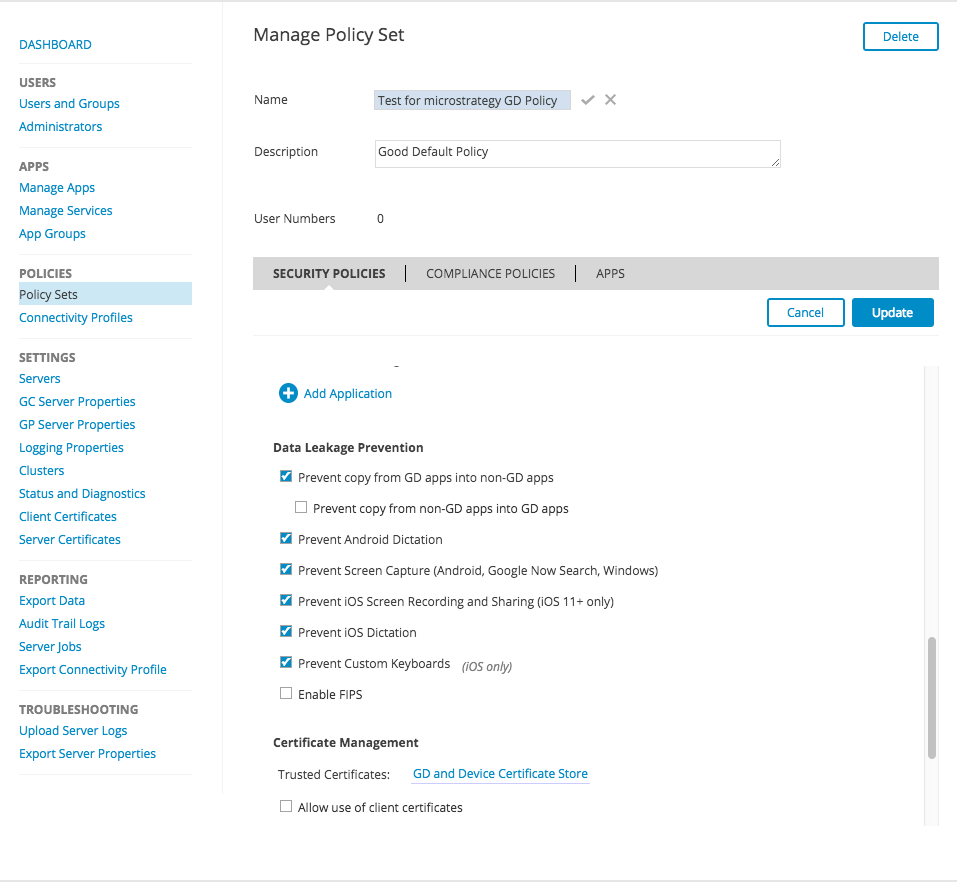
Go to USERS → Users and Groups, find corresponding user and apply the policy. Policy would be pushed to device immediately.

1.5 Configuration URL
Go to POLICIES → Policy Sets, Find corresponding policy and go to APPS tab, find corresponding app under CROSS-APP POLICIES, fill your configuration url in the text area and click Update.

1.6 Good Proxy
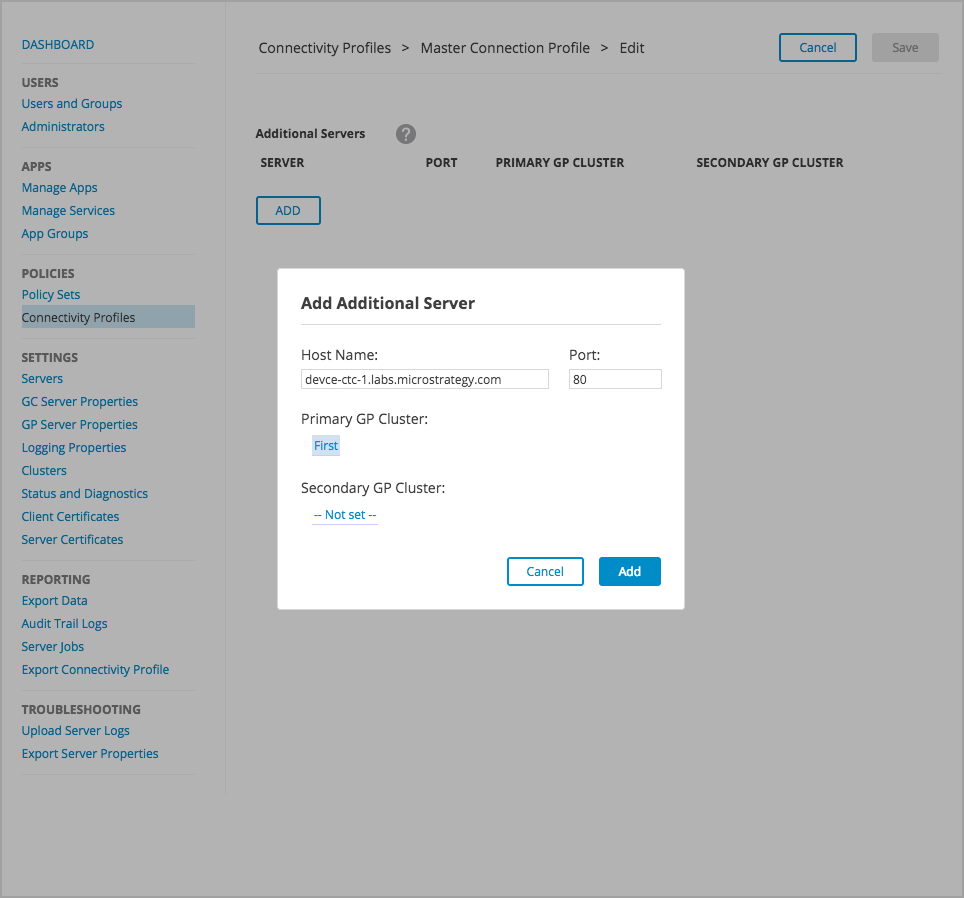
Go to Connectivity Profiles → Master Connection Profile, edit Additional Servers, add the hostname and port of the server which you want to access from Good Proxy.
Part II: BlackBerry Work
BlackBerry Work provides our customers with a secure, synchronized connection to the company email account so they can send and receive email, view attachments, manage calendar and store documents. From the BlackBerry Work Launcher, they can also launch all other permitted BlackBerry Dynamics apps that are installed and activated on the device.
To add support for BlackBerry Work, first we should add it to the Apps list in Good Control, as the bundle ID com.good.gcs.g3. This allows us to activate the BlackBerry Work application with the email account and key inside our organization:

To setup the email account for BlackBerry Work, we should also add the corporate mail server host(outlook.office365.com) to the whitelist of the connectivity profile on the Good console:

Add BlackBerry Work App to User, notice the bundle ID should be com.good.gcs.g3 [Must be the same with the one configured in Xcode plist, or you need to modify Xcode plist] or it won't work.


BlackBerry Work could be downloaded from Apple App Store. While activating the BlackBerry Work, you can either choose to activate it with other BlackBerry mobile applications like Strategy or BlackBerry Access, or input the email account and access key created from Good console.


After BlackBerry Work is activated, you'll need to set up the email account. Please enter the following fields in the Setup Account page:
Server: outlook.office365.com
Username: yourname@microstrategy.com
Password: yourpassword
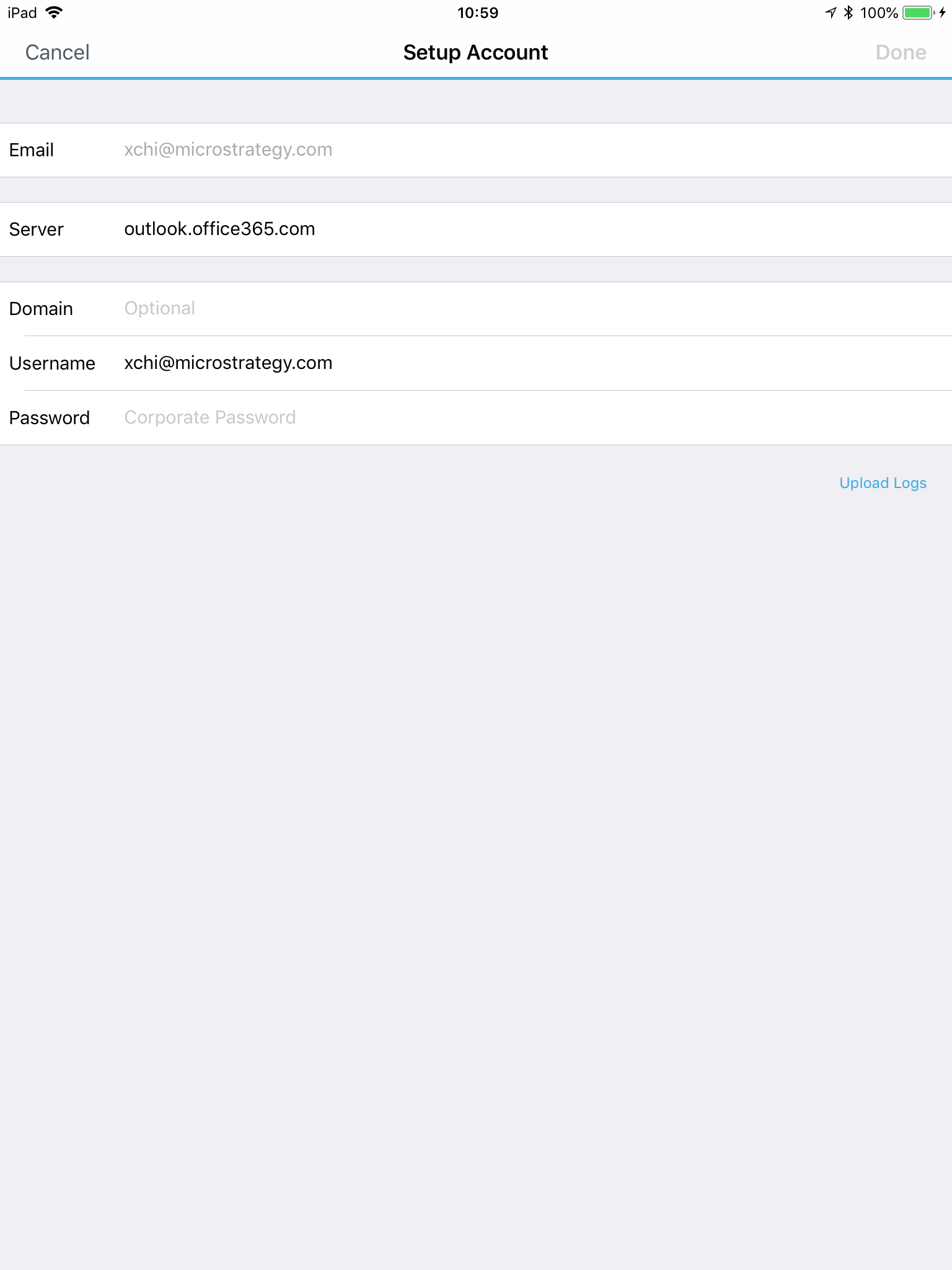
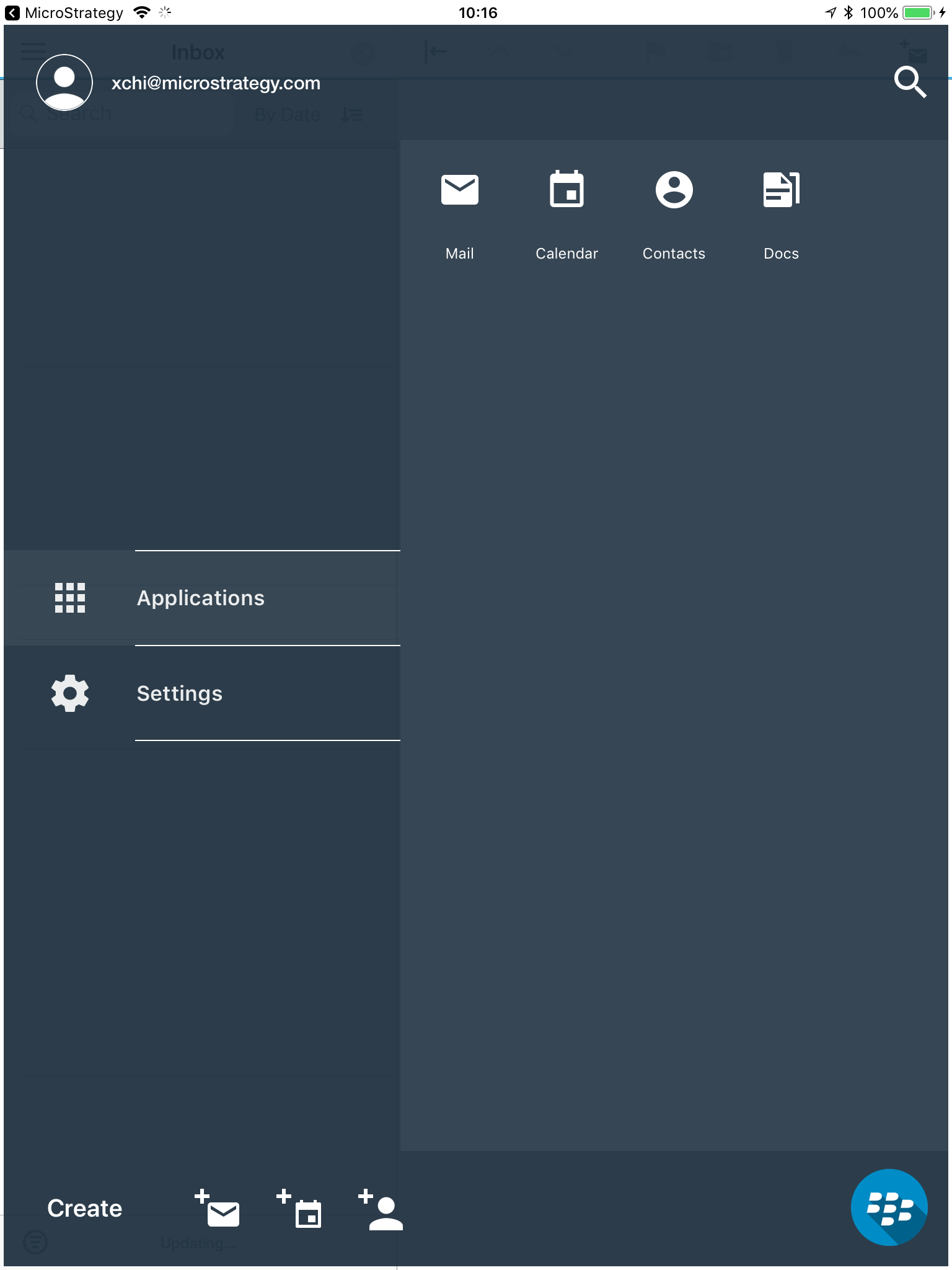
After setting up the email account, you can start using the BlackBerry Work application. You can switch from Mail, Docs and other features of BlackBerry Work by tapping the button on the bottom right corner:
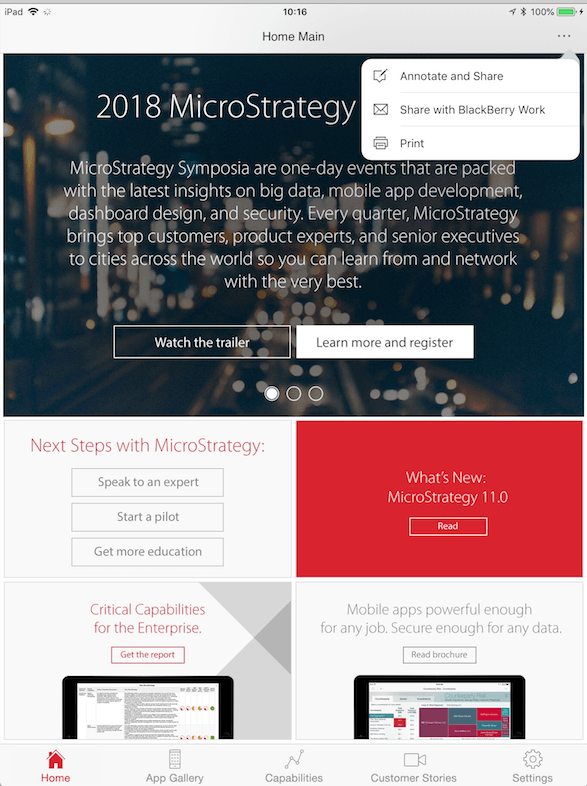
When BlackBerry Work is installed, the email option in the context menu would be changed to "Share with BlackBerry Work". You can chose this option to send email with the BlackBerry Work application:
After switching to BlackBerry Work, a new message would be created and the screen shot / annotation would be in its attachment:

You can also share documents such as PDF files with the BlackBerry Work application.
Part III: BlackBerry Enterprise
Good for Enterprise(GFE) is a secure mobile email and collaboration suite from GD. Our Strategy-GD integrated release disabled email and document sharing features that we hope to re-enable, specifically by using GfE to facilitate secure email and document sharing.
After activating GFE, Strategy support sending email by GFE. Please note that the priority of emailing and sharing document with BlackBerry Work is higher than GfE. So when both GfE and BlackBerry Work are installed on the device, our app would choose Good Work as the emailing and document sharing application.
