When users are trying to send reports via email, the recipient cannot receive it. In DSSErrors log there is below entry:
MSIDeliveryEngine::hDelivery(): Email Delivery Failed. Error string from ExecuteMultiProcess 5.7.3 STARTTLS is required to send mail [aaaa.prod.outlook.com] SMTP Error: 451 MNet::SocketImpl::Connect() - FAIL. Cannot connect to a socket: xxx:25, errno = n Unknown error. Please check the SMTP server connection. Socket Error: -1 Unknown error. <Subscription '' (ID = xxxx, ParentID = xxxx), Contact 'xxxx' (ID = xxxx) >
The email device setting is like below:
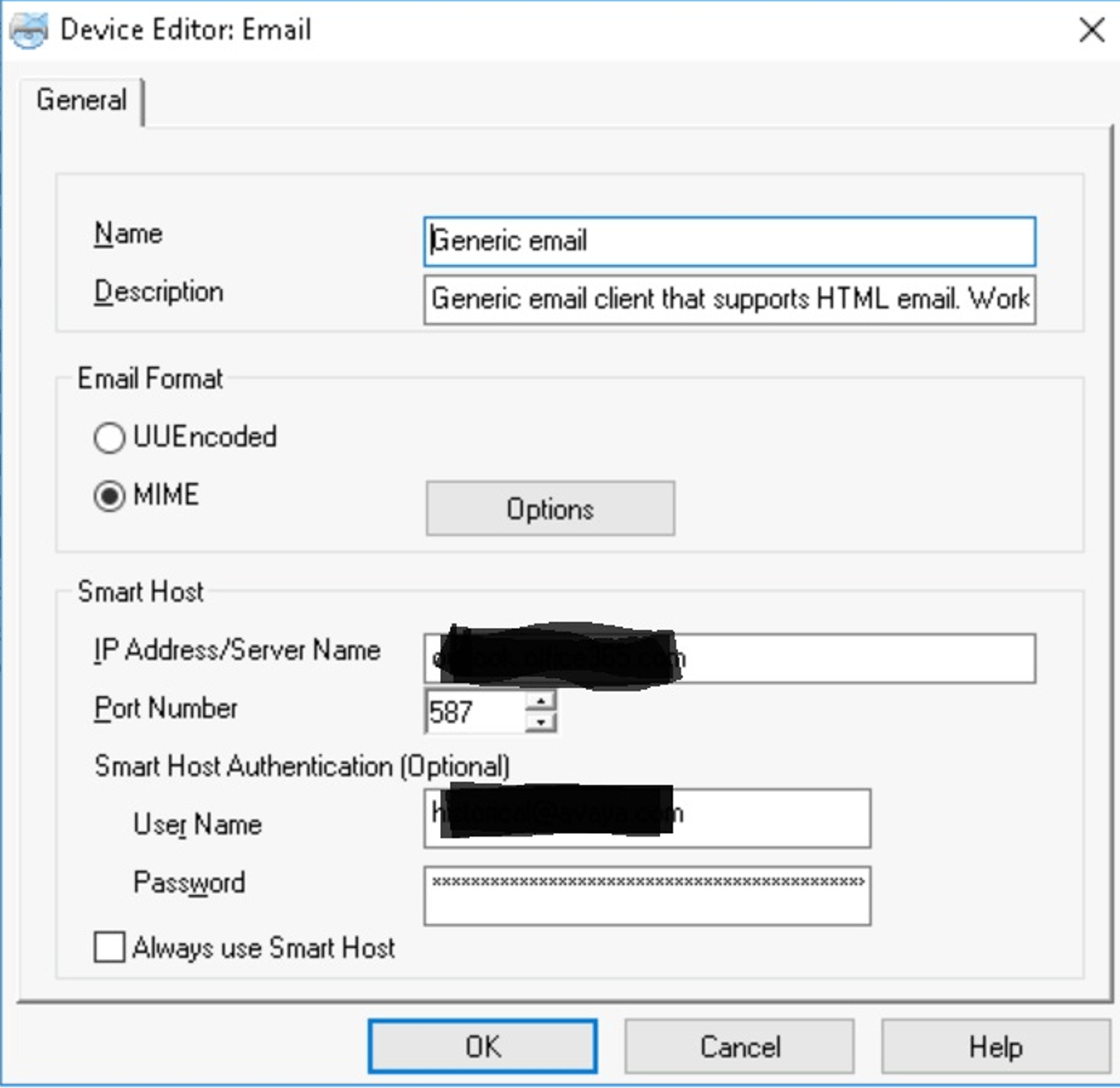
“Always use Smart Host” option is not checked. if not checked, I-Server would by default not use the smart host. It will only fall back to use the smart host if it could not send the email otherwise. To always use TLS, we should make sure the checkbox checked, i.e., to always use smart host.
Check “Always use Smart Host” option and error are gone.
