After upgrading to Strategy 2020 Update 2 or Strategy 2019 Update 8, the email device with Smart Host mode requires the SMTP server to support the TLS transport protocol. Otherwise, the email does not send successfully.
The following screenshot of the Device Editor shows an email device configured with a Smart Host Server.
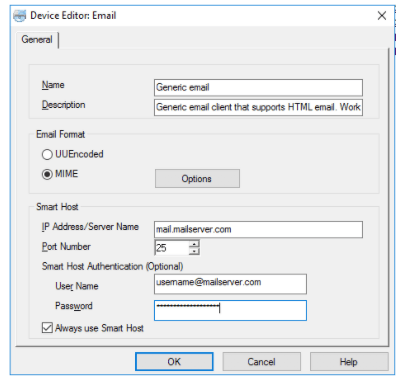
If the configured Smart Host (SMTP) server and its port does not support TLS protocol, the Intelligence Server refuses to send the email to the SMTP server. The email cannot successfully send.
You receive the following error message in the DSSErrors.log, as shown below.
MSIDeliveryEngine::hDelivery(): Email Delivery Failed. Error string from ExecuteMultiProcess Error sending Secure Email: Email send failed: Connect failed class javax.mail.MessagingException: STARTTLS is required but host does not support STARTTLS Error sending Secure Email: Email send failed: Connect failed
Strategy upgraded the email sender module and it improved the Smart Host feature's security. It will ask the Intelligence Server to start an encrypted connection with the SMTP server.
Contact the SMTP server administrator to change a port that supports the TLS.
