EducationSoftwareStrategy.com
StrategyCommunity

Knowledge Base

Product

Community

Knowledge Base

TopicsBrowse ArticlesDeveloper Zone

Product

Download SoftwareProduct DocumentationSecurity Hub

Education

Tutorial VideosSolution GalleryEducation courses

Community

GuidelinesGrandmastersEvents
x_social-icon_white.svglinkedin_social-icon_white.svg
Strategy logoCommunity

© Strategy Inc. All Rights Reserved.

LegalTerms of UsePrivacy Policy
  1. Home
  2. Topics

KB485431: Embedded dossier shows incorrect decimal point despite configuring number format language


Malgorzata Matusiak

Senior Product Specialist • Strategy


This knowledge base article shows how to make sure that your embedded dossier uses correct decimal separator – in this example we use Spanish decimal separator (comma “,”).

Starting with the release of Strategy ONE (March 2024), dossiers are also known as dashboards.

Symptoms


In this case Strategy Web language preferences, machine settings and browsers settings are configured to use Spanish, including number and date format however embedded dossier displays incorrect decimal separator.

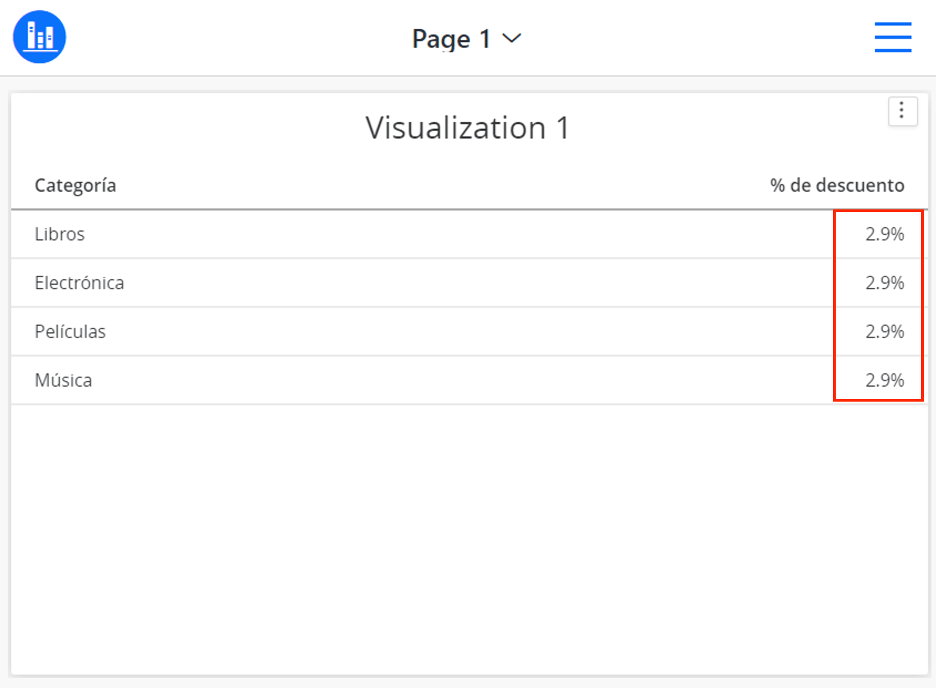
  1. Dossier in standard Strategy Library displays correctly with comma “,” as a decimal point (in this scenario browser language settings decide which separator should be used).

Dossier in standard Strategy Library:
ka0PW0000001JhQYAU_0EM4W000004Yyxx.jpeg


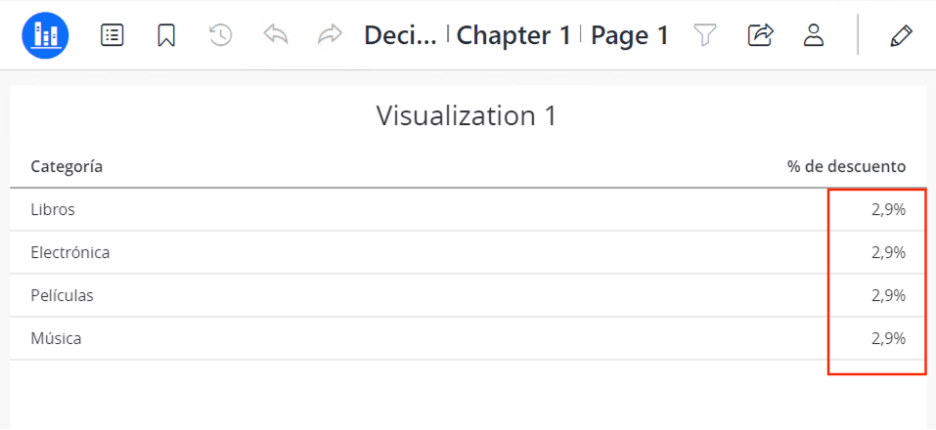
  1. The same dossier but embedded in third party page using Strategy Embedding SDK displays incorrect decimal separator as a dot “.”.

Embedded dossier:

ka0PW0000001JhQYAU_0EM4W000004Yyyb.jpeg


Cause


In standard Strategy Library application session is created using browser and browser language settings, while in embedded dossiers it is embedded code that is responsible for creating the session. Number format must be specified in embedded code during session creation to display correct decimal point.

Action


It is necessary to define “numberLocale” parameter in embedded code when creating the session to make sure correct number format setting is used.
Example of code to embed a dossier in web page: review code sample (link of code sample: https://github.com/MicroStrategy/embedding-sdk-samples/blob/master/feature_showcase/2_Use_Auth_Token.html ) 
Add numberLocale parameter in embedded code and set it to “es_ES” while creating the session:


var options = {
    method: 'POST',
    credentials: 'include',
    mode: 'cors',
    headers: {'Content-Type': 'application/json'},
    body: JSON.stringify({
        loginMode: 1,
        username: "user1",
        password: "password1",
        numberLocale: "es_ES"
      })
    };

Useful links related to Embedding SDK:

  • Embedding SDK Playground - https://github.com/MicroStrategy/playground
  • Embedding SDK samples - https://github.com/MicroStrategy/embedding-sdk-samples


Comment

0 comments

Details

Knowledge Article

Published:

March 31, 2022

Last Updated:

March 21, 2024