In Strategy 2021 Update 5.2, “Error 1067: The process terminated unexpectedly” error occurs after maximizing the value of socket.request.max.bytes in server.properties from C:\Program Files (x86)\Strategy\Messaging Services\Kafka\kafka_2.13-3.1.0\config to 10485760000.
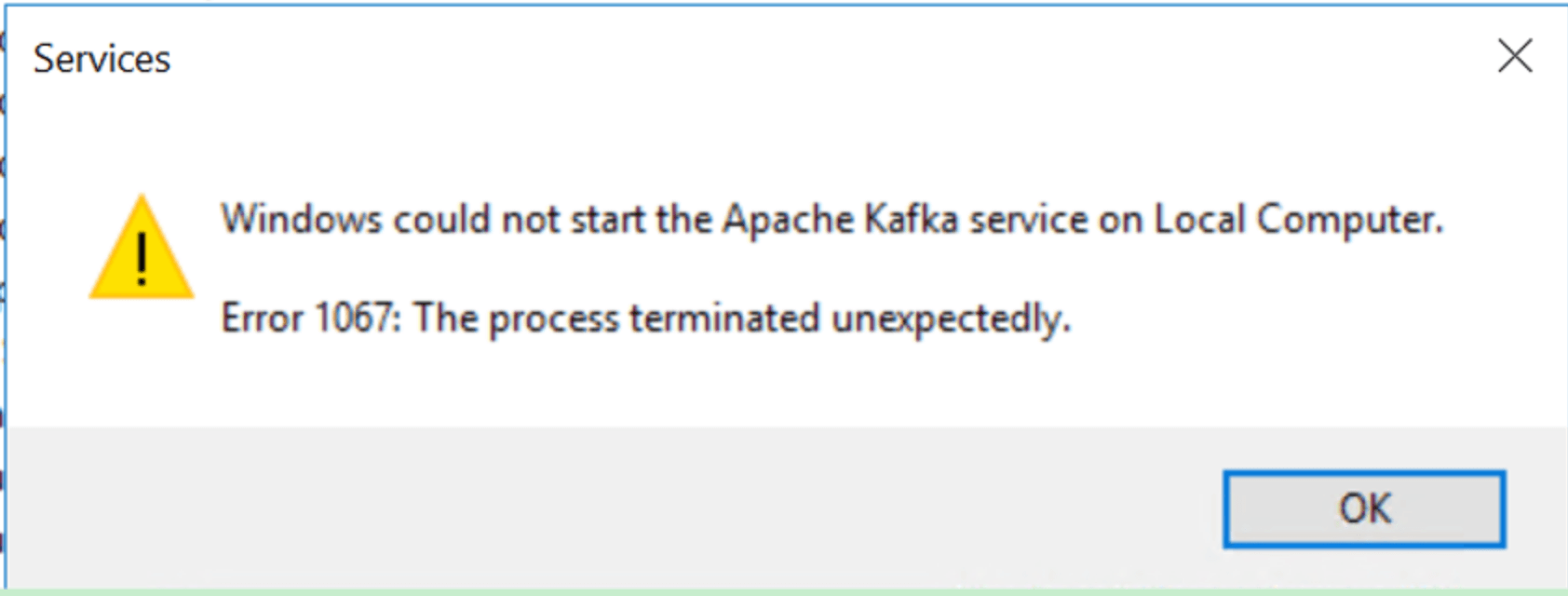
"Windows could not start the Apache Kafka service on Local Computer.
Error 1067: The process terminated unexpectedly."
Kafka Server.log shows below “Invalid value 10485760000 for configuration socket.request.max.bytes: Not a number of type INT” error:
[2022-05-14 02:45:45,023] INFO Registered kafka:type=kafka.Log4jController MBean (kafka.utils.Log4jControllerRegistration$)[2022-05-14 02:45:45,475] ERROR Exiting Kafka due to fatal exception (kafka.Kafka$)org.apache.kafka.common.config.ConfigException: Invalid value 10485760000 for configuration socket.request.max.bytes: Not a number of type INT at org.apache.kafka.common.config.ConfigDef.parseType(ConfigDef.java:742) at org.apache.kafka.common.config.ConfigDef.parseValue(ConfigDef.java:490) at org.apache.kafka.common.config.ConfigDef.parse(ConfigDef.java:483) at org.apache.kafka.common.config.AbstractConfig.<init>(AbstractConfig.java:113) at org.apache.kafka.common.config.AbstractConfig.<init>(AbstractConfig.java:146) at kafka.server.KafkaConfig.<init>(KafkaConfig.scala:1463) at kafka.server.KafkaConfig.<init>(KafkaConfig.scala:1466) at kafka.Kafka$.buildServer(Kafka.scala:67) at kafka.Kafka$.main(Kafka.scala:87) at kafka.Kafka.main(Kafka.scala)
[2022-05-14 01:48:30,498] INFO [Controller id=0, targetBrokerId=0] Node 0 disconnected. (org.apache.kafka.clients.NetworkClient)[2022-05-14 01:57:36,492] WARN [SocketServer listenerType=ZK_BROKER, nodeId=0] Unexpected error from /10.23.7.69; closing connection (org.apache.kafka.common.network.Selector)org.apache.kafka.common.network.InvalidReceiveException: Invalid receive (size = 369296129 larger than 104857600) at org.apache.kafka.common.network.NetworkReceive.readFrom(NetworkReceive.java:105) at org.apache.kafka.common.network.KafkaChannel.receive(KafkaChannel.java:452) at org.apache.kafka.common.network.KafkaChannel.read(KafkaChannel.java:402) at org.apache.kafka.common.network.Selector.attemptRead(Selector.java:674) at org.apache.kafka.common.network.Selector.pollSelectionKeys(Selector.java:576) at org.apache.kafka.common.network.Selector.poll(Selector.java:481) at kafka.network.Processor.poll(SocketServer.scala:989) at kafka.network.Processor.run(SocketServer.scala:892) at java.base/java.lang.Thread.run(Thread.java:829)
The default value of socket.request.max.bytes in server.properties is 100M. Maximize the value could get avoid warning message of “Invalid receive (size = xxxxxxxxx larger than 104857600)”
However, the value of Int.MaxInt is 2147483647 per Kafka Official documentation https://issues.apache.org/jira/browse/KAFKA-1670, and 10485760000 is crossing the maximum allowable value.
Third Party Software Installation WARNING
The third-party product(s) discussed in this technical note is manufactured by vendors independent of Strategy. Strategy makes no warranty, express, implied or otherwise, regarding this product, including its performance or reliability.
