SYMPTOM
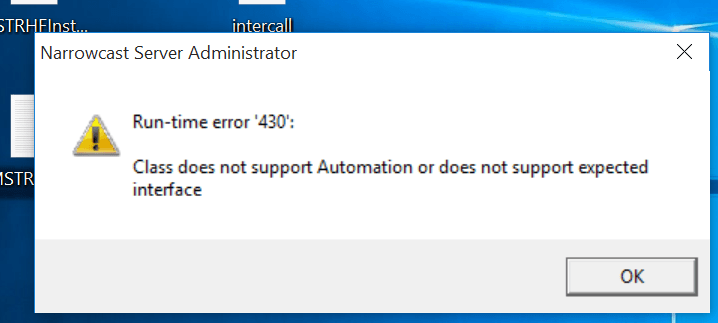
Some users attempting to use Narrowcast Administrator on 10.4 HF5 may encounter an unexpected error "Class does not support Automation or does not support expected interface" when opening Narrowcast Administrator after installing Hotfix 5 for 10.4.
STEPS TO REPRODUCE
1. Install Strategy Narrowcast Administrator 10.4 on a Windows machine. Install ONLY the Narrowcast Administrator, not the Delivery Engine!
2. Install Hotfix 5 for 10.4.
3. Launch Narrowcast Administartor and the error "Class does not support Automation or does not support expected interface" will pop up
ACTION
This issue has been addressed in 10.10 and 10.4HF6. Upgrade to this version to take advantage of this fix.
WORKAROUND
1. Make sure that you have both Narrowcast Administrator and the Delivery Engine installed without HF5.
2. Restart the machine
3. Install HF5.
4. Restart the machine
5. Run Narrowcast Administrator. It should work.
6. Modify the installation again to remove the Delivery Engine.
7. Restart the machine. You should now have only Narrowcast Administrator with HF5 fully working. KB439782
