EducationSoftwareStrategy.com
StrategyCommunity

Knowledge Base

Product

Community

Knowledge Base

TopicsBrowse ArticlesDeveloper Zone

Product

Download SoftwareProduct DocumentationSecurity Hub

Education

Tutorial VideosSolution GalleryEducation courses

Community

GuidelinesGrandmastersEvents
x_social-icon_white.svglinkedin_social-icon_white.svg
Strategy logoCommunity

© Strategy Inc. All Rights Reserved.

LegalTerms of UsePrivacy Policy
  1. Home
  2. Topics

KB485576: Error Message: The SQL query generated exceeds the maximum length


Puneet Nagri

Quality Engineer, Principal • MicroStrategy


An error message is seen that a SQL has exceeded the maximum length supported when a intelligent cube/report is executed having 2 metrics from same base table with same metric qualification and also has at least another metric from same base table with different metric qualification.

Description


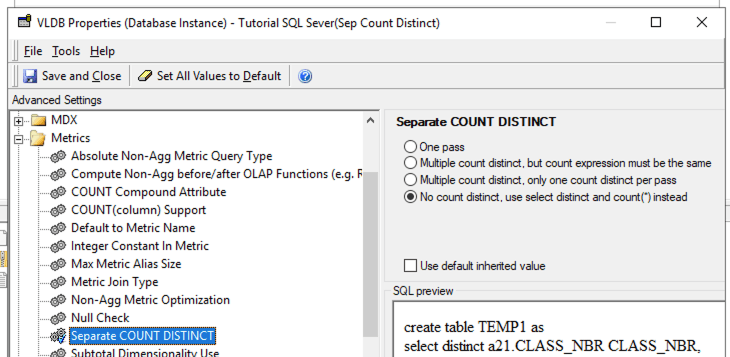
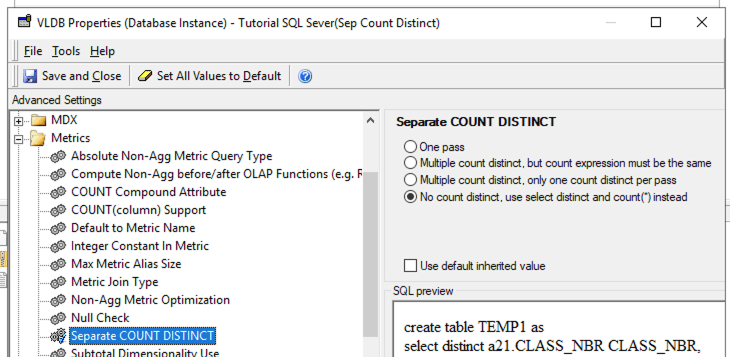
An error message is seen that a SQL has exceeded the maximum length supported when a intelligent cube/report is executed having 2 metrics from same base table with same metric qualification and also has at least another metric from same base table with different metric qualification and VLDB settings at the project database instance is set as below.
 

ka04W000001IwDjQAK_0EM4W000005kqbi.png


Steps to reproduce

  • Set the below VLDB setting at the database instance to 4th option. "No Count Distinct"
ka04W000001IwDjQAK_0EM4W000005kqbj.png
  •  Project Configuration > Database Instance > SQL Data warehouses >  VLDB properties > Metrics > Separate COUNT DISTINCT
  • Create a report/cube having 2 metrics which has same metric qualification and based on same fact, there are also other metrics which has different metric qualification and based on different fact, and for some of the metrics, the join type settings are inner join, for others the join type settings are outer join.
    • 4 metrics: 2 with same fact and same metric qualification, 1 with different fact and same metric qualification, 1 with same fact and different metric qualification
      • Inner join/outer join
      • Compound metric with the above 4 metrics defined inside.
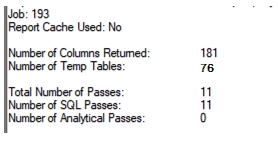
    • The resultant SQL can have massive number of intermediate passes causing it to exceed the limit.


ka04W000001IwDjQAK_0EM4W000005kqbk.png

Solution


To fix the data issue, upgrade to Strategy 2021 Update 5 and set the Data Engine Version to be 2021. To set Data Engine Version, refer to How to set Date Engine Version.


Comment

0 comments

Details

Knowledge Article

Published:

July 1, 2022

Last Updated:

August 11, 2022